
March 18, 2022 NHTSA CAMPAIGN NUMBER: 22V168000
Incorrect Software May Cause System Failures
Various system failures, such as loss of drive power, reduced exterior lighting, or loss of dynamic control functions including stability and traction control, can increase the risk of a crash.
NHTSA Campaign Number: 22V168
Manufacturer Mercedes-Benz USA, LLC
Components EXTERIOR LIGHTING, ELECTRONIC STABILITY CONTROL, ENGINE AND ENGINE COOLING
Potential Number of Units Affected 22
Summary
Mercedes-Benz USA, LLC (MBUSA) is recalling certain 2010 E350, 2014 G550, 2008-2009 C300, 2008 C350, 2009 CLK550, 2007 SL550, SLK280, and 2008 SLK350 vehicles. Various control units may have been updated with incorrect software configuration during a service repair. This can result in various system failures, such as loss of drive power, reduced exterior lighting, or loss of dynamic control functions, including stability and traction control.
Remedy
Dealers will update the software configuration on the affected control units, free of charge. Owner notification letters were mailed May 3, 2022. Owners may contact MBUSA customer service at 1-800-367-6372. MBUSA’s number for this recall is 2022040003.
Notes
Owners may also contact the National Highway Traffic Safety Administration Vehicle Safety Hotline at 1-888-327-4236 (TTY 1-800-424-9153), or go to www.nhtsa.gov.
Check if your Mercedes-Benz has a Recall
2022040003
Update Control Unit Software Configuration
This is to notify you of a Safety & Emissions Recall Campaign launch to update the control unit configuration on 22 Model Year (“MY”) 2007-2014 SLK-Class, C-Class, E-Class Coupe/Convertible, CLK-Class, SL-Class and G-Class (171, 204, 207, 209, 230, and 463 platform) vehicles. The recall campaign will be visible on the www.safercar.gov website and may generate questions from customers. Affected VINs will be flagged in VMI as “OPEN” on April 15, 2022.
Issue
In certain vehicle models mentioned above, various control units may have been updated with incorrect software configuration during a service repair. In this case, installation of incorrect software configurations could cause one or various control units to malfunction. Various system failures, such as loss of drive power, reduced exterior lighting, or loss of dynamic control functions including stability and traction control might occur, which could increase the risk of a crash and/or exhaust emissions depending on the control unit affected.
What We’re Doing
MBUSA will conduct a voluntary recall. An authorized Mercedes-Benz dealer will update the software configuration of the affected control units on the vehicles
Parts
Remedy is available and can be performed.
Given this notice, it is a violation of Federal law for a dealer to sell or lease any new MY MY07-14 SLK-Class, C-Class, E-Class Coupe/Convertible, CLK-Class, SL-Class and G-Class vehicles in dealer inventory covered by this notification until the vehicle has been repaired. The vehicles will be flagged as “OPEN” and Work Instructions will be available in Star TekInfo. Once the repair is complete the vehicle may be sold or leased.
Loaner and demonstrator vehicles may continue to be driven, but must not be retailed until repaired. As a matter of normal service process, please check for other repair measures which might be applicable to the vehicle(s).
Additionally, given this notice, it is a violation of Federal Law for car rental companies to rent new MY07-14 SLK-Class, C-Class, E-Class Coupe/Convertible, CLK-Class, SL-Class and G-Class vehicles covered by this notification until the vehicle has been repaired.
Notice to California Dealers: As required by 13 CCR 2117, a proof of correction (“POC”) certificate showing that the vehicle has been repaired under this recall must be issued by the authorized service facility, and that such a certificate may be required by California as a condition of vehicle re-registration or operation. Please reference this POC in the attached work instructions. Failure to complete this step may result in fines and penalties and lead to customer dissatisfaction.
Perform SCN coding in various control units
- Ensure use of XENTRY Diagnosis version 03/2022 or higher.
- Before starting the work procedure, install all the add-ons that are updated daily in XENTRY Diagnosis.
- Make sure to follow the operation steps exactly as described in XENTRY Diagnosis.
- Use a battery charger to ensure sufficient power supply of the vehicle on-board electrical system battery (greater than 12.5 V).
- If XENTRY Diagnosis is already connected to the vehicle, start with operation step 2.
If two or more software updates or SCN codings are performed during one workshop visit, operation items 02-4762 and 02-5058 may be invoiced once for each workshop order.
Work Procedure
- Connect XENTRY Diagnosis.
If the control unit listed here is not present in the vehicle, no SCN coding is therefore necessary.
Valid for all models
To do this, select menu item “Quick test view – Engine electronics for combustion engine- Adaptations – Control unit update – Update of SCN coding”.
Then follow the user guidance in XENTRY Diagnosis.
Only for models 204 and 207
- Perform SCN coding in front SAM control unit with fuse and relay module .
To do this, select menu item “Quick test view – N10/1 (Front SAM control unit with fuse and relay module) – Adaptations – Control unit update – Update SCN coding”.
Then follow the user guidance in XENTRY Diagnosis
Only for models 204 and 207
- Perform SCN coding in rear SAM control unit with fuse and relay module .
To do this, select menu item “Quick test view – N10/2 (Rear SAM control unit with fuse and relay module) – Adaptations – Control unit update – Update SCN coding”.
Then follow the user guidance in XENTRY Diagnosis
Only for model 204
- Perform SCN coding in Electronic Stability Program control unit.
To do this, select menu item “Quick test view – Electronic Stability-Program control unit – Adaptations – Control unit update – Update of SCN coding”.
Then follow the user guidance in XENTRY Diagnosis.
Only for model 204
- Perform SCN coding in central gateway control unit.
To do this, select menu item “Quick test-view – N93 – Central Gateway (CGW) – Adaptations – Control unit update – Update of SCN coding”.
Then follow the user guidance in XENTRY Diagnosis.
Only for model 207
- Perform SCN coding in right xenon headlamp control unit.
To do this, select menu item “Quick test view – E2n1 – Right xenon headlamp (XALWA-R) – Adaptations – Control unit update – Update of SCN coding”.
Then follow the user guidance in XENTRY Diagnosis.
- Disconnect XENTRY Diagnosis.
The following step applies to California dealers only.
Apply Proof of Correction Label (A 000 584 54 13) to area identified in Figure 1. Fill in the blank areas of the label. The campaign number for the California Proof of Correction is unique and must be entered as such (220403), your dealer code, and the date of the repair, using a black permanent marker.
The following step applies to California dealers only.
Provide the owner with the completed and signed Proof of Correction Certificate (A 000 584 42 14) Figure 2, after you scan a completed form and attach to the RO. The recall number for the California Proof of Correction is unique and must be entered as such (220403).
Chronology :
In July 2021, MBAG was informed by an authorized Mercedes-Benz dealer of a configuration deviation in a vehicle control unit following an update performed by the workshop diagnostics tool. MBAG initiated an investigation into the issue and determined that incorrect vehicle configuration data had been calculated by the IT-backend of the diagnostics system and written into the control unit of some vehicles. MBAG’s investigation determined that the error in the IT-backend of the diagnostics tool only occurred from July 06, 2021 to July 14, 2021. From August to October 2021, MBAG conducted an extensive investigation to determine which vehicle control units potentially could be affected by the calculation error. This investigation also included an exhaustive review of production and diagnostics records to identify specific vehicles that may have had deviating configuration data installed during a workshop visit. From November 2021 until late February 2022, MBAG performed a detailed investigation and analysis of potential configuration deviations in affected control units to determine if there were any potential effects on safety, compliance and emissions. MBAG has not received any customer complaints or reports of a crash, injury or property damage associated with the software deviation. Nonetheless, on March 11, 2022, MBAG determined that it could not rule out the risk that a deviation in an affected vehicle control unit could pose a risk to safety, compliance and/or emissions.
Accordingly, MBAG will conduct a recall of affected vehicles.
9 Affected Products
Vehicles
| MAKE | MODEL | YEAR |
| MERCEDES BENZ | C300 | 2008-2009 |
| MERCEDES BENZ | C350 | 2008 |
| MERCEDES BENZ | CLK550 | 2009 |
| MERCEDES BENZ | G550 | 2014 |
| MERCEDES BENZ | SL550 | 2007 |
| MERCEDES BENZ | SLK280 | 2007 |
| MERCEDES BENZ | SLK350 | 2008 |
| MERCEDES-BENZ | E350 | 2010 |
14 Associated Documents
Defect Notice 573 Report
RCLRPT-22V168-3390.PDF 220.809KB
Recall Acknowledgement
RCAK-22V168-6975.pdf 779.581KB
Recall 573 Report – March 25, 2022
RCLRPT-22V168-3573.PDF 220.904KB
Manufacturer Notices(to Dealers,etc)
RCMN-22V168-4622.pdf 139.811KB
Remedy Instructions and TSB
RCRIT-22V168-1402.pdf 443.703KB
Manufacturer Notices(to Dealers,etc)
RCMN-22V168-2491.pdf 565.469KB
Recall 573 Report – April 18, 2022
RCLRPT-22V168-8426.PDF 220.9KB
Remedy Instructions and TSB
RCRIT-22V168-3453.pdf 444.421KB
Recall 573 Report – May 6, 2022
RCLRPT-22V168-9119.PDF 220.902KB
ISSUED Owner Notification Letter(Part 577)
RCONL-22V168-5393.pdf 494.825KB
Manufacturer Notices(to Dealers,etc)
Recall Quarterly Report #1, 2022-2
RCLQRT-22V168-8609.PDF 211.143KB
Recall Quarterly Report #2, 2022-3
RCLQRT-22V168-2207.PDF 211.24KB
Recall Quarterly Report #3, 2022-4
RCLQRT-22V168-2844.PDF 211.326KB
Latest Recalls Documents
Mercedes-Benz Reprogramming
All information in regard to Mercedes-Benz J2534 compliant software is available free of charge and found under the MB Workshop Resources tab on the home page of www.startekinfo.com
J2534 complaint software for Mercedes-Benz vehicles is available for purchase from Mercedes-Benz USA.
In order to use the J2534 complaint software for Mercedes-Benz vehicles, the purchaser must furnish their own:
- Windows based PC or laptop*
- J2534 compliant interface box*1*
*Must be purchased from a third party company and are not available from Mercedes-Benz USA LLC.
*1* suggested listing of J2534 interface boxes is located within the J2534 Pass-Thru User’s Manual which is posted for view without cost under the MB Workshop Resources tab on the home page of www.startekinfo.com
Vehicle Coverage
J2534 complaint software for Mercedes-Benz vehicles has coverage for all required functions associated to reprogramming, initialization, and fault clearing of emission control modules (engine and transmission) fitted to vehicles 2004 Model Year and newer. Additionally all access and functionality required in regard the configuration via SCN Coding and/or CVN Coding is covered.
J2534 complaint software for Mercedes-Benz vehicles is delivered via DVD media which is delivered monthly for the license term of one year upon purchase.
- All control unit software (reprogramming calibrations) is contained within J2534 DVD media.
Terms and conditions
J2534 complaint software for Mercedes-Benz vehicles is purchased in 1-year license increments. During that license term the user will receive an initial software package, license key, SCN/CVN Coding information/access as well as monthly updates via DVD media.
- Additional updates of software after the 1st year can be purchased at additional cost, however are not required for the system to continue functioning.
For pricing and additional information via the internet, please refer to the information at the beginning of this section.

- J2534 Pass-Thru Programmer: TOPDON RLink J2534 is an advanced diagnostic and reprogramming tool that support all J2534 protocols, as well as D-PDU, CAN-FD and DoIP, ensuring compatibility with a wide range of modern vehicles. It offers extensive versatility with support for over 18 major automotive brands, including Chrysler, Ford, GM, Nissan, Toyota, Honda, Subaru, Land Rover/Jaguar, Volvo, Wuling, Volkswagen/Audi, Mercedes-Benz, and BMW. NOTE: Not compatible with Ford IDS diagnostic software
- All-in-One OEM Diagnostics: This J2534 ECU programming tool elevates your automotive repair capabilities to new heights by delivering complete OEM diagnosis. Boasting comprehensive full-system diagnostics, intuitive repair guides, advanced ECU programming and coding, common reset services, a vast library of repair information and more, this all-in-one solution empowers technicians to effortlessly tackle complex vehicle issues with ease. *Not compatible with 24V vehicles
- Proven Performance You Can Trust: Backed by over 10000 real vehicle tests and benefit from a wealth of practical experience, this OEM reprogramming tool guarantees stable and exceptional performance. Supported by TOPDON's dedicated technical experts with in-depth knowledge of both auto repair and J2534 Pass-Thru programming, the RLink J2534 provides prompt and professional assistance, ensuring a smooth setup and reliable compatibility
- Integrated Excellence, Always Up-to-Date: Featuring the exclusive RLink Platform to provide a streamlined experience with one-click driver installation and management, ensuring flawless integration with your OE software, maintaining the original performance quality. The built-in operation guide makes mastering OE software quick and easy, so you can get started right away. Plus, with lifetime free updates, your diagnostics will stay current with the latest drivers and innovations
- Efficiency Meets Versatility: Engineered to support three CAN channels simultaneously - CAN FD and CAN-CC included, giving you the edge in fast troubleshooting. To perfectly synchronized with the OE software, please diagnose with active subscriptions and make sure your computer system is running a compatible 64-bit Windows version (7, 8, 10 or later) to fully leverage the power of RLink J2534. *We don't provide extra OE software

- Advanced VCI Box, Industry-leading J2534 Pass-Thru Technology: This J2534 Pass-Thru Programmer is designed espically for technicians, independent shop owners, and DIY enthusiasts, enables fast, reliable computer-based programming. It supports all J2534 protocols—including the latest DoIP and CAN FD—ensuring full compatibility with both legacy and next-generation vehicles.
- High-Speed OEM-Level Diagnostics & Programming: Unlock true OEM functionality with comprehensive system diagnostics, guided troubleshooting, coding, adaptations, resets, and programming—all designed to slash repair time. This all-in-one tool eliminates the need for multiple OEM devices, boosting efficiency and cutting costs. Equipped with High-Speed USB, it delivers 10x more data per second than competing solutions
- Coverage for 17 Car Brands & Ultra Reliability: Works seamlessly for Chrysler, for Ford(Forscan), for GM, for Nissan, for Toyota, for Honda, for Subaru(SSM4), for Land Rover/Jaguar, for Volvo, for Wuling, for Volkswagen, for Mercedes-Benz, and for BMW. Backed by over 10000 real vehicle tests and benefit from a wealth of practical experience, this OEM reprogramming tool guarantees stable and exceptional performance
- User-Friendly RLink Platform & Expert Support: TOPDON’s proprietary driver management platform offers a clean interface and lifetime free updates. Access a rich library of real-world case studies to stay ahead of the curve. Backed by a support team with 10+ years of J2534 and automotive repair experience, we provide one-on-one assistance to resolve any technical issue.
- 6.6 ft USB-C Cable & Portable Storage Case: The RLink J2534 diagnostic tool features a 6.6ft USB 2.0 Cable and a 1.2 ft OBDII Extension Cable, allows to connection your computer easily outside the vehicle. The included handled carry case offers easy portability, storage, and hanging options—keeping your gear clean and ready to go, anywhere.

- Dual WiFi & 10.1" Touchscreen: Provides a stable, high-speed wireless link 3x faster than bluetooth, and a responsive, professional interface. Topdon ONE obd2 scanner diagnostic tool ensures smooth, non-lagging diagnostic scan, boosting mechanic efficiency
- J2534 Pass-Thru Support: The included ONE VCI supports the J2534 standard, allowing it to function as a pass-thru device when paired with OEM diagnostic software.Through TOPDON’s RLink platform, technicians can perform dealer-level coding, expanding in-house capabilities without investing in multiple factory automotive scan tools
- OE Topology Mapping: Visualize the vehicle’s ECU network exactly as it’s built.Zoom, pan, and highlight specific modules to pinpoint component issues with precision.Topology mapping displays real-time communication between modules
- 50+ Service Functions: Covers high-demand services like ADAS calibration, DPF regen, TPMS reset, ABS bleed, and throttle adaptation.Expands your service menu, allows you to charge premium rates, and turns away zero jobs due to lack of tooling. Vehicle-specific functionality may vary
- Advaned ECU Coding: 10 of the most serviced brands in North America, including full ECU coding and flash hidden support for BMW, VW, Au-di, Benz, Porsche, Toyota, Ni ssan and more. Enables module replacement, feature customization, and personal settings with automatic backup or restore.Lets your shop safely offer high-margin customization services, attracting more customers and boosting profit

- [J2534 Pass-Thru Programmer] - TOPDON RLink J2534 is engineered for professional technicians, delivering OEM diagnostic and reprogramming capabilities. It supports all J2534 protocols, CAN-FD, DoIP, D-PDU. Compatible with 17 vehicle brands—such as Chrysler, Ford, GM, KIA, Hyundai, Nissan, Toyota, Honda, Subaru, Mitsubishi, MAZDA, Land Rover/Jaguar, Volvo, Volkswagen/Audi, Mercedes-Benz, and BMW. RLink J2534 can help reduce the cost of purchasing equipment from different brands.
- [All-in-One OEM Reprogramming and Diagnostics] - When seamlessly integrated with OEM diagnostic software, this dongle enables you to perform a wide range of functions, including ECU programming and coding, DTC reading and clearing, active tests, component matching, adaptations, rewriting, guided troubleshooting, and more. This all-in-one tool eliminates the need for multiple OEM devices, significantly boosting work efficiency.
- [Tested, Trusted, and Proven for Accuracy] - TOPDON RLink J2534 is renowned for its reliability, having successfully completed over 10,000 real-vehicle tests. The wealth of data and hands-on experience behind it ensures consistent performance and accurate results. You can trust this tool to deliver optimal performance.
- [One-Click Installation, Continuous Updates] - The exclusive TOPDON RLink platform streamlines installation with a one-click driver setup, allowing you to quickly access OEM software for diagnostic and reprogramming tasks. With lifetime free updates, your RLink J2534 stays current without any additional cost, ensuring reliable performance for the long term. *We don't provide extra OE software.
- [Works with Windows Compatibility and OEM Software Subscription] - The RLink J2534 supports three CAN channels - including CAN FD and CAN-CC, providing advantages in the process of rapid troubleshooting. Compatible with Windows 7, 8 and 10 (64-bit) and higher versions of the system. For full functionality, an active OEM software subscription is required for each supported vehicle brand. Please note that the dongle does not include OEM software, which must be purchased separately to access brand-specific diagnostic and reprogramming features.
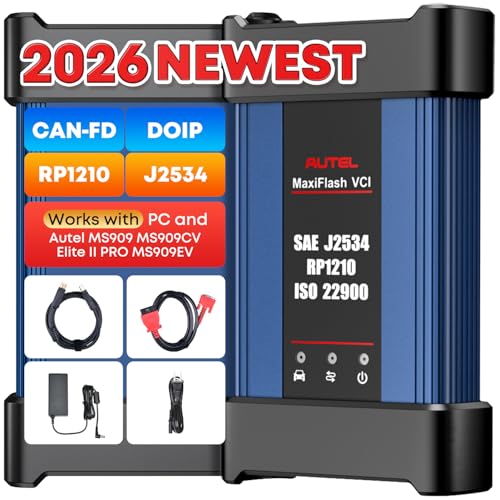
- 💯【Conta.ct us for Support Directly】For any issues experienced after purchase, please reach out to: 📞autelsupply@ outlook. com🛣️. Our team will provide perfect solution for you. For tech support or [explore additional accessory], please cont.act our team: 📞autelsupply@ outlook. com🛣️.
- 🌎【Autel J2534 Pass-Thru Progra.mmer】As an OEM Pass-Thru Progra.mmer Vehicle interface for multiple makes, Autel MaxiFlash J2534 support all J2534 protocols, D-PDU, CAN-FD and DoIP protocols. 2026 newer Autel MaxiFlash J2534 VCI can works with P-C and download OEM vehicle software, seamlessly conduct OE-level diagnostic-progra.mming-c0ding. Also, Work with Elite II Pro/ Ultra Lite/ MS909/ MS909CV/ MS909EV to directly pro.gram on Merce.des-Be.nz & BM.W. Autel J2534 Progr.ammer is a multi-functional device and supports 10+ major brands, including for Hond.a, G.M, LandRo.ver, BM.W, Chrysl.er, For.d, Hyun.dai, Ki.a, Merc.edes B.enz, Toyot.a, Volksw.agen etc.
- 🌎【Enhanced Protocol: J2534/D-PDU/RP1210/CAN FD/DoIP】Autel MaxiFlash JVCI is a blueto.oth communicate device, it supports latest CAN FD DoIP CAN protocols, compliant with automotive D-PDU/ J2534/ RP1210 standards. It can perform standard PassThru J2534 functions: compatible with Toyota Techstream, Volvo VIDA, Honda HDS, Jaguar Land Rover IDS and BM.W 3G for OEM diagnostics. CAN FD protocol is mainly for GM 2019+, DoIP protocol is mainly for Volvo 2018+, for L-and Rover/for Jaguar 2017+, for BM.W F chassis and G chassis.
- 🌎【Compatible with P-C/ WIND.OWS 】The Autel J2534 VCI can be connected to a compu.ter via a data cable; once the corresponding OEM software is installed, it enables do advanced progr.amming and c0ding on your vehicles. Easy Steps: 1) Connect to P-C via a USB cable 2) download OEM vehicle software 3) Start Diagnose. Take For.d for example, you can download OEM software on mot.orcraft.erservi.ce website, such as: For.d Diagnostic Software downloads, As B.uilt Data, Updated Cali.bration information, then use different software do relevant features.
- 🌎【Work with Autel Elite II Pro/ Ultra Lite/ MS909/ MS909CV/ MS909EV】This 2026 latest Autel J2534 Pass-Thru VCI is 100% compatible with Autel Elite II Pro Ultra Lite MS909 MS909CV MS909EV to perform advanced functions from diagnose to progra.mming.
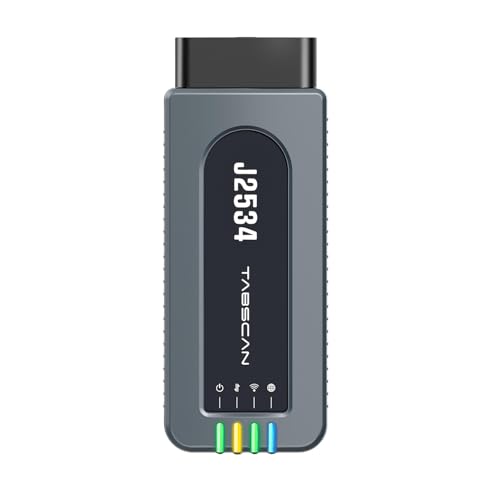
- 【J2534 Pass-Thru Device】 This budget-friendly J2534 pass-thru device delivers OEM diagnostics and reprogramming capabilities for dealerships, repair shops and automotive DIY enthuisasts, enables you diagnose, program and repair the vehicles more efficiently and precisely. Supporting J2534, D-PDU, CAN-FD and DoIP, this J2534 passthru tool ensures wide vehicle coverage. It's compatible with OE software application, ensuring seamless integration and original performance quality
- 【All-in-One Diagnostic Tool】 Simplify your workflow and tackle the complex diagnostics and repairs with confidence! This J2534 passthrough tool provides full system diagnosis, bi-directional control, maintenance reset services, ECU programming and ECU coding to run advanced diagnostics and programming. Equipped with the specialized platform, this J2534 pass-thru tool is fully compatible with OE software that helps technicians confidently handle complicated vehicle repair issues
- 【J2534 Diagnostic Tool】 The Tabscan J2534 pass-thru device is built with a dedicated platform, making it ideal for both professional and personal use. Simply download the driver for your ford vehicle within the platform—ensuring only one driver is installed at a time. Then connect the device to your vehicle’s OBD2 port and link it to your computer using the included USB A to USB C cable. Finally launch your OE software, select Tabscan J2534 VCI as interface, and begin diagnose and program
- 【Universal Compatibility】 Tabscan J2534 reprogramming tool is designed to be compatible with Ford vehicles for advanced diagnostics and programming. It supports J2534 protocols, along with D-PDU, CAN-FD and DoIP, ensuring seamless connectivity with older or modern vehicles. This J2534 diagnostic tool only works with computer running on windows 7/10/11. Vehicle compatibility varies by model or year, please confirm with us before purchase. Note: It's not compatible with 24V vehicles
- 【Professional Technical Support】 Tabscan J2534 pass-thru device provides a stable and seamless connection between your vehicle and computer for diagnostics, programming, and coding. But that's not all—we go beyond hardware. Our dedicated technical support team brings deep expertise in automotive diagnostics and programming. Whether you need help with setup, troubleshooting or latest diagnostic resources and upgrades, we provide fast, professional and reliable support every step of the way
SEOCONTENT-START
Mercedes-Benz USA, LLC IMPOIRl ANl SAflElfY IRECALl 2022040003 l his notice applies to your vehicle, VIN: May, 2022 2022040003 Dear Mercedes Benz Owner: Update Control Unit Software Configuration NHITSA Recall #22V168 and CA OMV# 220403 • A remedy is available for your vehicle. • Schedule an appointment with your authorized Mercedes Benz dealer as soon as possible. • This repair will be provided free of charge. This notice is sent to you in accordance with the requirements of the National Traffic and Motor Vehicle Safety Act . Mercedes Benz AG (“MBAG”), the manufacturer of Mercedes Benz vehicles, has decided that a defect which relates to motor vehicle safety exists in certain Model Year (” MY”) 2007 2014 SLK Class, C Class, E Class Coupe/Convertible, CLK Class, SL Class and G Class vehicles. Our records indicate that your vehicle is included in the affected population of vehicles. What Is the CONCERN? What wl/1 your DEALER DO? What should YOU DO? To find the most convenient authorized Me roede►Be nz dealer from your smartphone, scan the OR code to the left Information for Owners In certain vehicle models mentioned above, various control units may have been updated with incorrect software configuration during a service repair. Installation of incorrect software configurations could cause various control units to malfunction. System failures, such as loss of drive power, reduced exterior lighting, or loss of dynamic control functions including st ability and traction control might occur, which could increase the risk of a crash and/or exhaust emissions depending on the control unit affected. An authorized Mercedes Benz dealer will update the software configuration of the affected control units on the vehicles. This service wlll be provided fnle of charge. We are dedicated to always delivering the best customer experience, and respect for your time is a top priority. While the minimum repair time can be less than an 1 hour your dealer can provide you with a better estimate of the overall time for this service visit . As a matter of the normal service process, an authorized Mercedes Benz dealer will also check for other repair measures which might Be applicable to your vehicle and this may increase the working time. For additional information and to schedule an appointment, please contact your preferred authorized Mercedes Benz dealer at your earliest convenience. To locate authorized dealers see www.MBUSA.com / recall. Please mention you are scheduling an appointment to update the control unit software configuration under Recall Campaign# 2022040003 (CA DMV# 220403). You may be asked for your 17 digit Vehicle Identification Number (VIN) which for your convenience is located above your name at the top of this letter. Impacts from COVID-19: Your health and safety remain our top priority. The Mercedes Benz dealerships remaining open for recall repairs and service are closely following the guidelines set forth by the CDC. Vehicle pick up and delivery may be available. Your preferred authorized Mercedes Benz dealer can confirm availability. In the event that you are no longer the vehicle owner, or have had a change of address, please complete the reverse side and return the updated information in the enclosed envelope. If this is a leased vehicle and the lessor and registered owner receive this notice, please forward this information by first class mail to the lessee within 10 business days to comply with Federal Regulations. If you have already paid to have this recall condition corrected, you may be eligible to receive reimbursement . Requests for reimbursement may include parts, labor, fees and taxes. Reimbursement may be limited to the amount the repair would have cost if completed by an authorized Mercedes Benz dealer. Please see the following page for more infonnation. A VIN based recall lookup tool on our MBUSA.com website offers a search feature that will indicate whether a vehicle has been subj ect to a safety recall, and whether that vehicle has had the free remedy performed. See www.mbusa.com/recaOO. Should you have any questions or encounter any difficulty regarding this Recall Campaign, please contact an authorized Mercedes Benz dealer. If for any reason a dealer is unable to remedy your situation, we are always happy to hear from you. Please contact us at 1 (800) FOR MERCEDES ( 1 800 367 6372). If an authorized Mercedes Benz dealer for any reason is unable to remedy the situation without charge, or within a reasonable amount of time, pursuant to law 49 U.S.C. Chapter 301, you may submit a complaint to the Administrator, National Highway Traffic Safety Administration, 1200 New Jersey Avenue, S.E., Washington, D.C. 20590 or call the toll free Auto Safety Hotline at 1888327 4236 (TTY 1800424 9153); or go to https: //www.safercar.gov. IFOR CAD..IFORNIA ONLY: A Proof of Correction certificate will be issued to you by the authorized servicing dealer (California only) showing that the vehicle has been repaired under the Recall Campaign. The certificate may be required by the CA Department of Motor Vehicles as a condition of vehicle registration or operation. We apologize for any inconvenience this situation may cause you. Sincerely, Mercedes Benz USA Mercedes-Benz USA, LLC A Mercedes-Benz Group AG Company One IJlarcooes-Benz Drive Sandy Springs, GA 3032B Phone(770) 705-0600 IMPORTANT VIN: If for any reason YOU NO LONGER OWN THIS VEHICLE OR have a CHANGE OF ADDRESS, please COMPLETE THE SECTION BELOW, place in the ENCLOSED ENVELOPE, and DROP IN ANY MAIL BOX. If possible, provide the name and address of the present owner so that we may contact them. □ EXPORTED □ SOLD □ LEASE, VEHICLE RETURNED □ STOLEN □ SCRAPPED □ OTHER ______________ _ □ NEW OWNER INFORMATION □ MY NEW NAME OR ADDRESS IS: Last Name, First Name ………1… …. ……………………….. ___._____._____.__ ………………………… __.______._____.__ ………………………… ___._____._I ___.I_____.__. .I… ……..■ _____._____.______.______. Street Apt ……………_ ____.____.____.____.____.____.____.____.____._____._. …………………………………………………..■ . …………..■ _____.______.__. ………….. City State ZIP Email Address Phone {numbers only) Mobile {numbers only) Date Signature **** PLEASE DO NOT DETACH. RETURN COMPLETE LITTER**** DO NOT USE THE ENCLOSED ENVELOPE FOR OTHER CORRESPONDENCE Reimbursement to Customers for Repairs Performed Prior to Recall If you have already paid to have this recall condition corrected, you may be eligible to receive reimbursement. Requests for reimbursement may include parts, labor, fees and ta>ces. Reimbursement may be limited to the amount the repair would have cost if completed by an authorized Mercedes-Benz dealer. The following documentation must be presented to your dealer for reimbursement. Original or clear copy of all receipts, invoices and/or repair orders that show: • The name and address of the person who paid for the repair. • The Vehicle Identification Number {VIN) of the vehicle that was repaired. • What problem occurred, what repair was done, when it was done and who repaired it. • The total cost of the repair expense that is being claimed. • Proof of payment of repair (copy of front and back of cancelled check or copy of credit card receipt). • Reimbursement will be made by check from your dealer. If your claim is denied you will receive a letter from MBUSA within 60 days of receipt with the reason(s) for the denial. Please speak with your dealer concerning this matter. THANK YOU FOR YOUR COOPERATION.
**************************************************************************************************************
Mercedes-Benz USA, LLC A Mercedes-Benz Group AG Company One Mercedes-Benz Drive Sandy Springs, GA 30328 770.705.0600 News Channel Update | Vehicle Compliance & Analysis IMPORTANT RECALL CAMPAIGN INFORMATION Please see the attached documents related to the campaign listed above. Please note that all customer inquiries should be directed to the Customer Assistance Center at 1-800-FOR-MERCEDES. Sincerely, Gregory Gunther Department Manager, Vehicle Compliance & Analysis TO: Mercedes-Benz Dealer Principals, General Managers, Sales Managers, Service Managers, Parts Managers FROM: Gregory Gunther, Department Manager, Vehicle Compliance and Analysis, Engineering Services RE: Recall Campaign – Initial Notification Update Control Unit Configuration MY07-14 SLK-Class, C-Class, E-Class Coupe/Convertible, CLK-Class, SL-Class and G-Class (171 204 207 209 230 and 463 platform) DATE: March 25, 2022 Mercedes-Benz USA, LLC A Mercedes-Benz Group AG Company One Mercedes-Benz Drive Sandy Springs, GA 30328 770.705.0600 News Channel Update | Vehicle Compliance & Analysis Recall Campaign Initial Notification March 25, 2022 Campaign No. : NHTSA ID Campaign Desc. : Update Control Unit Configuration TBA 22V168 22P2197492 This is to notify you of a new Recall Campaign to update the control unit configuration on 22 Model Year (“MY”) 2007-2014 SLK-Class, C-Class, E-Class Coupe/Convertible, CLK-Class, SL-Class and G-Class (171 204 207 209 230 and 463 platform) vehicles. The recall campaign will be visible on the www.safercar.gov website and may generate questions from customers. Affected VINs will be flagged in VMI as “PENDING” on March 25, 2022. Background Issue Mercedes-Benz AG (“MBAG”), the manufacturer of Mercedes-Benz vehicles, has determined that during a workshop visit of certain Model Year (“MY”) 2007-2014 SLK-Class (171 platform), C-Class (204 platform), E-Class Coupe/Convertible (207 platform), CLK-Class (209 platform), SL-Class (230 platform) and G-Class (463 platform) vehicles, configurations were written into one or more control units that might not meet current production specifications. In this case, installation of incorrect configurations could cause one or various control units to malfunction, which could potentially increase the risk of a crash and/or exhaust emissions depending on the control unit affected. What We’re Doing MBUSA will conduct a voluntary recall. An authorized Mercedes-Benz dealer will update the configuration of the affected control units on the vehicles. Parts Remedy is not available at this time. Vehicles Affected Vehicle Model Year(s) 2007-2014 Vehicle Model SLK-Class, C-Class, E-Class Coupe/Convertible, CLK-Class, SL-Class and G-Class Vehicle Populations Total Recall Population 22 Total Vehicles in Dealer Inventory 0 Given this notice, it is a violation of Federal law for a dealer to sell or lease any new MY07-14 SLK-Class, C-Class, E-Class Coupe/Convertible, CLK-Class, SL-Class and G-Class vehicles in dealer inventory covered by this notification until the vehicle has been repaired. Once the remedy is available, the vehicles will be flagged as “OPEN” and Work Instructions will be available in Xentry. Once the repair is complete, the vehicle may be sold or leased. Loaner and demonstrator vehicles may continue to be driven, but must not be retailed until repaired. As a matter of normal service process, please check for other repair measures which might be applicable to the vehicle(s). Additionally, given this notice, it is a violation of Federal Law for car rental companies to rent new MY07-14 SLK-Class, C-Class, E-Class Coupe/Convertible, CLK-Class, SL-Class and G-Class vehicles covered by this notification until the vehicle has been repaired. Next Steps/Notes Customer Notification Timeline Customer letters will be mailed after the remedy becomes available. AOMS/SOMS AOMs – This recall may generate questions from your dealers. Please forward this notice to your dealers ASAP. Rental Fleet Partners This recall may affect vehicles in your fleet. Please contact your respective MBUSA fleet representative for further information and next steps. For repairs, please contact your preferred MBUSA dealer. While we regret any inconvenience this may cause, MBUSA is determined to maintain a high level of vehicle quality and customer satisfaction. Please refer all customer inquiries to the Customer Assistance Center at 1-800-FOR-MERCEDES.
**************************************************************************************************************
Mercedes-Benz USA, LLC A Mercedes-Benz Group AG Company One Mercedes-Benz Drive Sandy Springs, GA 30328 770.705.0600 TO: Mercedes-Benz Dealer Principals, General Managers, Sales Managers, Service Managers, Parts Managers FROM: Gregory Gunther, Department Manager, Vehicle Compliance and Analysis, Engineering Services RE: Safety & Emissions Recall Campaign Launch Notification Update Control Unit Software Configuration on MY07-14 SLK-Class, C-Class, E-Class Coupe/Convertible, CLK-Class, SL-Class and G-Class (171 204 207 209 230 and 463 platform) Date: April 15, 2022 IMPORTANT RECALL CAMPAIGN UPDATE Please see the attached documents related to the campaign listed above. Please note that all customer inquiries should be directed to the Customer Assistance Center at 1-800-FOR-MERCEDES. Sincerely, Gregory Gunther Department Manager, Vehicle Compliance & Analysis Mercedes-Benz USA, LLC A Mercedes-Benz Group AG Company One Mercedes-Benz Drive Sandy Springs, GA 30328 770.705.0600 Campaign No. : CA DMV. : NHTSA ID Campaign Desc. : Update Control Unit Software Configuration 2022040003 220403 22V168 22P5498725 This is to notify you of a Safety & Emissions Recall Campaign launch to update the control unit configuration on 22 Model Year (“MY”) 2007-2014 SLK-Class, C-Class, E-Class Coupe/Convertible, CLK-Class, SL-Class and G-Class (171, 204, 207, 209, 230, and 463 platform) vehicles. The recall campaign will be visible on the www.safercar.gov website and may generate questions from customers. Affected VINs will be flagged in VMI as “OPEN” on April 15, 2022. Background Issue In certain vehicle models mentioned above, various control units may have been updated with incorrect software configuration during a service repair. In this case, installation of incorrect software configurations could cause one or various control units to malfunction. Various system failures, such as loss of drive power, reduced exterior lighting, or loss of dynamic control functions including stability and traction control might occur, which could increase the risk of a crash and/or exhaust emissions depending on the control unit affected. What We’re Doing MBUSA will conduct a voluntary recall. An authorized Mercedes-Benz dealer will update the software configuration of the affected control units on the vehicles Parts Remedy is available and can be performed. Vehicles Affected Vehicle Model Year(s) 2007-2014 Vehicle Model SLK-Class, C-Class, E-Class Coupe/Convertible, CLK-Class, SL-Class and G-Class Vehicle Populations Total Recall Population 22 Total Vehicles in Dealer Inventory 0 Given this notice, it is a violation of Federal law for a dealer to sell or lease any new MY 07-14 SLK-Class, C-Class, E-Class Coupe/Convertible, CLK-Class, SL-Class and G-Class vehicles in dealer inventory covered by this notification until the vehicle has been repaired. The vehicles will be flagged as “OPEN” and Work Instructions will be available in Star TekInfo. Once the repair is complete the vehicle may be sold or leased. Loaner and demonstrator vehicles may continue to be driven, but must not be retailed until repaired. As a matter of normal service process, please check for other repair measures which might be applicable to the vehicle(s). Additionally, given this notice, it is a violation of Federal Law for car rental companies to rent new MY07-14 SLK-Class, C-Class, E-Class Coupe/Convertible, CLK-Class, SL-Class and G-Class vehicles covered by this notification until thevehicle has been repaired. Notice to California Dealers: As required by 13 CCR 2117, a proof of correction (“POC”) certificate showing that the vehicle has been repaired under this recall must be issued by the authorized service facility, and that such a certificate may be required by California as a condition of vehicle re-registration or operation. Please reference this Mercedes-Benz USA, LLC A Mercedes-Benz Group AG Company One Mercedes-Benz Drive Sandy Springs, GA 30328 770.705.0600 POC in the attached work instructions. Failure to complete this step may result in fines and penalties and lead to customer dissatisfaction. Next Steps/Notes Customer Notification Timeline Customer letter will be mailed approximately on April 29, 2022. AOMS/SOMS AOMs – This recall may generate questions from your dealers. Please forward this notice to your dealers ASAP. Rental Fleet Partners This recall may affect vehicles in your fleet. Please contact your respective MBUSA fleet representative for further information and next steps. For repairs, please contact your preferred MBUSA dealer. While we regret any inconvenience this may cause, MBUSA is determined to maintain a high level of vehicle quality and customer satisfaction. Please refer all customer inquiries to the Customer Assistance Center at 1-800-FOR-MERCEDES. Campaign No. 2022040003, April 2022 TO: ALL MERCEDES-BENZ CENTERS SUBJECT: Various Models Model Year 2007-2014 Update Control Unit Software Configuration Mercedes-Benz AG (“MBAG”), the manufacturer of Mercedes-Benz vehicles, has determined that during a workshop visit of certain Model Year (“MY”) 2007-2014 SLK-Class (171 platform), C-Class (204 platform), E-Class Coupe/Convertible (207 platform), CLK-Class (209 platform), SL-Class (230 platform) and G-Class(463 platform) vehicles, configurations were written into one or more control units that might not meet current production specifications. In this case, installation of incorrect software configurations could cause one or various control units to malfunction. Various system failures, such as loss of drive power, reduced exterior lighting, or loss of dynamic control functions including stability and traction control might occur, which could increase the risk of a crash and/or exhaust emissions depending on the control unit affected. An authorized Mercedes-Benz dealer will update the software configuration of the affected control units on the vehicles. Prior to performing this Campaign: VMI must always be checked before performing campaigns to verify that the campaign is required ona specific vehicle. Always check for any other open campaigns, and perform accordingly. Please review the entire Campaign bulletin and follow the repair procedure exactly as described. Approximately 22 vehicles are affected. Order No. P-RC-2022040003 This bulletin has been created and maintained in accordance with MBUSA-SLP S423QH001, Document and Data Control, and MBUSA-SLP S424HH001, Control of Quality Record 2 P-RC-2022040003 Perform SCN coding in various control units Ensure use of XENTRY Diagnosis version 03/2022 or higher. Before starting the work procedure, install all the add-ons that are updated daily in XENTRYDiagnosis. Make sure to follow the operation steps exactly as described in XENTRY Diagnosis. Use a battery charger to ensure sufficient power supply of the vehicle on-board electrical systembattery (greater than 12.5 V). If XENTRY Diagnosis is already connected to the vehicle, start with operation step 2. If two or more software updates or SCN codings are performed during one workshop visit, operation items 02-4762 and 02-5058 may be invoiced once for each workshop order. Work Procedure 1.Connect XENTRY Diagnosis. If the control unit listed here is not present in the vehicle, no SCN coding is therefore necessary. Valid for all models 2.Perform SCN coding in the engine electronics for combustion engine control unit. To do this, select menu item “Quick test view – Engine electronics for combustion engine- Adaptations – Controlunit update – Update of SCN coding”. Then follow the user guidance in XENTRY Diagnosis. Only for models 204 and 207 3.Perform SCN coding in front SAM control unit with fuse and relay module . To do this, select menu item “Quick test view – N10/1 (Front SAM control unit with fuse and relay module) –Adaptations – Control unit update – Update SCN coding”. Then follow the user guidance in XENTRY Diagnosis Only for models 204 and 207 4.Perform SCN coding in rear SAM control unit with fuse and relay module . To do this, select menu item “Quick test view – N10/2 (Rear SAM control unit with fuse and relay module) – Adaptations – Control unit update – Update SCN coding”. Then follow the user guidance in XENTRY Diagnosis 3 P-RC-2022040003 Only for model 204 5. Perform SCN coding in Electronic Stability Program control unit. To do this, select menu item “Quick test view – Electronic Stability-Program control unit – Adaptations – Control unit update – Update of SCN coding”. Then follow the user guidance in XENTRY Diagnosis. Only for model 204 6. Perform SCN coding in central gateway control unit. To do this, select menu item “Quick test-view – N93 – Central Gateway (CGW) – Adaptations – Control unit update – Update of SCN coding”. Then follow the user guidance in XENTRY Diagnosis. Only for model 207 7. Perform SCN coding in right xenon headlamp control unit. To do this, select menu item “Quick test view – E2n1 – Right xenon headlamp (XALWA-R) – Adaptations – Control unit update – Update of SCN coding”. Then follow the user guidance in XENTRY Diagnosis. 8. Disconnect XENTRY Diagnosis. __________________________________________________________________________________________________ Note: The following allowable labor operation should be used when submitting a warranty claim for this repair: Warranty Information Damage Code Operation Number Description Labor Time (hrs.) 54 987 25 02-4762* Connect/disconnect diagnostic system (XENTRY Diagnosis) 0.1 02-5058* Connect/disconnect starter battery charger (with XENTRY Diagnosis connected) 0.1 02-9446** Perform SCN coding in engine electronics for combustion engine control unit (With XENTRY Diagnosis connected) Valid for all models 0.1 02-9446** Perform SCN coding in front SAM control unit with fuse and relay module (with XENTRY Diagnosis connected) Only for models 204 and 207 0.1 02-9446** Perform SCN coding in rear SAM control unit with fuse and relay module (with XENTRY Diagnosis connected) Only for models 204 and 207 0.1 02-9446** Perform SCN coding in central gateway control unit (with XENTRY Diagnosis connected) only for model 204 0.1 02-9446** Perform SCN coding in electronic stability program control unit (with XENTRY Diagnosis connected) only for model 204 0.1 02-9446** Perform SCN coding in right xenon headlamp control unit (With XENTRY Diagnosis connected) Only for model 207 0.1 * Operation item may only be invoiced once for each workshop order! ** This operation item is to be used in the corresponding frequency! Note: Always check ASRA for the current OP-Code times. Labor times are subject to change and updates may not be reflected in this document. 4 P-RC-2022040003 The following step applies to California dealers only. Apply Proof of Correction Label (A 000 584 54 13) to area identified in Figure 1. Fill in the blank areas of the label. The campaign number for the California Proof of Correction is unique and must be entered as such (220403), your dealer code, and the date of the repair, using a black permanent marker. Note: Clean bonding surface prior to affixing label. Figure 1 The following step applies to California dealers only. Provide the owner with the completed and signed Proof of Correction Certificate (A 000 584 42 14) Figure 2, after you scan a completed form and attach to the RO. The recall number for the California Proof of Correction is unique and must be entered as such (220403). Figure 2 California Proof of Correction Parts Information Qty. Part Name Part Number 1 Sheet (CA Dealers Only) A 000 584 57 14 1 Label (CA Dealers Only) A 000 584 54 13
**************************************************************************************************************
Mercedes-Benz USA, LLC A Mercedes-Benz Group AG Company One Mercedes-Benz Drive Sandy Springs, GA 30328 770.705.0600 Internal TO: Mercedes-Benz Dealer Principals, General Managers, Sales Managers, Service Managers, Parts Managers FROM: Gregory Gunther, Department Manager, Vehicle Compliance and Analysis, Engineering Services RE: Safety & Emissions Recall Campaign Launch Notification Update Control Unit Software Configuration on MY07-14 SLK-Class, C-Class, E-Class Coupe/Convertible, CLK-Class, SL-Class and G-Class (171 204 207 209 230 and 463 platform) Date: April 15, 2022 IMPORTANT RECALL CAMPAIGN UPDATE Please see the attached documents related to the campaign listed above. Please note that all customer inquiries should be directed to the Customer Assistance Center at 1-800-FOR-MERCEDES. Sincerely, Gregory Gunther Department Manager, Vehicle Compliance & Analysis Mercedes-Benz USA, LLC A Mercedes-Benz Group AG Company One Mercedes-Benz Drive Sandy Springs, GA 30328 770.705.0600 Internal Campaign No. : CA DMV. : NHTSA ID Campaign Desc. : Update Control Unit Software Configuration 2022040003 220403 22V168 22P5498725 This is to notify you of a Safety & Emissions Recall Campaign launch to update the control unit configuration on 22 Model Year (“MY”) 2007-2014 SLK-Class, C-Class, E-Class Coupe/Convertible, CLK-Class, SL-Class and G-Class (171, 204, 207, 209, 230, and 463 platform) vehicles. The recall campaign will be visible on the www.safercar.gov website and may generate questions from customers. Affected VINs will be flagged in VMI as “OPEN” on April 15, 2022. Background Issue In certain vehicle models mentioned above, various control units may have been updated with incorrect software configuration during a service repair. In this case, installation of incorrect software configurations could cause one or various control units to malfunction. Various system failures, such as loss of drive power, reduced exterior lighting, or loss of dynamic control functions including stability and traction control might occur, which could increase the risk of a crash and/or exhaust emissions depending on the control unit affected. What We’re Doing MBUSA will conduct a voluntary recall. An authorized Mercedes-Benz dealer will update the software configuration of the affected control units on the vehicles Parts Remedy is available and can be performed. Vehicles Affected Vehicle Model Year(s) 2007-2014 Vehicle Model SLK-Class, C-Class, E-Class Coupe/Convertible, CLK-Class, SL-Class and G-Class Vehicle Populations Total Recall Population 22 Total Vehicles in Dealer Inventory 0 Given this notice, it is a violation of Federal law for a dealer to sell or lease any new MY MY07-14 SLK-Class, C-Class, E-Class Coupe/Convertible, CLK-Class, SL-Class and G-Class vehicles in dealer inventory covered by this notification until the vehicle has been repaired. The vehicles will be flagged as “OPEN” and Work Instructions will be available in Star TekInfo. Once the repair is complete the vehicle may be sold or leased. Loaner and demonstrator vehicles may continue to be driven, but must not be retailed until repaired. As a matter of normal service process, please check for other repair measures which might be applicable to the vehicle(s). Additionally, given this notice, it is a violation of Federal Law for car rental companies to rent new MY07-14 SLK-Class, C-Class, E-Class Coupe/Convertible, CLK-Class, SL-Class and G-Class vehicles covered by this notification until the vehicle has been repaired. Notice to California Dealers: As required by 13 CCR 2117, a proof of correction (“POC”) certificate showing that the vehicle has been repaired under this recall must be issued by the authorized service facility, and that such a certificate may be required by California as a condition of vehicle re-registration or operation. Please reference this Mercedes-Benz USA, LLC A Mercedes-Benz Group AG Company One Mercedes-Benz Drive Sandy Springs, GA 30328 770.705.0600 Internal POC in the attached work instructions. Failure to complete this step may result in fines and penalties and lead to customer dissatisfaction. Next Steps/Notes Customer Notification Timeline Customer letter will be mailed approximately on April 29, 2022. AOMS/SOMS AOMs – This recall may generate questions from your dealers. Please forward this notice to your dealers ASAP. Rental Fleet Partners This recall may affect vehicles in your fleet. Please contact your respective MBUSA fleet representative for further information and next steps. For repairs, please contact your preferred MBUSA dealer. While we regret any inconvenience this may cause, MBUSA is determined to maintain a high level of vehicle quality and customer satisfaction. Please refer all customer inquiries to the Customer Assistance Center at 1-800-FOR-MERCEDES. Campaign No. 2022040003, April 2022 Revision A 05/13/2022 TO: ALL MERCEDES-BENZ CENTERS SUBJECT: Various Models Model Year 2007-2014 Update Control Unit Software Configuration Mercedes-Benz AG (“MBAG”), the manufacturer of Mercedes-Benz vehicles, has determined that during a workshop visit of certain Model Year (“MY”) 2007-2014 SLK-Class (171 platform), C-Class (204 platform), E-Class Coupe/Convertible (207 platform), CLK-Class (209 platform), SL-Class (230 platform) and G-Class (463 platform) vehicles, configurations were written into one or more control units that might not meet current production specifications. In this case, installation of incorrect software configurations could cause one or various control units to malfunction. Various system failures, such as loss of drive power, reduced exterior lighting, or loss of dynamic control functions including stability and traction control might occur, which could increase the risk of a crash and/or exhaust emissions depending on the control unit affected. An authorized Mercedes-Benz dealer will update the software configuration of the affected control units on the vehicles. Prior to performing this Campaign: VMI must always be checked before performing campaigns to verify that the campaign is required on a specific vehicle. Always check for any other open campaigns, and perform accordingly. Please review the entire Campaign bulletin and follow the repair procedure exactly as described. Approximately 22 vehicles are affected. Order No. P-RC-2022040003 This bulletin has been created and maintained in accordance with MBUSA-SLP S423QH001, Document and Data Control, and MBUSA-SLP S424HH001, Control of Quality Record 2 P-RC-2022040003 Perform SCN coding in various control units Ensure use of XENTRY Diagnosis version 03/2022 or higher. Before starting the work procedure, install all the add-ons that are updated daily in XENTRY Diagnosis. Make sure to follow the operation steps exactly as described in XENTRY Diagnosis. Use a battery charger to ensure sufficient power supply of the vehicle on-board electrical system battery (greater than 12.5 V). If XENTRY Diagnosis is already connected to the vehicle, start with operation step 2. If two or more software updates or SCN codings are performed during one workshop visit, operation items 02-4762 and 02-5058 may be invoiced once for each workshop order. Work Procedure 1. Connect XENTRY Diagnosis. If the control unit listed here is not present in the vehicle, no SCN coding is therefore necessary. Valid for all models 2. Perform SCN coding in the engine electronics for combustion engine control unit. To do this, select menu item “Quick test view – Engine electronics for combustion engine- Adaptations – Control unit update – Update of SCN coding”. Then follow the user guidance in XENTRY Diagnosis. Only for models 204 and 207 3. Perform SCN coding in front SAM control unit with fuse and relay module . To do this, select menu item “Quick test view – N10/1 (Front SAM control unit with fuse and relay module) – Adaptations – Control unit update – Update SCN coding”. Then follow the user guidance in XENTRY Diagnosis Only for models 204 and 207 4. Perform SCN coding in rear SAM control unit with fuse and relay module . To do this, select menu item “Quick test view – N10/2 (Rear SAM control unit with fuse and relay module) – Adaptations – Control unit update – Update SCN coding”. Then follow the user guidance in XENTRY Diagnosis 3 P-RC-2022040003 Only for model 204 5. Perform SCN coding in Electronic Stability Program control unit. To do this, select menu item “Quick test view – Electronic Stability-Program control unit – Adaptations – Control unit update – Update of SCN coding”. Then follow the user guidance in XENTRY Diagnosis. Only for model 204 6. Perform SCN coding in central gateway control unit. To do this, select menu item “Quick test-view – N93 – Central Gateway (CGW) – Adaptations – Control unit update – Update of SCN coding”. Then follow the user guidance in XENTRY Diagnosis. Only for model 207 7. Perform SCN coding in right xenon headlamp control unit. To do this, select menu item “Quick test view – E2n1 – Right xenon headlamp (XALWA-R) – Adaptations – Control unit update – Update of SCN coding”. Then follow the user guidance in XENTRY Diagnosis. 8. Disconnect XENTRY Diagnosis. __________________________________________________________________________________________________ Note: The following allowable labor operation should be used when submitting a warranty claim for this repair: Warranty Information Damage Code Operation Number Description Labor Time (hrs.) 54 987 25 02-4762* Connect/disconnect diagnostic system (XENTRY Diagnosis) 0.1 02-5058* Connect/disconnect starter battery charger (with XENTRY Diagnosis connected) 0.1 02-9446** Perform SCN coding in engine electronics for combustion engine control unit (With XENTRY Diagnosis connected) Valid for all models 0.1 02-9446** Perform SCN coding in front SAM control unit with fuse and relay module (with XENTRY Diagnosis connected) Only for models 204 and 207 0.1 02-9446** Perform SCN coding in rear SAM control unit with fuse and relay module (with XENTRY Diagnosis connected) Only for models 204 and 207 0.1 02-9446** Perform SCN coding in central gateway control unit (with XENTRY Diagnosis connected) only for model 204 0.1 02-9446** Perform SCN coding in electronic stability program control unit (with XENTRY Diagnosis connected) only for model 204 0.1 02-9446** Perform SCN coding in right xenon headlamp control unit (With XENTRY Diagnosis connected) Only for model 207 0.1 * Operation item may only be invoiced once for each workshop order! ** This operation item is to be used in the corresponding frequency! Note: Always check ASRA for the current OP-Code times. Labor times are subject to change and updates may not be reflected in this document. 4 P-RC-2022040003 The following step applies to California dealers only. Apply Proof of Correction Label (A 000 584 54 13) to area identified in Figure 1. Fill in the blank areas of the label. The campaign number for the California Proof of Correction is unique and must be entered as such (220403), your dealer code, and the date of the repair, using a black permanent marker. Note: Clean bonding surface prior to affixing label. Figure 1 The following step applies to California dealers only. Provide the owner with the completed and signed Proof of Correction Certificate (A 000 584 42 14) Figure 2, after you scan a completed form and attach to the RO. The recall number for the California Proof of Correction is unique and must be entered as such (220403). Figure 2 California Proof of Correction Parts Information Qty. Part Name Part Number 1 Sheet (CA Dealers Only) A 000 584 42 14 1 Label (CA Dealers Only) A 000 584 54 13
**************************************************************************************************************
OMB Control No.: 2127-0004 Part 573 Safety Recall Report 22V-168 The information contained in this report was submitted pursuant to 49 CFR §573 Manufacturer Name : Mercedes-Benz USA, LLC Submission Date : MAY 06, 2022 NHTSA Recall No. : 22V-168 Manufacturer Recall No. : 2022040003 Manufacturer Information : Manufacturer Name : Mercedes-Benz USA, LLC Address : 13470 International Parkway Jacksonville FL 32218 Company phone : 1-877-496-3691 Population : Number of potentially involved : 22 Estimated percentage with defect : 100 % Vehicle Information : Vehicle 1 : 2008-2009 Mercedes-Benz C300 Vehicle Type : LIGHT VEHICLES Body Style : 4-DOOR Power Train : GAS Descriptive Information : Mercedes-Benz 2008-2009 C-Class 14 vehicles. The recall population was determined through production and diagnostics records. Vehicle outside of the recall have the correct software configuration installed on the control units. Production Dates : FEB 22, 2006 – OCT 28, 2013 VIN Range 1 : Begin : NR End : NR Not sequential Vehicle 2 : 2008-2008 Mercedes-Benz C350 Vehicle Type : LIGHT VEHICLES Body Style : 4-DOOR Power Train : GAS Descriptive Information : Mercedes-Benz 2008 C-Class 2 vehicles. The recall population was determined through production and diagnostics records. Vehicle outside of the recall have the correct software configuration installed on the control units. Production Dates : FEB 22, 2006 – OCT 28, 2013 VIN Range 1 : Begin : NR End : NR Not sequential Part 573 Safety Recall Report 22V-168 Page 2 The information contained in this report was submitted pursuant to 49 CFR §573 Vehicle 3 : 2009-2009 Mercedes-Benz CLK550 Vehicle Type : LIGHT VEHICLES Body Style : 2-DOOR Power Train : GAS Descriptive Information : Mercedes-Benz 2009 CLK-Class 1 vehicle The recall population was determined through production and diagnostics records. Vehicle outside of the recall have the correct software configuration installed on the control units. Production Dates : FEB 22, 2006 – OCT 28, 2013 VIN Range 1 : Begin : NR End : NR Not sequential Vehicle 4 : 2010-2010 Mercedes-Benz E350 Vehicle Type : LIGHT VEHICLES Body Style : 2-DOOR Power Train : GAS Descriptive Information : Mercedes-Benz 2010 E-Class1 vehicle. The recall population was determined through production and diagnostics records. Vehicle outside of the recall have the correct software configuration installed on the control units. Production Dates : FEB 22, 2006 – OCT 28, 2013 VIN Range 1 : Begin : NR End : NR Not sequential Vehicle 5 : 2014-2014 Mercedes-Benz G550 Vehicle Type : LIGHT VEHICLES Body Style : SUV Power Train : GAS Descriptive Information : Mercedes-Benz 2014 G-Class 1 vehicle The recall population was determined through production and diagnostics records. Vehicle outside of the recall have the correct software configuration installed on the control units. Production Dates : FEB 22, 2006 – OCT 28, 2013 VIN Range 1 : Begin : NR End : NR Not sequential Vehicle 6 : 2007-2007 Mercedes-Benz SL550 Vehicle Type : LIGHT VEHICLES Body Style : 2-DOOR Power Train : GAS Descriptive Information : Mercedes-Benz 2007 SL-Class 1 vehicle The recall population was determined through production and diagnostics records. Vehicle outside of the recall have the correct software configuration installed on the control units. Production Dates : FEB 22, 2006 – OCT 28, 2013 VIN Range 1 : Begin : NR End : NR Not sequential Part 573 Safety Recall Report 22V-168 Page 3 The information contained in this report was submitted pursuant to 49 CFR §573 Vehicle 7 : 2007-2007 Mercedes-Benz SLK280 Vehicle Type : LIGHT VEHICLES Body Style : 2-DOOR Power Train : GAS Descriptive Information : Mercedes-Benz 2007 SLK-Class 1 vehicle The recall population was determined through production and diagnostics records. Vehicle outside of the recall have the correct software configuration installed on the control units. Production Dates : FEB 22, 2006 – OCT 28, 2013 VIN Range 1 : Begin : NR End : NR Not sequential Vehicle 8 : 2008-2008 Mercedes-Benz SLK350 Vehicle Type : LIGHT VEHICLES Body Style : 2-DOOR Power Train : GAS Descriptive Information : Mercedes-Benz 2008 SLK-Class 1 vehicle The recall population was determined through production and diagnostics records. Vehicle outside of the recall have the correct software configuration installed on the control units. Production Dates : FEB 22, 2006 – OCT 28, 2013 VIN Range 1 : Begin : NR End : NR Not sequential Description of Defect : Description of the Defect : Mercedes-Benz AG (“MBAG”), the manufacturer of Mercedes-Benz vehicles, has determined that on certain Model Year (“MY”) 2007-2014 SLK-Class (171 platform), C-Class (204 platform), E-Class Coupe/Convertible (207 platform), CLK-Class (209 platform), SL-Class (230 platform) and G-Class (463 platform) vehicles. Various control units may have been updated with incorrect software configuration during a service repair. FMVSS 1 : NR FMVSS 2 : NR Description of the Safety Risk : In this case, installation of incorrect software configurations could cause one or various control units to malfunction. Various system failures, such as loss of drive power, reduced exterior lighting, or loss of dynamic control functions including stability and traction control might occur,which can increase the risk of a crash and/or exhaust emissions depending on the control unit affected. Description of the Cause : Due to a deviation in the IT-backend of the workshop diagnostics system, configurations might have been written into one or more control units, that do not meet current production specifications. Part 573 Safety Recall Report 22V-168 Page 4 The information contained in this report was submitted pursuant to 49 CFR §573 Identification of Any Warning that can Occur : The driver will not receive a warning due to the nature of the failure mechanism. Involved Components : Component Name 1 : Software Gateway Component Description : Software Gateway Component Part Number : A2049024203 Component Name 2 : Software Gateway Component Description : Software Gateway Component Part Number : A2044423300 Component Name 3 : Software BC_F Component Description : Software BC_F Component Part Number : A2044423700 Component Name 4 : Software ESP Component Description : Software ESP Component Part Number : A2049022100 Component Name 5 : Software ME Component Description : Software ME Component Part Number : A2739020200 Component Name 6 : Software ME Component Description : Software ME Component Part Number : A2739032000 Part 573 Safety Recall Report 22V-168 Page 5 The information contained in this report was submitted pursuant to 49 CFR §573 Component Name 7 : Software ME Component Description : Software ME Component Part Number : A2729021000 Component Name 8 : Software ME Component Description : Software ME Component Part Number : A2729036600 Component Name 9 : Software ME Component Description : Software ME Component Part Number : A2729020900 Component Name 10 : Software ME Component Description : Software ME Component Part Number : A2729035000 Component Name 11 : Software ME Component Description : Software ME Component Part Number : A0064475940 Component Name 12 : Software ME Component Description : Software ME Component Part Number : A0094489240 Component Name 13 : Software ME Component Description : Software ME Component Part Number : A0064477440 Part 573 Safety Recall Report 22V-168 Page 6 The information contained in this report was submitted pursuant to 49 CFR §573 Component Name 14 : Software ME Component Description : Software ME Component Part Number : A0094489340 Component Name 15 : Software ME Component Description : Software ME Component Part Number : A2729020000 Component Name 16 : Software ME Component Description : Software ME Component Part Number : A2729036700 Component Name 17 : Software ME Component Description : Software ME Component Part Number : A2739020500 Component Name 18 : Software ME Component Description : Software ME Component Part Number : A2739031800 Supplier Identification : Component Manufacturer Name : Mercedes-Benz AG Address : NR Foreign States Country : Germany Chronology : In July 2021, MBAG was informed by an authorized Mercedes-Benz dealer of a configuration deviation in a Part 573 Safety Recall Report 22V-168 Page 7 The information contained in this report was submitted pursuant to 49 CFR §573 vehicle control unit following an update performed by the workshop diagnostics tool. MBAG initiated an investigation into the issue and determined that incorrect vehicle configuration data had been calculated by the IT-backend of the diagnostics system and written into the control unit of some vehicles. MBAG’s investigation determined that the error in the IT-backend of the diagnostics tool only occurred from July 06, 2021 to July 14, 2021. From August to October 2021, MBAG conducted an extensive investigation to determine which vehicle control units potentially could be affected by the calculation error. This investigation also included an exhaustive review of production and diagnostics records to identify specific vehicles that may have had deviating configuration data installed during a workshop visit. From November 2021 until late February 2022, MBAG performed a detailed investigation and analysis of potential configuration deviations in affected control units to determine if there were any potential effects on safety, compliance and emissions. MBAG has not received any customer complaints or reports of a crash, injury or property damage associated with the software deviation. Nonetheless, on March 11, 2022, MBAG determined that it could not rule out the risk that a deviation in an affected vehicle control unit could pose a risk to safety, compliance and/or emissions. Accordingly, MBAG will conduct a recall of affected vehicles. Description of Remedy : Description of Remedy Program : An authorized Mercedes-Benz dealer will update the software configuration of the affected control units on the vehicles. Pursuant to 49 C.F.R. § 577.11, MBUSA plans to provide notice about prenotice reimbursement to owners since some of the involved vehicles would have been previously subject to the condition described How Remedy Component Differs from Recalled Component : Control Unit configurations meet current production specifications Software Gateway A2049024203 Software Gateway A2044423300 Software BC_F A2044423700 Software ESP A2049022100 Software ME A2739020200 Software ME A2739032000 Software ME A2729021000 Software ME A2729036600 Software ME A2729020900 Software ME A2729035000 Software ME A0064475940 Software ME A0094489240 Software ME A0064477440 Software ME A0094489340 Software ME A2729020000 Software ME A2729036700 Software ME A2739020500 Software ME A2739031800 Part 573 Safety Recall Report 22V-168 Page 8 The information contained in this report was submitted pursuant to 49 CFR §573 Identify How/When Recall Condition was Corrected in Production : A change in the IT-backend of the workshop diagnostics system ensures that this issue can no longer occur at a workshop visit from July 15, 2021 onwards. Recall Schedule : Description of Recall Schedule : Dealers will be notified of the pending voluntary recall campaign on March 25, 2022. Owners notified of the voluntary recall campaign on May 3, 2022. A copy of all communications will be provided when available. Planned Dealer Notification Date : MAR 25, 2022 – NR Planned Owner Notification Date : MAY 03, 2022 – NR * NR – Not Reported
**************************************************************************************************************
OMB Control No.: 2127-0004 Part 573 Safety Recall Report 22V-168 The information contained in this report was submitted pursuant to 49 CFR §573 Manufacturer Name : Mercedes-Benz USA, LLC Submission Date : APR 18, 2022 NHTSA Recall No. : 22V-168 Manufacturer Recall No. : 2022040003 Manufacturer Information : Manufacturer Name : Mercedes-Benz USA, LLC Address : 13470 International Parkway Jacksonville FL 32218 Company phone : 1-877-496-3691 Population : Number of potentially involved : 22 Estimated percentage with defect : 100 % Vehicle Information : Vehicle 1 : 2008-2009 Mercedes-Benz C300 Vehicle Type : LIGHT VEHICLES Body Style : 4-DOOR Power Train : GAS Descriptive Information : Mercedes-Benz 2008-2009 C-Class 14 vehicles. The recall population was determined through production and diagnostics records. Vehicle outside of the recall have the correct software configuration installed on the control units. Production Dates : FEB 22, 2006 – OCT 28, 2013 VIN Range 1 : Begin : NR End : NR Not sequential Vehicle 2 : 2008-2008 Mercedes-Benz C350 Vehicle Type : LIGHT VEHICLES Body Style : 4-DOOR Power Train : GAS Descriptive Information : Mercedes-Benz 2008 C-Class 2 vehicles. The recall population was determined through production and diagnostics records. Vehicle outside of the recall have the correct software configuration installed on the control units. Production Dates : FEB 22, 2006 – OCT 28, 2013 VIN Range 1 : Begin : NR End : NR Not sequential Part 573 Safety Recall Report 22V-168 Page 2 The information contained in this report was submitted pursuant to 49 CFR §573 Vehicle 3 : 2009-2009 Mercedes-Benz CLK550 Vehicle Type : LIGHT VEHICLES Body Style : 2-DOOR Power Train : GAS Descriptive Information : Mercedes-Benz 2009 CLK-Class 1 vehicle The recall population was determined through production and diagnostics records. Vehicle outside of the recall have the correct software configuration installed on the control units. Production Dates : FEB 22, 2006 – OCT 28, 2013 VIN Range 1 : Begin : NR End : NR Not sequential Vehicle 4 : 2008-2008 Mercedes-Benz SLK350 Vehicle Type : LIGHT VEHICLES Body Style : 2-DOOR Power Train : GAS Descriptive Information : Mercedes-Benz 2008 SLK-Class 1 vehicle The recall population was determined through production and diagnostics records. Vehicle outside of the recall have the correct software configuration installed on the control units. Production Dates : FEB 22, 2006 – OCT 28, 2013 VIN Range 1 : Begin : NR End : NR Not sequential Vehicle 5 : 2014-2014 Mercedes-Benz G550 Vehicle Type : LIGHT VEHICLES Body Style : SUV Power Train : GAS Descriptive Information : Mercedes-Benz 2014 G-Class 1 vehicle The recall population was determined through production and diagnostics records. Vehicle outside of the recall have the correct software configuration installed on the control units. Production Dates : FEB 22, 2006 – OCT 28, 2013 VIN Range 1 : Begin : NR End : NR Not sequential Vehicle 6 : 2007-2007 Mercedes-Benz SL550 Vehicle Type : LIGHT VEHICLES Body Style : 2-DOOR Power Train : GAS Descriptive Information : Mercedes-Benz 2007 SL-Class 1 vehicle The recall population was determined through production and diagnostics records. Vehicle outside of the recall have the correct software configuration installed on the control units. Production Dates : FEB 22, 2006 – OCT 28, 2013 VIN Range 1 : Begin : NR End : NR Not sequential Part 573 Safety Recall Report 22V-168 Page 3 The information contained in this report was submitted pursuant to 49 CFR §573 Vehicle 7 : 2007-2007 Mercedes-Benz SLK280 Vehicle Type : LIGHT VEHICLES Body Style : 2-DOOR Power Train : GAS Descriptive Information : Mercedes-Benz 2007 SLK-Class 1 vehicle The recall population was determined through production and diagnostics records. Vehicle outside of the recall have the correct software configuration installed on the control units. Production Dates : FEB 22, 2006 – OCT 28, 2013 VIN Range 1 : Begin : NR End : NR Not sequential Vehicle 8 : 2010-2010 Mercedes-Benz E350 Vehicle Type : LIGHT VEHICLES Body Style : 2-DOOR Power Train : GAS Descriptive Information : Mercedes-Benz 2010 E-Class1 vehicle. The recall population was determined through production and diagnostics records. Vehicle outside of the recall have the correct software configuration installed on the control units. Production Dates : FEB 22, 2006 – OCT 28, 2013 VIN Range 1 : Begin : NR End : NR Not sequential Description of Defect : Description of the Defect : Mercedes-Benz AG (“MBAG”), the manufacturer of Mercedes-Benz vehicles, has determined that on certain Model Year (“MY”) 2007-2014 SLK-Class (171 platform), C-Class (204 platform), E-Class Coupe/Convertible (207 platform), CLK-Class (209 platform), SL-Class (230 platform) and G-Class (463 platform) vehicles. Various control units may have been updated with incorrect software configuration during a service repair. FMVSS 1 : NR FMVSS 2 : NR Description of the Safety Risk : In this case, installation of incorrect software configurations could cause one or various control units to malfunction. Various system failures, such as loss of drive power, reduced exterior lighting, or loss of dynamic control functions including stability and traction control might occur,which can increase the risk of a crash and/or exhaust emissions depending on the control unit affected. Description of the Cause : Due to a deviation in the IT-backend of the workshop diagnostics system, configurations might have been written into one or more control units, that do not meet current production specifications. Part 573 Safety Recall Report 22V-168 Page 4 The information contained in this report was submitted pursuant to 49 CFR §573 Identification of Any Warning that can Occur : The driver will not receive a warning due to the nature of the failure mechanism. Involved Components : Component Name 1 : Software Gateway Component Description : Software Gateway Component Part Number : A2049024203 Component Name 2 : Software Gateway Component Description : Software Gateway Component Part Number : A2044423300 Component Name 3 : Software BC_F Component Description : Software BC_F Component Part Number : A2044423700 Component Name 4 : Software ESP Component Description : Software ESP Component Part Number : A2049022100 Component Name 5 : Software ME Component Description : Software ME Component Part Number : A2739020200 Component Name 6 : Software ME Component Description : Software ME Component Part Number : A2739032000 Part 573 Safety Recall Report 22V-168 Page 5 The information contained in this report was submitted pursuant to 49 CFR §573 Component Name 7 : Software ME Component Description : Software ME Component Part Number : A2729021000 Component Name 8 : Software ME Component Description : Software ME Component Part Number : A2729036600 Component Name 9 : Software ME Component Description : Software ME Component Part Number : A2729020900 Component Name 10 : Software ME Component Description : Software ME Component Part Number : A2729035000 Component Name 11 : Software ME Component Description : Software ME Component Part Number : A0064475940 Component Name 12 : Software ME Component Description : Software ME Component Part Number : A0094489240 Component Name 13 : Software ME Component Description : Software ME Component Part Number : A0064477440 Part 573 Safety Recall Report 22V-168 Page 6 The information contained in this report was submitted pursuant to 49 CFR §573 Component Name 14 : Software ME Component Description : Software ME Component Part Number : A0094489340 Component Name 15 : Software ME Component Description : Software ME Component Part Number : A2729020000 Component Name 16 : Software ME Component Description : Software ME Component Part Number : A2729036700 Component Name 17 : Software ME Component Description : Software ME Component Part Number : A2739020500 Component Name 18 : Software ME Component Description : Software ME Component Part Number : A2739031800 Supplier Identification : Component Manufacturer Name : Mercedes-Benz AG Address : NR Foreign States Country : Germany Chronology : In July 2021, MBAG was informed by an authorized Mercedes-Benz dealer of a configuration deviation in a Part 573 Safety Recall Report 22V-168 Page 7 The information contained in this report was submitted pursuant to 49 CFR §573 vehicle control unit following an update performed by the workshop diagnostics tool. MBAG initiated an investigation into the issue and determined that incorrect vehicle configuration data had been calculated by the IT-backend of the diagnostics system and written into the control unit of some vehicles. MBAG’s investigation determined that the error in the IT-backend of the diagnostics tool only occurred from July 06, 2021 to July 14, 2021. From August to October 2021, MBAG conducted an extensive investigation to determine which vehicle control units potentially could be affected by the calculation error. This investigation also included an exhaustive review of production and diagnostics records to identify specific vehicles that may have had deviating configuration data installed during a workshop visit. From November 2021 until late February 2022, MBAG performed a detailed investigation and analysis of potential configuration deviations in affected control units to determine if there were any potential effects on safety, compliance and emissions. MBAG has not received any customer complaints or reports of a crash, injury or property damage associated with the software deviation. Nonetheless, on March 11, 2022, MBAG determined that it could not rule out the risk that a deviation in an affected vehicle control unit could pose a risk to safety, compliance and/or emissions. Accordingly, MBAG will conduct a recall of affected vehicles. Description of Remedy : Description of Remedy Program : An authorized Mercedes-Benz dealer will update the software configuration of the affected control units on the vehicles. Pursuant to 49 C.F.R. § 577.11, MBUSA plans to provide notice about prenotice reimbursement to owners since some of the involved vehicles would have been previously subject to the condition described How Remedy Component Differs from Recalled Component : Control Unit configurations meet current production specifications Software Gateway A2049024203 Software Gateway A2044423300 Software BC_F A2044423700 Software ESP A2049022100 Software ME A2739020200 Software ME A2739032000 Software ME A2729021000 Software ME A2729036600 Software ME A2729020900 Software ME A2729035000 Software ME A0064475940 Software ME A0094489240 Software ME A0064477440 Software ME A0094489340 Software ME A2729020000 Software ME A2729036700 Software ME A2739020500 Software ME A2739031800 Part 573 Safety Recall Report 22V-168 Page 8 The information contained in this report was submitted pursuant to 49 CFR §573 Identify How/When Recall Condition was Corrected in Production : A change in the IT-backend of the workshop diagnostics system ensures that this issue can no longer occur at a workshop visit from July 15, 2021 onwards. Recall Schedule : Description of Recall Schedule : Dealers will be notified of the pending voluntary recall campaign on March 25, 2022. Owners will be notified of the voluntary recall campaign before May 17, 2022. A copy of all communications will be provided when available. Planned Dealer Notification Date : MAR 25, 2022 – NR Planned Owner Notification Date : MAY 17, 2022 – NR * NR – Not Reported
**************************************************************************************************************
OMB Control No.: 2127-0004 Part 573 Safety Recall Report 22V-168 The information contained in this report was submitted pursuant to 49 CFR §573 Manufacturer Name : Mercedes-Benz USA, LLC Submission Date : MAR 25, 2022 NHTSA Recall No. : 22V-168 Manufacturer Recall No. : NR Manufacturer Information : Manufacturer Name : Mercedes-Benz USA, LLC Address : 13470 International Parkway Jacksonville FL 32218 Company phone : 1-877-496-3691 Population : Number of potentially involved : 22 Estimated percentage with defect : 100 % Vehicle Information : Vehicle 1 : 2008-2009 Mercedes-Benz C300 Vehicle Type : LIGHT VEHICLES Body Style : 4-DOOR Power Train : GAS Descriptive Information : Mercedes-Benz 2008-2009 C-Class 14 vehicles. The recall population was determined through production and diagnostics records. Vehicle outside of the recall have the correct software configuration installed on the control units. Production Dates : FEB 22, 2006 – OCT 28, 2013 VIN Range 1 : Begin : NR End : NR Not sequential Vehicle 2 : 2008-2008 Mercedes-Benz C350 Vehicle Type : LIGHT VEHICLES Body Style : 4-DOOR Power Train : GAS Descriptive Information : Mercedes-Benz 2008 C-Class 2 vehicles. The recall population was determined through production and diagnostics records. Vehicle outside of the recall have the correct software configuration installed on the control units. Production Dates : FEB 22, 2006 – OCT 28, 2013 VIN Range 1 : Begin : NR End : NR Not sequential Part 573 Safety Recall Report 22V-168 Page 2 The information contained in this report was submitted pursuant to 49 CFR §573 Vehicle 3 : 2009-2009 Mercedes-Benz CLK550 Vehicle Type : LIGHT VEHICLES Body Style : 2-DOOR Power Train : GAS Descriptive Information : Mercedes-Benz 2009 CLK-Class 1 vehicle The recall population was determined through production and diagnostics records. Vehicle outside of the recall have the correct software configuration installed on the control units. Production Dates : FEB 22, 2006 – OCT 28, 2013 VIN Range 1 : Begin : NR End : NR Not sequential Vehicle 4 : 2010-2010 Mercedes-Benz E350 Vehicle Type : LIGHT VEHICLES Body Style : 2-DOOR Power Train : GAS Descriptive Information : Mercedes-Benz 2010 E-Class1 vehicle. The recall population was determined through production and diagnostics records. Vehicle outside of the recall have the correct software configuration installed on the control units. Production Dates : FEB 22, 2006 – OCT 28, 2013 VIN Range 1 : Begin : NR End : NR Not sequential Vehicle 5 : 2014-2014 Mercedes-Benz G550 Vehicle Type : LIGHT VEHICLES Body Style : SUV Power Train : GAS Descriptive Information : Mercedes-Benz 2014 G-Class 1 vehicle The recall population was determined through production and diagnostics records. Vehicle outside of the recall have the correct software configuration installed on the control units. Production Dates : FEB 22, 2006 – OCT 28, 2013 VIN Range 1 : Begin : NR End : NR Not sequential Vehicle 6 : 2007-2007 Mercedes-Benz SL550 Vehicle Type : LIGHT VEHICLES Body Style : 2-DOOR Power Train : GAS Descriptive Information : Mercedes-Benz 2007 SL-Class 1 vehicle The recall population was determined through production and diagnostics records. Vehicle outside of the recall have the correct software configuration installed on the control units. Production Dates : FEB 22, 2006 – OCT 28, 2013 VIN Range 1 : Begin : NR End : NR Not sequential Part 573 Safety Recall Report 22V-168 Page 3 The information contained in this report was submitted pursuant to 49 CFR §573 Vehicle 7 : 2007-2007 Mercedes-Benz SLK280 Vehicle Type : LIGHT VEHICLES Body Style : 2-DOOR Power Train : GAS Descriptive Information : Mercedes-Benz 2007 SLK-Class 1 vehicle The recall population was determined through production and diagnostics records. Vehicle outside of the recall have the correct software configuration installed on the control units. Production Dates : FEB 22, 2006 – OCT 28, 2013 VIN Range 1 : Begin : NR End : NR Not sequential Vehicle 8 : 2008-2008 Mercedes-Benz SLK350 Vehicle Type : LIGHT VEHICLES Body Style : 2-DOOR Power Train : GAS Descriptive Information : Mercedes-Benz 2008 SLK-Class 1 vehicle The recall population was determined through production and diagnostics records. Vehicle outside of the recall have the correct software configuration installed on the control units. Production Dates : FEB 22, 2006 – OCT 28, 2013 VIN Range 1 : Begin : NR End : NR Not sequential Description of Defect : Description of the Defect : Mercedes-Benz AG (“MBAG”), the manufacturer of Mercedes-Benz vehicles, has determined that on certain Model Year (“MY”) 2007-2014 SLK-Class (171 platform), C-Class (204 platform), E-Class Coupe/Convertible (207 platform), CLK-Class (209 platform), SL-Class (230 platform) and G-Class (463 platform) vehicles. Various control units may have been updated with incorrect software configuration during a service repair. FMVSS 1 : NR FMVSS 2 : NR Description of the Safety Risk : In this case, installation of incorrect software configurations could cause one or various control units to malfunction. Various system failures, such as loss of drive power, reduced exterior lighting, or loss of dynamic control functions including stability and traction control might occur,which can increase the risk of a crash and/or exhaust emissions depending on the control unit affected. Description of the Cause : Due to a deviation in the IT-backend of the workshop diagnostics system, configurations might have been written into one or more control units, that do not meet current production specifications. Part 573 Safety Recall Report 22V-168 Page 4 The information contained in this report was submitted pursuant to 49 CFR §573 Identification of Any Warning that can Occur : The driver will not receive a warning due to the nature of the failure mechanism. Involved Components : Component Name 1 : Software Gateway Component Description : Software Gateway Component Part Number : A2049024203 Component Name 2 : Software Gateway Component Description : Software Gateway Component Part Number : A2044423300 Component Name 3 : Software BC_F Component Description : Software BC_F Component Part Number : A2044423700 Component Name 4 : Software ESP Component Description : Software ESP Component Part Number : A2049022100 Component Name 5 : Software ME Component Description : Software ME Component Part Number : A2739020200 Component Name 6 : Software ME Component Description : Software ME Component Part Number : A2739032000 Part 573 Safety Recall Report 22V-168 Page 5 The information contained in this report was submitted pursuant to 49 CFR §573 Component Name 7 : Software ME Component Description : Software ME Component Part Number : A2729021000 Component Name 8 : Software ME Component Description : Software ME Component Part Number : A2729036600 Component Name 9 : Software ME Component Description : Software ME Component Part Number : A2729020900 Component Name 10 : Software ME Component Description : Software ME Component Part Number : A2729035000 Component Name 11 : Software ME Component Description : Software ME Component Part Number : A0064475940 Component Name 12 : Software ME Component Description : Software ME Component Part Number : A0094489240 Component Name 13 : Software ME Component Description : Software ME Component Part Number : A0064477440 Part 573 Safety Recall Report 22V-168 Page 6 The information contained in this report was submitted pursuant to 49 CFR §573 Component Name 14 : Software ME Component Description : Software ME Component Part Number : A0094489340 Component Name 15 : Software ME Component Description : Software ME Component Part Number : A2729020000 Component Name 16 : Software ME Component Description : Software ME Component Part Number : A2729036700 Component Name 17 : Software ME Component Description : Software ME Component Part Number : A2739020500 Component Name 18 : Software ME Component Description : Software ME Component Part Number : A2739031800 Supplier Identification : Component Manufacturer Name : Mercedes-Benz AG Address : NR Foreign States Country : Germany Chronology : In July 2021, MBAG was informed by an authorized Mercedes-Benz dealer of a configuration deviation in a Part 573 Safety Recall Report 22V-168 Page 7 The information contained in this report was submitted pursuant to 49 CFR §573 vehicle control unit following an update performed by the workshop diagnostics tool. MBAG initiated an investigation into the issue and determined that incorrect vehicle configuration data had been calculated by the IT-backend of the diagnostics system and written into the control unit of some vehicles. MBAG’s investigation determined that the error in the IT-backend of the diagnostics tool only occurred from July 06, 2021 to July 14, 2021. From August to October 2021, MBAG conducted an extensive investigation to determine which vehicle control units potentially could be affected by the calculation error. This investigation also included an exhaustive review of production and diagnostics records to identify specific vehicles that may have had deviating configuration data installed during a workshop visit. From November 2021 until late February 2022, MBAG performed a detailed investigation and analysis of potential configuration deviations in affected control units to determine if there were any potential effects on safety, compliance and emissions. MBAG has not received any customer complaints or reports of a crash, injury or property damage associated with the software deviation. Nonetheless, on March 11, 2022, MBAG determined that it could not rule out the risk that a deviation in an affected vehicle control unit could pose a risk to safety, compliance and/or emissions. Accordingly, MBAG will conduct a recall of affected vehicles. Description of Remedy : Description of Remedy Program : An authorized Mercedes-Benz dealer will update the software configuration of the affected control units on the vehicles. Pursuant to 49 C.F.R. § 577.11, MBUSA plans to provide notice about prenotice reimbursement to owners since some of the involved vehicles would have been previously subject to the condition described How Remedy Component Differs from Recalled Component : Control Unit configurations meet current production specifications Software Gateway A2049024203 Software Gateway A2044423300 Software BC_F A2044423700 Software ESP A2049022100 Software ME A2739020200 Software ME A2739032000 Software ME A2729021000 Software ME A2729036600 Software ME A2729020900 Software ME A2729035000 Software ME A0064475940 Software ME A0094489240 Software ME A0064477440 Software ME A0094489340 Software ME A2729020000 Software ME A2729036700 Software ME A2739020500 Software ME A2739031800 Part 573 Safety Recall Report 22V-168 Page 8 The information contained in this report was submitted pursuant to 49 CFR §573 Identify How/When Recall Condition was Corrected in Production : A change in the IT-backend of the workshop diagnostics system ensures that this issue can no longer occur at a workshop visit from July 15, 2021 onwards. Recall Schedule : Description of Recall Schedule : Dealers will be notified of the pending voluntary recall campaign on March 25, 2022. Owners will be notified of the voluntary recall campaign before May 17, 2022. A copy of all communications will be provided when available. Planned Dealer Notification Date : MAR 25, 2022 – NR Planned Owner Notification Date : MAY 17, 2022 – NR * NR – Not Reported
**************************************************************************************************************
OMB Control No.: 2127-0004 Part 573 Safety Recall Report 22V-168 The information contained in this report was submitted pursuant to 49 CFR §573 Manufacturer Name : Mercedes-Benz USA, LLC Submission Date : MAR 18, 2022 NHTSA Recall No. : 22V-168 Manufacturer Recall No. : NR Manufacturer Information : Manufacturer Name : Mercedes-Benz USA, LLC Address : 13470 International Parkway Jacksonville FL 32218 Company phone : 1-877-496-3691 Population : Number of potentially involved : 22 Estimated percentage with defect : 100 % Vehicle Information : Vehicle 1 : 2010-2010 Mercedes-Benz E350 Vehicle Type : LIGHT VEHICLES Body Style : 2-DOOR Power Train : GAS Descriptive Information : Mercedes-Benz 2010 E-Class1 vehicle. The recall population was determined through production and diagnostics records. Vehicle outside of the recall have the correct configuration installed on the control units. Production Dates : FEB 22, 2006 – OCT 28, 2013 VIN Range 1 : Begin : NR End : NR Not sequential Vehicle 2 : 2014-2014 Mercedes-Benz G550 Vehicle Type : LIGHT VEHICLES Body Style : SUV Power Train : GAS Descriptive Information : Mercedes-Benz 2014 G-Class 1 vehicle The recall population was determined through production and diagnostics records. Vehicle outside of the recall have the correct configuration installed on the control units. Production Dates : FEB 22, 2006 – OCT 28, 2013 VIN Range 1 : Begin : NR End : NR Not sequential Part 573 Safety Recall Report 22V-168 Page 2 The information contained in this report was submitted pursuant to 49 CFR §573 Vehicle 3 : 2008-2009 Mercedes-Benz C300 Vehicle Type : LIGHT VEHICLES Body Style : 4-DOOR Power Train : GAS Descriptive Information : Mercedes-Benz 2008-2009 C-Class 14 vehicles. The recall population was determined through production and diagnostics records. Vehicle outside of the recall have the correct configuration installed on the control units. Production Dates : FEB 22, 2006 – OCT 28, 2013 VIN Range 1 : Begin : NR End : NR Not sequential Vehicle 4 : 2008-2008 Mercedes-Benz C350 Vehicle Type : LIGHT VEHICLES Body Style : 4-DOOR Power Train : GAS Descriptive Information : Mercedes-Benz 2008 C-Class 2 vehicles. The recall population was determined through production and diagnostics records. Vehicle outside of the recall have the correct configuration installed on the control units. Production Dates : FEB 22, 2006 – OCT 28, 2013 VIN Range 1 : Begin : NR End : NR Not sequential Vehicle 5 : 2009-2009 Mercedes-Benz CLK550 Vehicle Type : LIGHT VEHICLES Body Style : 2-DOOR Power Train : GAS Descriptive Information : Mercedes-Benz 2009 CLK-Class 1 vehicle The recall population was determined through production and diagnostics records. Vehicle outside of the recall have the correct configuration installed on the control units. Production Dates : FEB 22, 2006 – OCT 28, 2013 VIN Range 1 : Begin : NR End : NR Not sequential Part 573 Safety Recall Report 22V-168 Page 3 The information contained in this report was submitted pursuant to 49 CFR §573 Vehicle 6 : 2007-2007 Mercedes-Benz SL550 Vehicle Type : LIGHT VEHICLES Body Style : 2-DOOR Power Train : GAS Descriptive Information : Mercedes-Benz 2007 SL-Class 1 vehicle The recall population was determined through production and diagnostics records. Vehicle outside of the recall have the correct configuration installed on the control units. Production Dates : FEB 22, 2006 – OCT 28, 2013 VIN Range 1 : Begin : NR End : NR Not sequential Vehicle 7 : 2007-2007 Mercedes-Benz SLK280 Vehicle Type : LIGHT VEHICLES Body Style : 2-DOOR Power Train : GAS Descriptive Information : Mercedes-Benz 2007 SLK-Class 1 vehicle The recall population was determined through production and diagnostics records. Vehicle outside of the recall have the correct configuration installed on the control units. Production Dates : FEB 22, 2006 – OCT 28, 2013 VIN Range 1 : Begin : NR End : NR Not sequential Vehicle 8 : 2008-2008 Mercedes-Benz SLK350 Vehicle Type : LIGHT VEHICLES Body Style : 2-DOOR Power Train : GAS Descriptive Information : Mercedes-Benz 2008 SLK-Class 1 vehicle The recall population was determined through production and diagnostics records. Vehicle outside of the recall have the correct configuration installed on the control units. Production Dates : FEB 22, 2006 – OCT 28, 2013 VIN Range 1 : Begin : NR End : NR Not sequential Part 573 Safety Recall Report 22V-168 Page 4 The information contained in this report was submitted pursuant to 49 CFR §573 Description of Defect : Description of the Defect : Mercedes-Benz AG (“MBAG”), the manufacturer of Mercedes-Benz vehicles, has determined that during a workshop visit of certain Model Year (“MY”) 2007-2014 SLK-Class (171 platform), C-Class (204 platform), E-Class Coupe/ Convertible (207 platform), CLK-Class (209 platform), SL-Class (230 platform) and G-Class (463 platform) vehicles, configurations were written into one or more control units that might not meet current production specifications. FMVSS 1 : NR FMVSS 2 : NR Description of the Safety Risk : In this case, installation of incorrect configurations could cause one or various control units to malfunction, which could potentially increase the risk of a crash and/or exhaust emissions depending on the control unit affected. Description of the Cause : Due to a deviation in the IT-backend of the workshop diagnostics system, configurations might have been written into one or more control units, that do not meet current production specifications. Identification of Any Warning that can Occur : The driver will not receive a warning due to the nature of the failure mechanism. Involved Components : Component Name 1 : Software Gateway Component Description : Software Gateway Component Part Number : A2049024203 Component Name 2 : Software Gateway Component Description : Software Gateway Component Part Number : A2044423300 Component Name 3 : Software BC_F Component Description : Software BC_F Component Part Number : A2044423700 Part 573 Safety Recall Report 22V-168 Page 5 The information contained in this report was submitted pursuant to 49 CFR §573 Component Name 4 : Software ESP Component Description : Software ESP Component Part Number : A2049022100 Component Name 5 : Software ME Component Description : Software ME Component Part Number : A2739020200 Component Name 6 : Software ME Component Description : Software ME Component Part Number : A2739032000 Component Name 7 : Software ME Component Description : Software ME Component Part Number : A2729021000 Component Name 8 : Software ME Component Description : Software ME Component Part Number : A2729036600 Component Name 9 : Software ME Component Description : Software ME Component Part Number : A2729020900 Component Name 10 : Software ME Component Description : Software ME Component Part Number : A2729035000 Part 573 Safety Recall Report 22V-168 Page 6 The information contained in this report was submitted pursuant to 49 CFR §573 Component Name 11 : Software ME Component Description : Software ME Component Part Number : A0064475940 Component Name 12 : Software ME Component Description : Software ME Component Part Number : A0094489240 Component Name 13 : Software ME Component Description : Software ME Component Part Number : A0064477440 Component Name 14 : Software ME Component Description : Software ME Component Part Number : A0094489340 Component Name 15 : Software ME Component Description : Software ME Component Part Number : A2729020000 Component Name 16 : Software ME Component Description : Software ME Component Part Number : A2729036700 Component Name 17 : Software ME Component Description : Software ME Component Part Number : A2739020500 Part 573 Safety Recall Report 22V-168 Page 7 The information contained in this report was submitted pursuant to 49 CFR §573 Component Name 18 : Software ME Component Description : Software ME Component Part Number : A2739031800 Supplier Identification : Component Manufacturer Name : Mercedes-Benz AG Address : NR Foreign States Country : Germany Chronology : In July 2021, MBAG was informed by an authorized Mercedes-Benz dealer of a configuration deviation in a vehicle control unit following an update performed by the workshop diagnostics tool. MBAG initiated an investigation into the issue and determined that incorrect vehicle configuration data had been calculated by the IT-backend of the diagnostics system and written into the control unit of some vehicles. MBAG’s investigation determined that the error in the IT-backend of the diagnostics tool only occurred from July 06, 2021 to July 14, 2021. From August to October 2021, MBAG conducted an extensive investigation to determine which vehicle control units potentially could be affected by the calculation error. This investigation also included an exhaustive review of production and diagnostics records to identify specific vehicles that may have had deviating configuration data installed during a workshop visit. From November 2021 until late February 2022, MBAG performed a detailed investigation and analysis of potential configuration deviations in affected control units to determine if there were any potential effects on safety, compliance and emissions. MBAG has not received any customer complaints or reports of a crash, injury or property damage associated with the software deviation. Nonetheless, on March 11, 2022, MBAG determined that it could not rule out the risk that a deviation in an affected vehicle control unit could pose a risk to safety, compliance and/or emissions. Accordingly, MBAG will conduct a recall of affected vehicles. Description of Remedy : Description of Remedy Program : An authorized Mercedes-Benz dealer will update the configuration of the affected control units on the vehicles. Pursuant to 49 C.F.R. § 577.11, MBUSA plans to provide notice about prenotice reimbursement to owners since some of the involved vehicles would have been previously subject to the condition described. Part 573 Safety Recall Report 22V-168 Page 8 The information contained in this report was submitted pursuant to 49 CFR §573 How Remedy Component Differs from Recalled Component : Control Unit configurations meet current production specifications Software Gateway A2049024203 Software Gateway A2044423300 Software BC_F A2044423700 Software ESP A2049022100 Software ME A2739020200 Software ME A2739032000 Software ME A2729021000 Software ME A2729036600 Software ME A2729020900 Software ME A2729035000 Software ME A0064475940 Software ME A0094489240 Software ME A0064477440 Software ME A0094489340 Software ME A2729020000 Software ME A2729036700 Software ME A2739020500 Software ME A2739031800 Identify How/When Recall Condition was Corrected in Production : A change in the IT-backend of the workshop diagnostics system ensures that this issue can no longer occur at a workshop visit from July 15, 2021 onwards. Recall Schedule : Description of Recall Schedule : Dealers will be notified of the pending voluntary recall campaign on March 25, 2022. Owners will be notified of the voluntary recall campaign before May 17, 2022. A copy of all communications will be provided when available. Planned Dealer Notification Date : MAR 25, 2022 – NR Planned Owner Notification Date : MAY 17, 2022 – NR * NR – Not Reported
SEOCONTENT-END
This product presentation was made with AAWP plugin.