WORK DESCRIPTION FOR FIELD MEASURE
Code: 20P5499722
Version: 2.0
Perform Android software update in COMAND center rear tablet
Model 223
The customer must be informed that the COMAND center rear (CCR) tablet will be reset to the factory settings after the software update and that the stored data must be backed up, as the customer data may be lost after resetting to the factory settings.
Requirement for carrying out the work procedure.
Ask the customer whether the COMAND center rear (CCR) tablet is locked.
Should this be the case, have the COMAND center rear (CCR) tablet unlocked and deactivate the PIN settings in the “Settings.”
Ensure the PIN is available or recorded before starting the work procedure.
Ensure a stable WLAN connection in the workshop.
Secure the WLAN network password for the workshop.

Work procedure
1. Remove the COMAND center rear (CCR) tablet from the cradle.
2. Exit the MBUX user interface.
2.1. Press “Exit MBUX” (Figure 1).
2.2. Confirm with “OK” (Figure 2).
2.3.Welcome screen after exiting MBUX; press on the arrow pointing to the right to start the process (Figures 3 and 4).
3. Prepare the settings for the update.
3.1. Deactivate WLAN (Figure 5).
3.2. Press “Next” (Figure 6).
3.3. Under “Agree to the Terms and Conditions,” press the downward arrow for the expanded view (Figure 7).
3.4. Agree to all the terms and conditions (Figure 8).
3.5. Press “OK” (Figure 9).
3.6. Skip signing in to the Samsung account (Figures 10–12).
3.6.1. Press “Allow” (Figure 10).
3.6.2. Press “Skip” (Figure 11).
3.6.3. Press “Skip” (Figure 12).
3.7.Switch off the PIN query (Figures 13–14).
3.7.1. Remove the check mark for “Set up PIN” (Figure 13).
3.7.2. Press “Next” (Figure 14).
3.8. Confirm the selected features (Figures 15–16).
3.8.1. Press on the downward arrow (Figure 15).
3.8.2. The confirmation screen appears (Figure 16).
4. The devices restarts.
The schematic sequence of the restart is shown in Figures 17 to 20.
5. After the restart, exit the MBUX environment.
5.1. Press “Exit MBUX” (Figure 21).
5.2. Confirm with “OK” (Figure 22).
6. Connect COMAND center rear (CCR) with the workshop WLAN.
6.1. Swipe up (Figure 23).
6.2. Press “Settings” (Figure 24).
6.3. Press “Connections” (Figure 25).
6.4. Activate WLAN (Figures 26–27).
6.5. Select the workshop WLAN (Figure 28).
6.6. Activate the keyboard to enter the network password (Figures 29 to 31).
6.6.1. Press “Next” (Figure 29).
6.6.2. Press “Next” (Figure 30).
6.6.3. Enter the network password (Figure 31).
7. Perform the Android software update in the COMAND center rear tablet.
7.1. Scroll down on the left-hand bar (Figure 32).
7.2. Press “Software update” (Figure 33).
7.3. Press “Download updates manually” (Figure 34).
7.4. The software download is started (Figure 35).
7.5. After the software download, press “Install Now” (Figure 36).
8. After the software update has been completed, reset the COMAND center rear (CCR) tablet to the factory settings.
8.1. Go to “Settings” (Figure 37).
8.2. On the left-hand bar, press “General management” (Figure 38).
8.3. On the right-hand bar, press “Factory data reset” (Figure 39).
9. Reinstall the COMAND center rear (CCR) tablet in the vehicle.
The customer must reconnect the COMAND center rear (CCR) tablet with the vehicle or their private settings.
Perform Android software update in COMAND center rear tablet
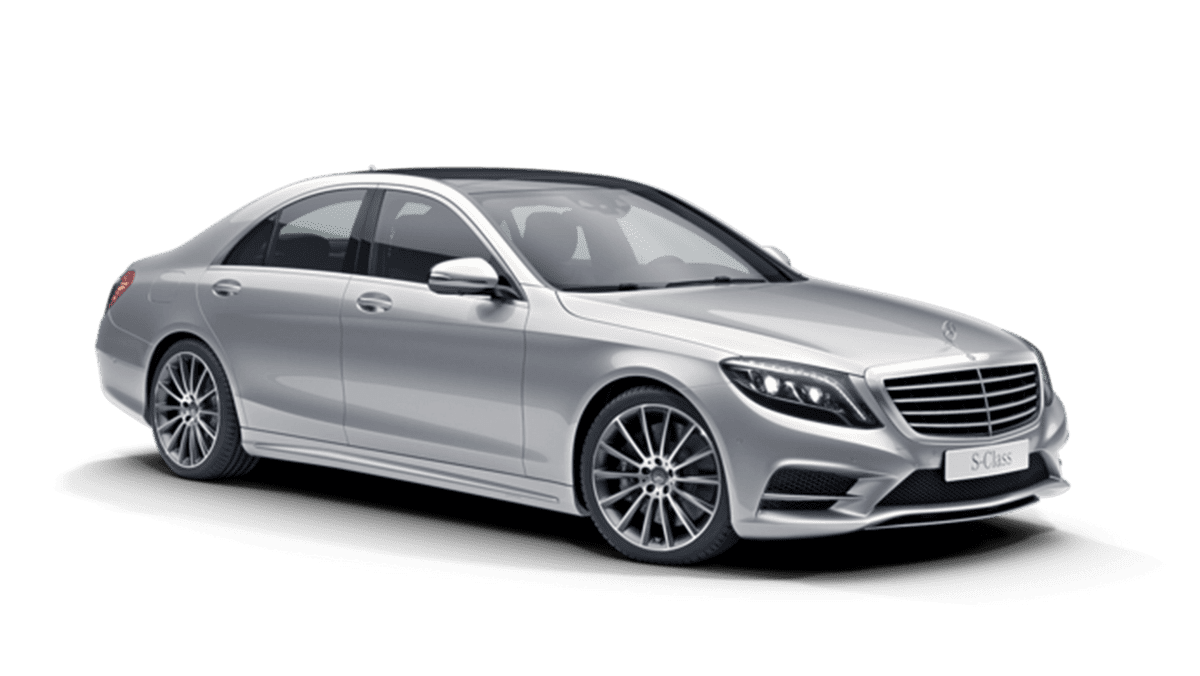
Model S-Class (223 platform)
Model Year 2021

- Blazing-fast Qualcomm performance. Get the speed you need for great entertainment with a Snapdragon 680 processor and 4GB**** of RAM.
- Fluid display + immersive stereo sound. Bring your entertainment to life with an ultrawide 6.5" 90Hz* HD+ display plus stereo speakers, Dolby Atmos, and Hi-Res Audio**.
- 50MP*** Quad Pixel camera. Capture sharper, more vibrant photos day or night with 4x the light sensitivity.
- 64GB**** built-in storage. Get plenty of room for photos, movies, songs, and apps—and add up to 1TB more with a microSD card*****.
- Unbelievable battery life. Work and play nonstop with a long-lasting 5000mAh battery.*****


- Please note, this device does not support E-SIM; This 4G model is compatible with all GSM networks worldwide outside of the U.S. In the US, ONLY compatible with T-Mobile and their MVNO's (Metro and Standup). It will NOT work with other CDMA carriers, and it is also not compatible with their MVNO (Visible, Xfinity Mobile, US Mobile, Cricket Wireless, etc).
- Compatibility with certain third-party devices and accessibility accessories, including some hearing aids, may vary depending on manufacturer support, Bluetooth protocols, software compatibility, and regional firmware limitations. For additional hearing aid compatibility information, please refer to Samsung’s official support documentation.
- Camera: 50 MP, f/1.8, (wide), 1/2.76", 0.64µm, AF | 50 MP, f/1.8, (wide), 1/2.76", 0.64µm, AF | 2 MP, f/2.4, (macro). Battery: 5000 mAh, non-removable | A power adapter is NOT included.

- Google Pixel 10a is a durable, everyday phone with more[1]; snap brilliant photography on a simple, powerful camera, get 30+ hours out of a full charge[2], and do more with helpful AI like Gemini[3]
- Unlocked Android phone gives you the flexibility to change carriers and choose your own data plan; it works with Google Fi, Verizon, T-Mobile, AT&T, and other major carriers
- Pixel 10a is sleek and durable, with a super smooth finish, scratch-resistant Corning Gorilla Glass 7i display, and IP68 water and dust protection[4]
- The Actua display with 3,000-nit peak brightness shows up clear as day, even in direct sunlight[5]
- Plan, create, and get more done with help from Gemini, your built-in AI assistant[3]; have it screen spam calls while you focus[6]; chat with Gemini to brainstorm your meal plan[7], or bring your ideas to life with Nano Banana[8]

- Please note, this device does not support E-SIM; This 4G model is compatible with all GSM networks worldwide outside of the U.S. In the US, ONLY compatible with T-Mobile and their MVNO's (Metro and Standup). It will NOT work with Verizon, Spectrum, AT&T, Total Wireless, other CDMA carriers, it is also not compatible with their MVNO (Visible, Xfinity Mobile, US Mobile, Cricket Wireless, etc).
- Compatibility with certain third-party devices and accessibility accessories, including some hearing aids, may vary depending on manufacturer support, Bluetooth protocols, software compatibility, and regional firmware limitations. For additional hearing aid compatibility information, please refer to Samsung’s official support documentation.
- 4G LTE Bands: B1/B3/B5/B7/B8/B20/B28/B38/B40/B41
- Display: Super AMOLED, 90Hz, 800 nits (HBM) | 6.7 inches, 110.2 cm2 (~86.0% screen-to-body ratio) | 1080 x 2340 pixels, 19.5:9 ratio (~385 ppi density)
- Camera: 50 MP, f/1.8, (wide), 1/2.76", 0.64µm, AF | 50 MP, f/1.8, (wide), 1/2.76", 0.64µm, AF | 2 MP, f/2.4, (macro)

- YOUR CONTENT, SUPER SMOOTH: The ultra-clear 6.7" FHD+ Super AMOLED display of Galaxy A17 5G helps bring your content to life, whether you're scrolling through recipes or video chatting with loved ones.¹
- LIVE FAST. CHARGE FASTER: Focus more on the moment and less on your battery percentage with Galaxy A17 5G. Super Fast Charging powers up your battery so you can get back to life sooner.²
- MEMORIES MADE PICTURE PERFECT: Capture every angle in stunning clarity, from wide family photos to close-ups of friends, with the triple-lens camera on Galaxy A17 5G.
- NEED MORE STORAGE? WE HAVE YOU COVERED: With an improved 2TB of expandable storage, Galaxy A17 5G makes it easy to keep cherished photos, videos and important files readily accessible whenever you need them.³
- BUILT TO LAST: With an improved IP54 rating, Galaxy A17 5G is even more durable than before.⁴ It’s built to resist splashes and dust and comes with a stronger yet slimmer Gorilla Glass Victus front and Glass Fiber Reinforced Polymer back.
SEOCONTENT-START
WORK DESCRIPTION FOR FIELD MEASURE 1/8 Field measure management GSP/TPR Code: 20P5499722 Version: 2.0 Perform Android software update in COMAND center rear tablet Model 223 The customer must be informed that the COMAND center rear (CCR) tablet will be reset to the factory settings after the software update and that the stored data must be backed up, as the customer data may be lost after resetting to the factory settings. Requirement for carrying out the work procedure. Ask the customer whether the COMAND center rear (CCR) tablet is locked. Should this be the case, have the COMAND center rear (CCR) tablet unlocked and deactivate the PIN settings in the “Settings.” Ensure the PIN is available or recorded before starting the work procedure. Ensure a stable WLAN connection in the workshop. Secure the WLAN network password for the workshop. Work procedure 1. Remove the COMAND center rear (CCR) tablet from the cradle. 2. Exit the MBUX user interface. 2.1. Press “Exit MBUX” (Figure 1). 2.2. Confirm with “OK” (Figure 2). Figure 1 Figure 2 Code: 20P5499722 Version: 2.0 2/8 Field measure management GSP/TPR 2.3. Welcome screen after exiting MBUX; press on the arrow pointing to the right to start the process (Figures 3 and 4). Figure 3 Figure 4 3. Prepare the settings for the update. 3.1. Deactivate WLAN (Figure 5). 3.2. Press “Next” (Figure 6). Figure 5 Figure 6 Code: 20P5499722 Version: 2.0 3/8 Field measure management GSP/TPR 3.3. Under “Agree to the Terms and Conditions,” press the downward arrow for the expanded view (Figure 7). 3.4. Agree to all the terms and conditions (Figure 8). 3.5. Press “OK” (Figure 9). Figure 7 Figure 8 Figure 9 3.6. Skip signing in to the Samsung account (Figures 10–12). 3.6.1. Press “Allow” (Figure 10). 3.6.2. Press “Skip” (Figure 11). 3.6.3. Press “Skip” (Figure 12). Figure 10 Figure 11 Figure 12 Code: 20P5499722 Version: 2.0 4/8 Field measure management GSP/TPR 3.7. Switch off the PIN query (Figures 13–14). 3.7.1. Remove the check mark for “Set up PIN” (Figure 13). 3.7.2. Press “Next” (Figure 14). Figure 13 Figure 14 3.8. Confirm the selected features (Figures 15–16). 3.8.1. Press on the downward arrow (Figure 15). 3.8.2. The confirmation screen appears (Figure 16). Figure 15 Figure 16 Code: 20P5499722 Version: 2.0 5/8 Field measure management GSP/TPR 4. The devices restarts. The schematic sequence of the restart is shown in Figures 17 to 20. Figure 17 Figure 18 Figure 19 Figure 20 5. After the restart, exit the MBUX environment. 5.1. Press “Exit MBUX” (Figure 21). 5.2. Confirm with “OK” (Figure 22). Figure 21 Figure 22 6. Connect COMAND center rear (CCR) with the workshop WLAN. 6.1. Swipe up (Figure 23). 6.2. Press “Settings” (Figure 24). 6.3. Press “Connections” (Figure 25). Figure 23 Figure 24 Figure 25 Code: 20P5499722 Version: 2.0 6/8 Field measure management GSP/TPR 6.4. Activate WLAN (Figures 26–27). 6.5. Select the workshop WLAN (Figure 28). Figure 26 Figure 27 Figure 28 6.6. Activate the keyboard to enter the network password (Figures 29 to 31). 6.6.1. Press “Next” (Figure 29). 6.6.2. Press “Next” (Figure 30). 6.6.3. Enter the network password (Figure 31). Figure 29 Figure 30 Figure 31 Code: 20P5499722 Version: 2.0 7/8 Field measure management GSP/TPR 7. Perform the Android software update in the COMAND center rear tablet. 7.1. Scroll down on the left-hand bar (Figure 32). 7.2. Press “Software update” (Figure 33). 7.3. Press “Download updates manually” (Figure 34). Figure 32 Figure 33 Figure 34 7.4. The software download is started (Figure 35). 7.5. After the software download, press “Install Now” (Figure 36). Figure 35 Figure 36 Code: 20P5499722 Version: 2.0 8/8 Field measure management GSP/TPR 8. After the software update has been completed, reset the COMAND center rear (CCR) tablet to the factory settings. 8.1. Go to “Settings” (Figure 37). 8.2.On the left-hand bar, press “General management” (Figure 38). 8.3.On the right-hand bar, press “Factory data reset” (Figure 39). Figure 37 Figure 38 Figure 39 9. Reinstall the COMAND center rear (CCR) tablet in the vehicle. The customer must reconnect the COMAND center rear (CCR) tablet with the vehicle or their private settings. Operation text and flat rate Operation no. Operation text Flat rate Accounting no./ damage code 02-1839 Perform Android software update in COMAND center rear tablet ZM 54 997 22 Mercedes-Benz Global Service & Parts
**************************************************************************************************************
SEOCONTENT-END
This product presentation was made with AAWP plugin.