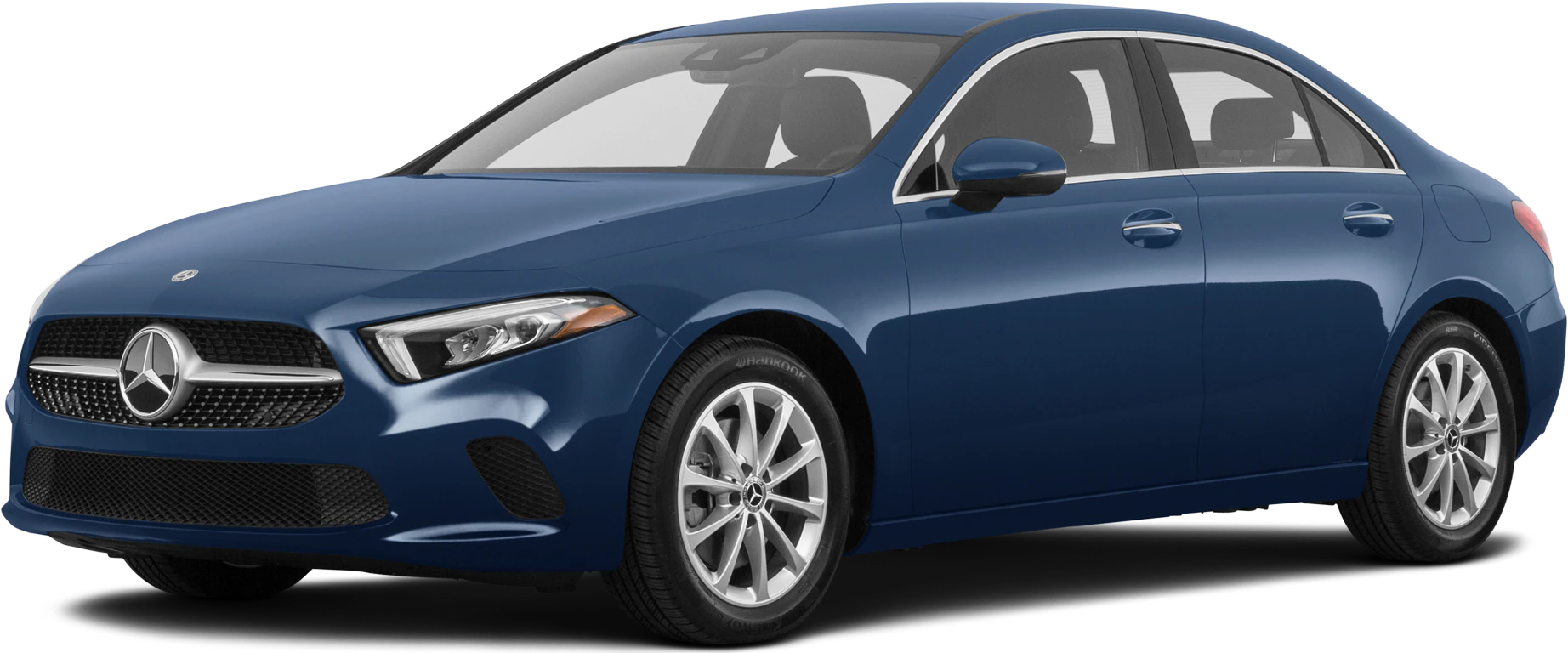
April 8, 2022 NHTSA CAMPAIGN NUMBER: 22V232000
Inoperable Rearview Camera Display/FMVSS 111
An inoperable rearview camera display reduces the driver’s rear view, increasing the risk of a crash.
NHTSA Campaign Number: 22V232
Manufacturer Mercedes-Benz USA, LLC
Components BACK OVER PREVENTION
Potential Number of Units Affected 126,443
Summary
Mercedes-Benz USA, LLC (MBUSA) is recalling certain 2018-2021 CLA-Class, GLE/GLS-Class, A-Class, C-Class, E-Class, E-Class Coupe/Convertible, GLA/GLB-Class, GLC-Class, CLS-Class, and EQC-Class vehicles. Please refer to MBUSA’s recall report for specific vehicle model details. The rearview camera may not display the rearview image due to a software error. As such, these vehicles fail to comply with the requirements of Federal Motor Vehicle Safety Standard number 111, “Rear Visibility.”
Remedy
Dealers will update the rearview camera software, free of charge. Owner notification letters were mailed July 15, 2022. Owners may contact MBUSA customer service at 1-800-367-6372. MBUSA’s number for this recall is 2022060007.
Notes
Owners may also contact the National Highway Traffic Safety Administration Vehicle Safety Hotline at 1-888-327-4236 (TTY 1-800-424-9153), or go to www.nhtsa.gov.
Check if your Mercedes-Benz has a Recall
2022060007
July 22, 2022
Update Rearview Camera Software
This is to notify you of a revision to the “What We’re Doing” section regarding the Recall Campaign to update the rearview camera software on 126,179 Model Year (“MY”) 2018-2021 A-Class, C-Class, CLA-Class, CLS-Class, E -Class, GLA-Class, GLB-Class, GLC-Class, and GLE-Class (118, 167, 177, 205, 213, 238, 247, 253, 257, and 293 platform) vehicles. The recall campaign is visible on the www.safercar.gov website and may generate questions from customers. Affected VINs were flagged in VMI as “OPEN” on June 28, 2022.
Issue
Mercedes-Benz AG (“MBAG”), the manufacturer of Mercedes-Benz vehicles, has determined that on certain MY 2018-2021 A-Class, C-Class, CLA-Class, CLS-Class, E -Class, GLA-Class, GLB-Class, GLC-Class, and GLE-Class (118, 167, 177, 205, 213, 238, 247, 253, 257, and 293 platform) vehicles, the function of the rearview camera might be impaired. In this case, the rearview image might not be displayed in the central display after engaging the reverse gear. Instead, the central display would continue to display the existing image or display a black screen with a message indicating the inoperability of the rearview camera system. There is no deactivation or freezing of the rearview camera image. A rearview camera image that might not be available within 2.0 seconds (as required by FMVSS 111 S5.5.3) as the vehicle begins to back up might impair rear visibility which might increase the risk of a crash. When the issue occurs, the driver might notice that the central display would either continue to display the existing image or display a black screen with a message indicating the inoperability of the rearview camera.
What We’re Doing
MBUSA will conduct a voluntary recall. An authorized Mercedes-Benz dealer will check the currently installed software and, if necessary, update the rearview camera software on the affected vehicles.
Parts
The remedy is available and can be performed.
Customer Notification Timeline
Customer letters were mailed on July 15, 2022.
Update rearview camera (RFK) control unit software
Calibration of the rear view camera is no longer necesarry with new Xentry add ons.
- Ensure use of XENTRY Diagnosis version 06/2022 or higher.
- Before starting the work procedure, install all the add-ons that are updated daily in XENTRY Diagnosis. ensure the add-ons for the listed XENTRY versions below are installed:
Xentry version 2022/06 add-on 23895
Xentry version 2022/09 add-on 23918. - Use a battery charger to ensure sufficient power supply of the vehicle on-board electrical system battery (greater than 12.5 V).
- If XENTRY Diagnosis is already connected to the vehicle, start with operation step 2.
If two or more software updates or SCN codings are performed during one workshop visit, the operation items 02-4762 and 02-5058 may only be invoiced once for each workshop order.
Work Procedure
1. Connect XENTRY Diagnosis.
2. Update rearview camera control unit software.
To do this, select menu item “Quick test view – N66/2 reversing camera (RFK) – Adaptations – Control unit update – Updating of control unit software”. Then follow the user guidance in XENTRY Diagnosis.
3. Disconnect XENTRY Diagnosis.
Mercedes-Benz Part 573 Submission
Original Submitted to Portal April 8, 2022
Chronology-Only section
Supplement to Original Submission
Chronology of Defect/Noncompliance Determination
In November 2018, MBAG launched initial investigations based on individual field reports regarding MB Van vehicles where customers allegedly experienced the subject condition outlined above. For this purpose, parts of affected MB Van vehicles were retrieved from the field and sent to the supplier for analysis. In parallel, the supplier started the development of a more robust software version. This new software was also made available in Passenger Cars series production from October 2019 onward. A further software release with additional improvements was released by the supplier and made available for series production beginning June 2020.
For much of 2020, MBAG operations were severely restricted due to the COVID-19 pandemic. As operations began to resume in the second half of 2020, the ongoing internal review and continuous market observation indicated that this issue might also affect Mercedes-Benz passenger cars.
Over the course of the next months, MBAG conducted further evaluations to identify potential effects in MB passenger cars including systematic testing.
While the subject issue could not be systematically reproduced, it was found that in isolated cases, vehicles that had received the original software version showed the subject condition outlined above.
In spring 2021, the ongoing testing indicated that also vehicles that had received the first improved software version during production, might be affected by the subject condition outlined above.
Although the subject issue could still not be systematically reproduced, In late 2021, MBAG could not exclude the possibility that a deviation might be present in the passenger car rearview image software. Subsequently, MBAG determined the potentially affected vehicles in the field. In the beginning of 2022, detailed evaluations were performed to assess the extent to which the deviation might impact the specific regulatory requirements of the affected countries.
On April 1st, 2022, MBAG determined that a potential non-compliance cannot be completely ruled out and decided to conduct a recall.
During MBAGs analysis, 8 cases in the US were identified from December 2018 to August 2021. MBAG has not received any reports of crashes, injuries, or property damage associated with this issue.
In late June 2022 a certain portion of vehicles were identified to have been repaired prior to recall launch. As a result, these vehicles were removed from the VIN population and the recall population was updated on June 29, 2022 (Amendment 4). Concurrently, 25,844 GLC300 vehicles were identified as not being included as part of the original P573 report due to a clerical error. These vehicles were included in the overall population in the original P573 submission and were able to be identified via the public VIN lookup tool.
48 Affected Products
Vehicles
| MAKE | MODEL | YEAR |
| MERCEDES-BENZ | A220 | 2019-2020 |
| MERCEDES-BENZ | AMG A35 | 2020 |
| MERCEDES-BENZ | AMG C43 | 2019-2021 |
| MERCEDES-BENZ | AMG C63 | 2019-2021 |
| MERCEDES-BENZ | AMG C63 S | 2019-2021 |
| MERCEDES-BENZ | AMG CLA35 | 2020-2021 |
| MERCEDES-BENZ | AMG CLA45 | 2020-2021 |
| MERCEDES-BENZ | AMG CLS53 | 2019-2020 |
| MERCEDES-BENZ | AMG E53 | 2019-2020 |
| MERCEDES-BENZ | AMG GLA35 | 2021 |
| MERCEDES-BENZ | AMG GLA45 | 2021 |
| MERCEDES-BENZ | AMG GLB35 | 2021 |
| MERCEDES-BENZ | AMG GLC43 | 2020 |
| MERCEDES-BENZ | AMG GLC63 | 2020 |
| MERCEDES-BENZ | AMG GLC63 S | 2020 |
| MERCEDES-BENZ | C300 | 2019-2021 |
| MERCEDES-BENZ | C350E | 2020 |
| MERCEDES-BENZ | CLA250 | 2020 |
| MERCEDES-BENZ | CLS450 | 2019-2020 |
| MERCEDES-BENZ | E300 | 2019 |
| MERCEDES-BENZ | E350 | 2020-2021 |
| MERCEDES-BENZ | E400 | 2018 |
| MERCEDES-BENZ | E450 | 2019-2021 |
| MERCEDES-BENZ | GLA250 | 2021 |
| MERCEDES-BENZ | GLB250 | 2020-2021 |
| MERCEDES-BENZ | GLC300 | 2020 |
| MERCEDES-BENZ | GLC350E | 2020 |
| MERCEDES-BENZ | GLE350 | 2020 |
| MERCEDES-BENZ | GLE450 | 2020 |
| MERCEDES-BENZ | GLS450 | 2020 |
20 Associated Documents
Noncompliance Notice 573 Report
RCLRPT-22V232-3452.PDF 237.159KB
Chronology Supplement
RMISC-22V232-1721.pdf 68.094KB
Recall Acknowledgement
RCAK-22V232-5968.pdf 645.378KB
Manufacturer Notices(to Dealers,etc)
RCMN-22V232-9466.pdf 140.184KB
Recall 573 Report – May 24, 2022
RCLRPT-22V232-5736.PDF 237.112KB
Recall 573 Report – June 6, 2022
RCLRPT-22V232-8127.PDF 237.124KB
Interim Owner Notification Letter(Part 577)
RIONL-22V232-3265.pdf 310.503KB
Remedy Instructions and TSB
RCRIT-22V232-1044.pdf 309.491KB
Manufacturer Notices(to Dealers,etc)
RCMN-22V232-5885.pdf 566.466KB
Remedy Instructions and TSB
RCRIT-22V232-4036.pdf 547.957KB
Manufacturer Notices(to Dealers,etc)
RCMN-22V232-2797.pdf 547.957KB
ISSUED Owner Notification Letter(Part 577)
RCONL-22V232-5102.pdf 323.774KB
Manufacturer Notices(to Dealers,etc)
RCMN-22V232-0906.pdf 291.177KB
Updated Chronology of Defect/Noncompliance Determination
RMISC-22V232-1532.pdf 72.086KB
ISSUED Owner Notification Letter(Part 577)
RCONL-22V232-1692.pdf 157.81KB
Recall 573 Report – July 28, 2022
RCLRPT-22V232-5291.PDF 237.416KB
Remedy Instructions and TSB
RCRIT-22V232-4204.pdf 311.472KB
Manufacturer Notices(to Dealers,etc)
RCMN-22V232-6696.pdf 568.347KB
Recall Quarterly Report #1, 2022-3
RCLQRT-22V232-4167.PDF 211.154KB
Recall Quarterly Report #2, 2022-4
RCLQRT-22V232-6266.PDF 211.258KB
Latest Recalls Documents
Mercedes-Benz Reprogramming
All information in regard to Mercedes-Benz J2534 compliant software is available free of charge and found under the MB Workshop Resources tab on the home page of www.startekinfo.com
J2534 complaint software for Mercedes-Benz vehicles is available for purchase from Mercedes-Benz USA.
In order to use the J2534 complaint software for Mercedes-Benz vehicles, the purchaser must furnish their own:
- Windows based PC or laptop*
- J2534 compliant interface box*1*
*Must be purchased from a third party company and are not available from Mercedes-Benz USA LLC.
*1* suggested listing of J2534 interface boxes is located within the J2534 Pass-Thru User’s Manual which is posted for view without cost under the MB Workshop Resources tab on the home page of www.startekinfo.com
Vehicle Coverage
J2534 complaint software for Mercedes-Benz vehicles has coverage for all required functions associated to reprogramming, initialization, and fault clearing of emission control modules (engine and transmission) fitted to vehicles 2004 Model Year and newer. Additionally all access and functionality required in regard the configuration via SCN Coding and/or CVN Coding is covered.
J2534 complaint software for Mercedes-Benz vehicles is delivered via DVD media which is delivered monthly for the license term of one year upon purchase.
- All control unit software (reprogramming calibrations) is contained within J2534 DVD media.
Terms and conditions
J2534 complaint software for Mercedes-Benz vehicles is purchased in 1-year license increments. During that license term the user will receive an initial software package, license key, SCN/CVN Coding information/access as well as monthly updates via DVD media.
- Additional updates of software after the 1st year can be purchased at additional cost, however are not required for the system to continue functioning.
For pricing and additional information via the internet, please refer to the information at the beginning of this section.

- J2534 Pass-Thru Programmer: TOPDON RLink J2534 is an advanced diagnostic and reprogramming tool that support all J2534 protocols, as well as D-PDU, CAN-FD and DoIP, ensuring compatibility with a wide range of modern vehicles. It offers extensive versatility with support for over 18 major automotive brands, including Chrysler, Ford, GM, Nissan, Toyota, Honda, Subaru, Land Rover/Jaguar, Volvo, Wuling, Volkswagen/Audi, Mercedes-Benz, and BMW. NOTE: Not compatible with Ford IDS diagnostic software
- All-in-One OEM Diagnostics: This J2534 ECU programming tool elevates your automotive repair capabilities to new heights by delivering complete OEM diagnosis. Boasting comprehensive full-system diagnostics, intuitive repair guides, advanced ECU programming and coding, common reset services, a vast library of repair information and more, this all-in-one solution empowers technicians to effortlessly tackle complex vehicle issues with ease. *Not compatible with 24V vehicles
- Proven Performance You Can Trust: Backed by over 10000 real vehicle tests and benefit from a wealth of practical experience, this OEM reprogramming tool guarantees stable and exceptional performance. Supported by TOPDON's dedicated technical experts with in-depth knowledge of both auto repair and J2534 Pass-Thru programming, the RLink J2534 provides prompt and professional assistance, ensuring a smooth setup and reliable compatibility
- Integrated Excellence, Always Up-to-Date: Featuring the exclusive RLink Platform to provide a streamlined experience with one-click driver installation and management, ensuring flawless integration with your OE software, maintaining the original performance quality. The built-in operation guide makes mastering OE software quick and easy, so you can get started right away. Plus, with lifetime free updates, your diagnostics will stay current with the latest drivers and innovations
- Efficiency Meets Versatility: Engineered to support three CAN channels simultaneously - CAN FD and CAN-CC included, giving you the edge in fast troubleshooting. To perfectly synchronized with the OE software, please diagnose with active subscriptions and make sure your computer system is running a compatible 64-bit Windows version (7, 8, 10 or later) to fully leverage the power of RLink J2534. *We don't provide extra OE software

- Advanced VCI Box, Industry-leading J2534 Pass-Thru Technology: This J2534 Pass-Thru Programmer is designed espically for technicians, independent shop owners, and DIY enthusiasts, enables fast, reliable computer-based programming. It supports all J2534 protocols—including the latest DoIP and CAN FD—ensuring full compatibility with both legacy and next-generation vehicles.
- High-Speed OEM-Level Diagnostics & Programming: Unlock true OEM functionality with comprehensive system diagnostics, guided troubleshooting, coding, adaptations, resets, and programming—all designed to slash repair time. This all-in-one tool eliminates the need for multiple OEM devices, boosting efficiency and cutting costs. Equipped with High-Speed USB, it delivers 10x more data per second than competing solutions
- Coverage for 17 Car Brands & Ultra Reliability: Works seamlessly for Chrysler, for Ford(Forscan), for GM, for Nissan, for Toyota, for Honda, for Subaru(SSM4), for Land Rover/Jaguar, for Volvo, for Wuling, for Volkswagen, for Mercedes-Benz, and for BMW. Backed by over 10000 real vehicle tests and benefit from a wealth of practical experience, this OEM reprogramming tool guarantees stable and exceptional performance
- User-Friendly RLink Platform & Expert Support: TOPDON’s proprietary driver management platform offers a clean interface and lifetime free updates. Access a rich library of real-world case studies to stay ahead of the curve. Backed by a support team with 10+ years of J2534 and automotive repair experience, we provide one-on-one assistance to resolve any technical issue.
- 6.6 ft USB-C Cable & Portable Storage Case: The RLink J2534 diagnostic tool features a 6.6ft USB 2.0 Cable and a 1.2 ft OBDII Extension Cable, allows to connection your computer easily outside the vehicle. The included handled carry case offers easy portability, storage, and hanging options—keeping your gear clean and ready to go, anywhere.
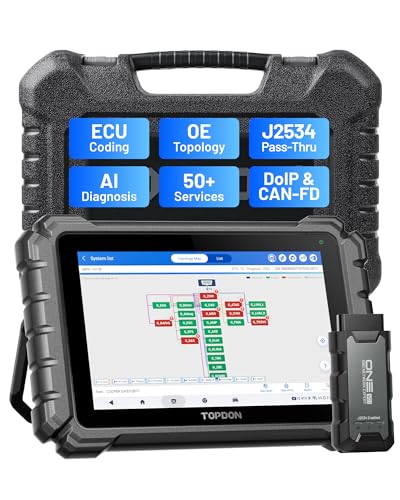
- Dual WiFi & 10.1" Touchscreen: Provides a stable, high-speed wireless link 3x faster than bluetooth, and a responsive, professional interface. Topdon ONE obd2 scanner diagnostic tool ensures smooth, non-lagging diagnostic scan, boosting mechanic efficiency
- J2534 Pass-Thru Support: The included ONE VCI supports the J2534 standard, allowing it to function as a pass-thru device when paired with OEM diagnostic software.Through TOPDON’s RLink platform, technicians can perform dealer-level coding, expanding in-house capabilities without investing in multiple factory automotive scan tools
- OE Topology Mapping: Visualize the vehicle’s ECU network exactly as it’s built.Zoom, pan, and highlight specific modules to pinpoint component issues with precision.Topology mapping displays real-time communication between modules
- 50+ Service Functions: Covers high-demand services like ADAS calibration, DPF regen, TPMS reset, ABS bleed, and throttle adaptation.Expands your service menu, allows you to charge premium rates, and turns away zero jobs due to lack of tooling. Vehicle-specific functionality may vary
- Advaned ECU Coding: 10 of the most serviced brands in North America, including full ECU coding and flash hidden support for BMW, VW, Au-di, Benz, Porsche, Toyota, Ni ssan and more. Enables module replacement, feature customization, and personal settings with automatic backup or restore.Lets your shop safely offer high-margin customization services, attracting more customers and boosting profit

- [J2534 Pass-Thru Programmer] - TOPDON RLink J2534 is engineered for professional technicians, delivering OEM diagnostic and reprogramming capabilities. It supports all J2534 protocols, CAN-FD, DoIP, D-PDU. Compatible with 17 vehicle brands—such as Chrysler, Ford, GM, KIA, Hyundai, Nissan, Toyota, Honda, Subaru, Mitsubishi, MAZDA, Land Rover/Jaguar, Volvo, Volkswagen/Audi, Mercedes-Benz, and BMW. RLink J2534 can help reduce the cost of purchasing equipment from different brands.
- [All-in-One OEM Reprogramming and Diagnostics] - When seamlessly integrated with OEM diagnostic software, this dongle enables you to perform a wide range of functions, including ECU programming and coding, DTC reading and clearing, active tests, component matching, adaptations, rewriting, guided troubleshooting, and more. This all-in-one tool eliminates the need for multiple OEM devices, significantly boosting work efficiency.
- [Tested, Trusted, and Proven for Accuracy] - TOPDON RLink J2534 is renowned for its reliability, having successfully completed over 10,000 real-vehicle tests. The wealth of data and hands-on experience behind it ensures consistent performance and accurate results. You can trust this tool to deliver optimal performance.
- [One-Click Installation, Continuous Updates] - The exclusive TOPDON RLink platform streamlines installation with a one-click driver setup, allowing you to quickly access OEM software for diagnostic and reprogramming tasks. With lifetime free updates, your RLink J2534 stays current without any additional cost, ensuring reliable performance for the long term. *We don't provide extra OE software.
- [Works with Windows Compatibility and OEM Software Subscription] - The RLink J2534 supports three CAN channels - including CAN FD and CAN-CC, providing advantages in the process of rapid troubleshooting. Compatible with Windows 7, 8 and 10 (64-bit) and higher versions of the system. For full functionality, an active OEM software subscription is required for each supported vehicle brand. Please note that the dongle does not include OEM software, which must be purchased separately to access brand-specific diagnostic and reprogramming features.
- 💯【Conta.ct us for Support Directly】For any issues experienced after purchase, please reach out to: 📞autelsupply@ outlook. com🛣️. Our team will provide perfect solution for you. For tech support or [explore additional accessory], please cont.act our team: 📞autelsupply@ outlook. com🛣️.
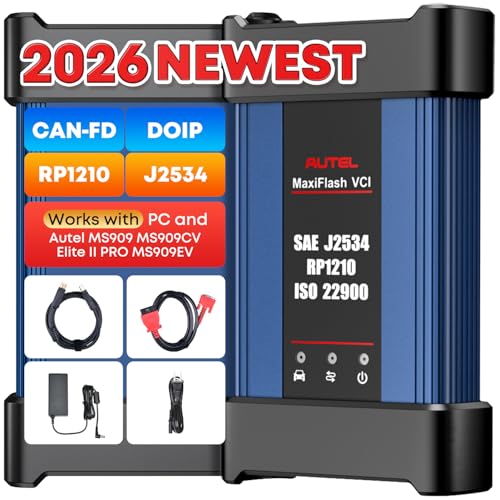
- 🌎【Autel J2534 Pass-Thru Progra.mmer】As an OEM Pass-Thru Progra.mmer Vehicle interface for multiple makes, Autel MaxiFlash J2534 support all J2534 protocols, D-PDU, CAN-FD and DoIP protocols. 2026 newer Autel MaxiFlash J2534 VCI can works with P-C and download OEM vehicle software, seamlessly conduct OE-level diagnostic-progra.mming-c0ding. Also, Work with Elite II Pro/ Ultra Lite/ MS909/ MS909CV/ MS909EV to directly pro.gram on Merce.des-Be.nz & BM.W. Autel J2534 Progr.ammer is a multi-functional device and supports 10+ major brands, including for Hond.a, G.M, LandRo.ver, BM.W, Chrysl.er, For.d, Hyun.dai, Ki.a, Merc.edes B.enz, Toyot.a, Volksw.agen etc.
- 🌎【Enhanced Protocol: J2534/D-PDU/RP1210/CAN FD/DoIP】Autel MaxiFlash JVCI is a blueto.oth communicate device, it supports latest CAN FD DoIP CAN protocols, compliant with automotive D-PDU/ J2534/ RP1210 standards. It can perform standard PassThru J2534 functions: compatible with Toyota Techstream, Volvo VIDA, Honda HDS, Jaguar Land Rover IDS and BM.W 3G for OEM diagnostics. CAN FD protocol is mainly for GM 2019+, DoIP protocol is mainly for Volvo 2018+, for L-and Rover/for Jaguar 2017+, for BM.W F chassis and G chassis.
- 🌎【Compatible with P-C/ WIND.OWS 】The Autel J2534 VCI can be connected to a compu.ter via a data cable; once the corresponding OEM software is installed, it enables do advanced progr.amming and c0ding on your vehicles. Easy Steps: 1) Connect to P-C via a USB cable 2) download OEM vehicle software 3) Start Diagnose. Take For.d for example, you can download OEM software on mot.orcraft.erservi.ce website, such as: For.d Diagnostic Software downloads, As B.uilt Data, Updated Cali.bration information, then use different software do relevant features.
- 🌎【Work with Autel Elite II Pro/ Ultra Lite/ MS909/ MS909CV/ MS909EV】This 2026 latest Autel J2534 Pass-Thru VCI is 100% compatible with Autel Elite II Pro Ultra Lite MS909 MS909CV MS909EV to perform advanced functions from diagnose to progra.mming.
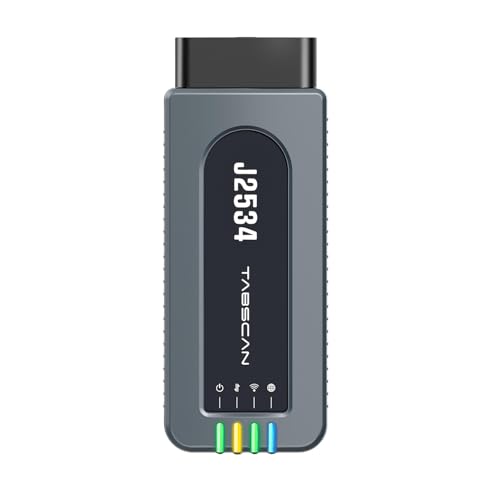
- 【J2534 Pass-Thru Device】 This budget-friendly J2534 pass-thru device delivers OEM diagnostics and reprogramming capabilities for dealerships, repair shops and automotive DIY enthuisasts, enables you diagnose, program and repair the vehicles more efficiently and precisely. Supporting J2534, D-PDU, CAN-FD and DoIP, this J2534 passthru tool ensures wide vehicle coverage. It's compatible with OE software application, ensuring seamless integration and original performance quality
- 【All-in-One Diagnostic Tool】 Simplify your workflow and tackle the complex diagnostics and repairs with confidence! This J2534 passthrough tool provides full system diagnosis, bi-directional control, maintenance reset services, ECU programming and ECU coding to run advanced diagnostics and programming. Equipped with the specialized platform, this J2534 pass-thru tool is fully compatible with OE software that helps technicians confidently handle complicated vehicle repair issues
- 【J2534 Diagnostic Tool】 The Tabscan J2534 pass-thru device is built with a dedicated platform, making it ideal for both professional and personal use. Simply download the driver for your ford vehicle within the platform—ensuring only one driver is installed at a time. Then connect the device to your vehicle’s OBD2 port and link it to your computer using the included USB A to USB C cable. Finally launch your OE software, select Tabscan J2534 VCI as interface, and begin diagnose and program
- 【Universal Compatibility】 Tabscan J2534 reprogramming tool is designed to be compatible with Ford vehicles for advanced diagnostics and programming. It supports J2534 protocols, along with D-PDU, CAN-FD and DoIP, ensuring seamless connectivity with older or modern vehicles. This J2534 diagnostic tool only works with computer running on windows 7/10/11. Vehicle compatibility varies by model or year, please confirm with us before purchase. Note: It's not compatible with 24V vehicles
- 【Professional Technical Support】 Tabscan J2534 pass-thru device provides a stable and seamless connection between your vehicle and computer for diagnostics, programming, and coding. But that's not all—we go beyond hardware. Our dedicated technical support team brings deep expertise in automotive diagnostics and programming. Whether you need help with setup, troubleshooting or latest diagnostic resources and upgrades, we provide fast, professional and reliable support every step of the way
SEOCONTENT-START
Dear Mercedes-Benz Owner: This notice applies to your vehicle, VIN: Update Rearview Camera Software NIHTSA Recall ID: 22V232 This notice is sent to you in accordance with the requirements of the National Traffic and Motor Vehicle Safety Act. June, 2022 Mercedes-Benz AG (“MBAG”), the manufacturer of Mercedes-Benz vehicles, has decided that certain Model Year (“MY”) 2018-202 1 A-Class, C-Class, CLA-Class, CLS-Class, E-Class, GLA-Class, GLB-Class, GLC-Class, GLE-Class and GLS-Class vehicles fail to conform to Federal Motor Vehicle Safety Standard No. 111 , ” Rear Visibility.” Our records indicate that your vehicle is included in the affected population of vehicles. What is the concern? The function of the rearview camera might be impaired where the rearview image might not be displayed in the central display after reversing. Instead, the central display would continue to display the existing image or display a black screen with a message indicating the inoperability of the rearview camera system. In addition, the rearview camera image neither freezes nor deactivates. As the vehicle begins to back up, a rearview camera image under these conditions might impair rear visibility which could increase the risk of a crash. When the issue occurs, the driver might notice that the central display would either continue to display the existing image or display a black screen with a message indicating the inoperability of the rearview camera. Unfortunately, the parts to remedy this are not yet available. We are working to obtain the necessary parts to correct this condition as quickly as possible. As parts become available, we will send you another letter asking you to take your vehicle to an authorized Mercedes-Benz dealer to have the recall completed free of charge. An authorized Mercedes-Benz dealer will update the software of the rearview camera to current production specifications. Should you have any concerns or questions regarding your vehicle before you receive the next recall letter when parts are available, please contact an authorized Mercedes-Benz dealer. If for any reason a dealer is unable to remedy your situation, we are always happy to hear from you. Please contact us at 1-800-367-6372. A vehicle identification number (VIN)-based recall lookup tool on our MBUSA.com website offers a search function that will indicate whether a vehicle has been subject to a safety recall, and whether that vehicle has had the free remedy performed. Please visit www.MBUSA.com/reca ll. We apologize for any inconvenience this may have caused and look forward to taking care of this important safety issue immediately. Sincerely, Mercedes-Benz USA Additional Information for Owners: If an authorized Mercedes-Benz dealer for any reason is unable to remedy the situation without charge, or within a reasonable amount of time, pursuant to law 49 U.S.C. Chapter 301, you may submit a complaint to the Administrator, National Highway Traffic Safety Administration, 1200 New Jersey Avenue, S.E., Washington, D.C. 20590 or call the toll-free Auto Safety Hotline at 1-888-327-4236 (TTY 1- 800-424-9153); or go to https://www.safercar.gov. If you are no longer the vehicle owner, or have a change of address, please visit www.MBUSA.com/recall, input your VIN into the VIN lookup tool and input your updated information on the site. Additionally, you may also contact our customer assistance center at 1-800- 367-6372. If this is a leased vehicle and the lessor and registered owner receive this notice, please forward this information by first class mail to the lessee within 10 days to comply with federal regulations.
**************************************************************************************************************
Recall Campaign Initial Notification
Mercedes-Benz USA, LLC A Mercedes-Benz Group AG Company One Mercedes-Benz Drive Sandy Springs, GA 30328 770.705.0600 News Channel Update | Vehicle Compliance & Analysis IMPORTANT RECALL CAMPAIGN UPDATE Please see the attached documents related to the campaign listed above. Please note that all customer inquiries should be directed to the Customer Assistance Center at 1-800-FOR-MERCEDES. Sincerely, Gregory Gunther Department Manager, Vehicle Compliance & Analysis TO: Mercedes-Benz Dealer Principals, General Managers, Sales Managers, Service Managers, Parts Managers FROM: Gregory Gunther, Department Manager, Vehicle Compliance and Analysis, Engineering Services RE: Recall Campaign Initial Notification Update Rearview Camera Software MY18-21 A-Class, C-Class, CLA-Class, CLS-Class, E -Class, GLA-Class, GLB-Class, GLC-Class, and GLE-Class (118, 167, 177, 205, 213, 238, 247, 253, 257, and 293 platform) DATE: April 15, 2022 Mercedes-Benz USA, LLC A Mercedes-Benz Group AG Company One Mercedes-Benz Drive Sandy Springs, GA 30328 770.705.0600 News Channel Update | Vehicle Compliance & Analysis Recall Campaign Launch Notification April 15, 2022 Campaign No. : NHTSA ID Campaign Desc. : Update Rearview Camera Software TBA 22V232 22P2197506 This is to notify you of a new Recall Campaign to update the rearview camera software on 126,443 Model Year (“MY”) 2018-2021 A-Class, C-Class, CLA-Class, CLS-Class, E -Class, GLA-Class, GLB-Class, GLC-Class, and GLE-Class (118, 167, 177, 205, 213, 238, 247, 253, 257, and 293 platform) vehicles. The recall campaign will be visible on the www.safercar.gov website and may generate questions from customers. Affected VINs will be flagged in VMI as “PENDING” on April 15, 2022. Background Issue Mercedes-Benz AG (“MBAG”), the manufacturer of Mercedes-Benz vehicles, has determined that on certain MY 2018-2021 A-Class, C-Class, CLA-Class, CLS-Class, E -Class, GLA-Class, GLB-Class, GLC-Class, and GLE-Class (118, 167, 177, 205, 213, 238, 247, 253, 257, and 293 platform) vehicles, the function of the rearview camera might be impaired. In this case, the rearview image might not be displayed in the central display after engaging the reverse gear. Instead, the central display would continue to display the existing image or display a black screen with a message indicating the inoperability of the rearview camera system. There is no deactivation or freezing of the rearview camera image. A rearview camera image that might not be available within 2.0 seconds (as required by FMVSS 111 S5.5.3) as the vehicle begins to back up might impair rear visibility which might increase the risk of a crash. When the issue occurs, the driver might notice that the central display would either continue to display the existing image or display a black screen with a message indicating the inoperability of the rearview camera. What We’re Doing MBUSA will conduct a voluntary recall. An authorized Mercedes-Benz dealer will update the rearview camera software on the affected vehicles. Parts Remedy is not available at this time. Vehicles Affected Vehicle Model Year(s) 2018-2021 Vehicle Model A-Class, C-Class, CLA-Class, CLS-Class, E -Class, GLA-Class, GLB-Class, GLC-Class, and GLE-Class Vehicle Populations Total Recall Population 126,443 Total Vehicles in Dealer Inventory 37 Given this notice, it is a violation of Federal law for a dealer to sell or lease any new MY18-21 A-Class, C-Class, CLA-Class, CLS-Class, E -Class, GLA-Class, GLB-Class, GLC-Class, and GLE-Class vehicles in dealer inventory covered by this notification until the vehicle has been repaired. Once the remedy is available, the vehicles will be flagged as “OPEN” and Work Instructions will be available in Star TekInfo. Once the repair is complete the vehicle may be sold or leased. Loaner and demonstrator vehicles may continue to be driven, but must not be retailed until repaired. As a matter of normal service process, please check for other repair measures which might be applicable to the vehicle(s). Additionally, given this notice, it is a violation of Federal Law for car rental companies to rent new MY18-21 A-Class, C-Class, CLA-Class, CLS-Class, E -Class, GLA-Class, GLB-Class, GLC-Class, and GLE-Class vehicles covered by this notification until the vehicle has been repaired. Next Steps/Notes Customer Notification Timeline Customer letters will be mailed by May 27, 2022. AOMS/SOMS AOMs – This recall may generate questions from your dealers. Please forward this notice to your dealers ASAP. Rental Fleet Partners This recall may affect vehicles in your fleet. Please contact your respective MBUSA fleet representative for further information and next steps. For repairs, please contact your preferred MBUSA dealer. While we regret any inconvenience this may cause, MBUSA is determined to maintain a high level of vehicle quality and customer satisfaction. Please refer all customer inquiries to the Customer Assistance Center at 1-800-FOR-MERCEDES.
**************************************************************************************************************
Recall Campaign Launch Notification
Mercedes-Benz USA, LLC A Mercedes-Benz Group AG Company One Mercedes-Benz Drive Sandy Springs, GA 30328 770.705.0600 News Channel Update | Vehicle Compliance & Analysis Classified as MB Internal IMPORTANT RECALL CAMPAIGN UPDATE Please see the attached documents related to the campaign listed above. Please note that all customer inquiries should be directed to the Customer Assistance Center at 1-800-FORMERCEDES. Sincerely, Gregory Gunther Department Manager, Vehicle Compliance & Analysis TO: Mercedes-Benz Dealer Principals, General Managers, Sales Managers, Service Managers, Parts Managers FROM: Gregory Gunther, Department Manager, Vehicle Compliance and Analysis, Engineering Services RE: Recall Campaign Launch Notification Update Rearview Camera Software MY18-21 A-Class, C-Class, CLA-Class, CLSClass, E-Class, GLA-Class, GLB-Class, GLC-Class, and GLE-Class (118, 167, 177, 205, 213, 238, 247, 253, 257, and 293 platform) DATE: June 28, 2022 Mercedes-Benz USA, LLC A Mercedes-Benz Group AG Company One Mercedes-Benz Drive Sandy Springs, GA 30328 770.705.0600 News Channel Update | Vehicle Compliance & Analysis Classified as MB Internal Recall Campaign Launch Notification June 28, 2022 Campaign No. : NHTSA ID Campaign Desc. : Update Rearview Camera Software 2022060007 22V232 22P5496316 This is to notify you of a Recall Campaign launch to update the rearview camera software on 126,179 Model Year (“MY”) 2018-2021 A-Class, CClass, CLA-Class, CLS-Class, E-Class, GLA-Class, GLB-Class, GLC-Class, and GLE-Class (118, 167, 177, 205, 213, 238, 247, 253, 257, and 293 platform) vehicles. The recall campaign will be visible on the www.safercar.gov website and may generate questions from customers. Affected VINs will be flagged in VMI as “OPEN” on June 28, 2022. Background Issue Mercedes-Benz AG (“MBAG”), the manufacturer of Mercedes-Benz vehicles, has determined that on certain MY 2018-2021 A-Class, C-Class, CLA-Class, CLS-Class, E -Class, GLA-Class, GLB-Class, GLC-Class, and GLE-Class (118, 167, 177, 205, 213, 238, 247, 253, 257, and 293 platform) vehicles, the function of the rearview camera might be impaired. In this case, the rearview image might not be displayed in the central display after engaging the reverse gear. Instead, the central display would continue to display the existing image or display a black screen with a message indicating the inoperability of the rearview camera system. There is no deactivation or freezing of the rearview camera image. A rearview camera image that might not be available within 2.0 seconds (as required by FMVSS 111 S5.5.3) as the vehicle begins to back up might impair rear visibility which might increase the risk of a crash. When the issue occurs, the driver might notice that the central display would either continue to display the existing image or display a black screen with a message indicating the inoperability of the rearview camera. What We’re Doing MBUSA will conduct a voluntary recall. An authorized Mercedes-Benz dealer will update the rearview camera software on the affected vehicles. Parts The remedy is available and can be performed. Vehicles Affected Vehicle Model Year(s) 2018-2021 Vehicle Model A-Class, C-Class, CLA-Class, CLS-Class, E -Class, GLA-Class, GLB-Class, GLC-Class, and GLEClass Vehicle Populations Total Recall Population 126,179 Total Vehicles in Dealer Inventory 4 Given this notice, it is a violation of Federal law for a dealer to sell or lease any new MY18-21 A-Class, C-Class, CLA-Class, CLS-Class, E -Class, GLAClass, GLB-Class, GLC-Class, and GLE-Class vehicles in dealer inventory covered by this notification until the vehicle has been repaired. Once the remedy is available, the vehicles will be flagged as “OPEN” and Work Instructions will be available in Star TekInfo. Once the repair is complete the vehicle may be sold or leased. Loaner and demonstrator vehicles may continue to be driven, but must not be retailed until repaired. As a matter of normal service process, please check for other repair measures which might be applicable to the vehicle(s). Additionally, given this notice, it is a violation of Federal Law for car rental companies to rent MY18-21 A-Class, C-Class, CLA-Class, CLS-Class, EClass, GLA-Class, GLB-Class, GLC-Class, and GLE-Class vehicles covered by this notification until the vehicle has been repaired. Next Steps/Notes Customer Notification Timeline Customer letters will be mailed on July 15, 2022. AOMS/SOMS AOMs – This recall may generate questions from your dealers. Please forward this notice to your dealers ASAP. Rental Fleet Partners This recall may affect vehicles in your fleet. Please contact your respective MBUSA fleet representative for further information and next steps. For repairs, please contact your preferred MBUSA dealer. While we regret any inconvenience this may cause, MBUSA is determined to maintain a high level of vehicle quality and customer satisfaction. Please refer all customer inquiries to the Customer Assistance Center at 1-800-FOR-MERCEDES. Campaign No. 2022060007, June 2022 TO: ALL MERCEDES-BENZ CENTERS SUBJECT: Various Models Model Year 2018-2021 Update Rearview Camera Software Mercedes-Benz AG (“MBAG”), the manufacturer of Mercedes-Benz vehicles, has determined that on certain MY 2018-2021 A-Class, C-Class, CLA-Class, CLS-Class, E -Class, GLA-Class, GLB-Class, GLCClass, and GLE-Class (118, 167, 177, 205, 213, 238, 247, 253, 257, and 293 platform) vehicles, the function of the rearview camera might be impaired. In this case, the rearview image might not be displayed in the central display after engaging the reverse gear. Instead, the central display would continue to display the existing image or display a black screen with a message indicating the inoperability of the rearview camera system. There is no deactivation or freezing of the rearview camera image. A rearview camera image that might not be available within 2.0 seconds (as required by FMVSS 111 S5.5.3) as the vehicle begins to back up might impair rear visibility which might increase the risk of a crash. When the issue occurs, the driver might notice that the central display would either continue to display the existing image or display a black screen with a message indicating the inoperability of the rearview camera. An authorized Mercedes-Benz dealer will update the rearview camera software on the affected vehicles. Prior to performing this Campaign: VMI must always be checked before performing campaigns to verify that the campaign is required on a specific vehicle. Always check for any other open campaigns, and perform accordingly. Please review the entire Campaign bulletin and follow the repair procedure exactly as described. Approximately 126,179 vehicles are affected. Order No. P-RC-2022060007 This bulletin has been created and maintained in accordance with MBUSA-SLP S423QH001, Document and Data Control, and MBUSA-SLP S424HH001, Control of Quality Record 2 P-RC-2022060007 Update rearview camera (RFK) control unit software Ensure use of XENTRY Diagnosis version 03/2022 or higher. Before starting the work procedure, install all the add-ons that are updated daily in XENTRY Diagnosis. Make sure to follow the operation steps exactly as described in XENTRY Diagnosis. Use a battery charger to ensure sufficient power supply of the vehicle on-board electrical system battery (greater than 12.5 V). If XENTRY Diagnosis is already connected to the vehicle, start with operation step 2. If two or more software updates or SCN codings are performed during one workshop visit, the operation items 02-4762 and 02-5058 may only be invoiced once for each workshop order. Work Procedure 1. Connect XENTRY Diagnosis. 2. Update rearview camera control unit software. To do this, select menu item “Quick test view – N66/2 reversing camera (RFK) – Adaptations – Control unit update – Updating of control unit software”. Then follow the user guidance in XENTRY Diagnosis. 3. Disconnect XENTRY Diagnosis. Note: The following allowable labor operation should be used when submitting a warranty claim for this repair: Warranty Information Damage Code Operation Number Description Labor Time (hrs.) 54 963 16 02-9334 Update rearview camera (RFK) control unit software (with XENTRY Diagnosis connected) 0.1 02-4762* Connect/disconnect diagnostic system (XENTRY Diagnosis) 0.1 02-5058* Connect/disconnect starter battery charger (with XENTRY Diagnosis connected) 0.1 * Operation item may only be invoiced once for each workshop order! Note: Always check ASRA for the current OP-Code times. Labor times are subject to change and updates may not be reflected in this document.
**************************************************************************************************************
Recall Campaign Initial Notification
Mercedes-Benz USA, LLC A Mercedes-Benz Group AG Company One Mercedes-Benz Drive Sandy Springs, GA 30328 770.705.0600 News Channel Update | Vehicle Compliance & Analysis Classified as MB Internal IMPORTANT RECALL CAMPAIGN UPDATE Please see the attached documents related to the campaign listed above. Please note that all customer inquiries should be directed to the Customer Assistance Center at 1-800-FORMERCEDES. Sincerely, Gregory Gunther Department Manager, Vehicle Compliance & Analysis TO: Mercedes-Benz Dealer Principals, General Managers, Sales Managers, Service Managers, Parts Managers FROM: Gregory Gunther, Department Manager, Vehicle Compliance and Analysis, Engineering Services RE: Recall Campaign Launch Notification Update Rearview Camera Software MY18-21 A-Class, C-Class, CLA-Class, CLS-Class, E -Class, GLA-Class, GLB-Class, GLC-Class, and GLE-Class (118, 167, 177, 205, 213, 238, 247, 253, 257, and 293 platform) DATE: June 28, 2022 Mercedes-Benz USA, LLC A Mercedes-Benz Group AG Company One Mercedes-Benz Drive Sandy Springs, GA 30328 770.705.0600 News Channel Update | Vehicle Compliance & Analysis Classified as MB Internal Recall Campaign Launch Notification June 28, 2022 Campaign No. : NHTSA ID Campaign Desc. : Update Rearview Camera Software 2022060007 22V232 22P5496316 This is to notify you of a Recall Campaign launch to update the rearview camera software on 126,179 Model Year (“MY”) 2018-2021 A-Class, CClass, CLA-Class, CLS-Class, E -Class, GLA-Class, GLB-Class, GLC-Class, and GLE-Class (118, 167, 177, 205, 213, 238, 247, 253, 257, and 293 platform) vehicles. The recall campaign will be visible on the www.safercar.gov website and may generate questions from customers. Affected VINs will be flagged in VMI as “OPEN” on June 28, 2022. Background Issue Mercedes-Benz AG (“MBAG”), the manufacturer of Mercedes-Benz vehicles, has determined that on certain MY 2018-2021 A-Class, C-Class, CLA-Class, CLS-Class, E -Class, GLA-Class, GLB-Class, GLC-Class, and GLE-Class (118, 167, 177, 205, 213, 238, 247, 253, 257, and 293 platform) vehicles, the function of the rearview camera might be impaired. In this case, the rearview image might not be displayed in the central display after engaging the reverse gear. Instead, the central display would continue to display the existing image or display a black screen with a message indicating the inoperability of the rearview camera system. There is no deactivation or freezing of the rearview camera image. A rearview camera image that might not be available within 2.0 seconds (as required by FMVSS 111 S5.5.3) as the vehicle begins to back up might impair rear visibility which might increase the risk of a crash. When the issue occurs, the driver might notice that the central display would either continue to display the existing image or display a black screen with a message indicating the inoperability of the rearview camera. What We’re Doing MBUSA will conduct a voluntary recall. An authorized Mercedes-Benz dealer will update the rearview camera software on the affected vehicles. Parts The remedy is available and can be performed. Vehicles Affected Vehicle Model Year(s) 2018-2021 Vehicle Model A-Class, C-Class, CLA-Class, CLS-Class, E -Class, GLA-Class, GLB-Class, GLC-Class, and GLEClass Vehicle Populations Total Recall Population 126,179 Total Vehicles in Dealer Inventory 4 Given this notice, it is a violation of Federal law for a dealer to sell or lease any new MY18-21 A-Class, C-Class, CLA-Class, CLS-Class, E -Class, GLAClass, GLB-Class, GLC-Class, and GLE-Class vehicles in dealer inventory covered by this notification until the vehicle has been repaired. Once the remedy is available, the vehicles will be flagged as “OPEN” and Work Instructions will be available in Star TekInfo. Once the repair is complete the vehicle may be sold or leased. Loaner and demonstrator vehicles may continue to be driven, but must not be retailed until repaired. As a matter of normal service process, please check for other repair measures which might be applicable to the vehicle(s). Additionally, given this notice, it is a violation of Federal Law for car rental companies to rent MY18-21 A-Class, C-Class, CLA-Class, CLS-Class, EClass, GLA-Class, GLB-Class, GLC-Class, and GLE-Class vehicles covered by this notification until the vehicle has been repaired. Next Steps/Notes Customer Notification Timeline Customer letters will be mailed on July 15, 2022. AOMS/SOMS AOMs – This recall may generate questions from your dealers. Please forward this notice to your dealers ASAP. Rental Fleet Partners This recall may affect vehicles in your fleet. Please contact your respective MBUSA fleet representative for further information and next steps. For repairs, please contact your preferred MBUSA dealer. While we regret any inconvenience this may cause, MBUSA is determined to maintain a high level of vehicle quality and customer satisfaction. Please refer all customer inquiries to the Customer Assistance Center at 1-800-FOR-MERCEDES. Campaign No. 2022060007, June 2022 Revision A 07/12/2022 TO: ALL MERCEDES-BENZ CENTERS SUBJECT: Various Models Model Year 2018-2021 Update Rearview Camera Software Mercedes-Benz AG (“MBAG”), the manufacturer of Mercedes-Benz vehicles, has determined that on certain MY 2018-2021 A-Class, C-Class, CLA-Class, CLS-Class, E -Class, GLA-Class, GLB-Class, GLCClass, and GLE-Class (118, 167, 177, 205, 213, 238, 247, 253, 257, and 293 platform) vehicles, the function of the rearview camera might be impaired. In this case, the rearview image might not be displayed in the central display after engaging the reverse gear. Instead, the central display would continue to display the existing image or display a black screen with a message indicating the inoperability of the rearview camera system. There is no deactivation or freezing of the rearview camera image. A rearview camera image that might not be available within 2.0 seconds (as required by FMVSS 111 S5.5.3) as the vehicle begins to back up might impair rear visibility which might increase the risk of a crash. When the issue occurs, the driver might notice that the central display would either continue to display the existing image or display a black screen with a message indicating the inoperability of the rearview camera. An authorized Mercedes-Benz dealer will update the rearview camera software on the affected vehicles. Prior to performing this Campaign: VMI must always be checked before performing campaigns to verify that the campaign is required on a specific vehicle. Always check for any other open campaigns, and perform accordingly. Please review the entire Campaign bulletin and follow the repair procedure exactly as described. Approximately 126,179 vehicles are affected. Order No. P-RC-2022060007 This bulletin has been created and maintained in accordance with MBUSA-SLP S423QH001, Document and Data Control, and MBUSA-SLP S424HH001, Control of Quality Record 2 P-RC-2022060007 Update rearview camera (RFK) control unit software Ensure use of XENTRY Diagnosis version 03/2022 or higher. Before starting the work procedure, install all the add-ons that are updated daily in XENTRY Diagnosis. Make sure to follow the operation steps exactly as described in XENTRY Diagnosis. Use a battery charger to ensure sufficient power supply of the vehicle on-board electrical system battery (greater than 12.5 V). If XENTRY Diagnosis is already connected to the vehicle, start with operation step 2. If two or more software updates or SCN codings are performed during one workshop visit, the operation items 02-4762 and 02-5058 may only be invoiced once for each workshop order. Work Procedure 1. Connect XENTRY Diagnosis. 2. Update rearview camera control unit software. To do this, select menu item “Quick test view – N66/2 reversing camera (RFK) – Adaptations – Control unit update – Updating of control unit software”. Then follow the user guidance in XENTRY Diagnosis. 3. Calibrate rearview camera. 4. Disconnect XENTRY Diagnosis. Note: The following allowable labor operation should be used when submitting a warranty claim for this repair: Warranty Information Damage Code Operation Number Description Labor Time (hrs.) 54 963 16 02-9334 Update rearview camera (RFK) control unit software (with XENTRY Diagnosis connected) 0.1 02-0122 Calibrate rearview camera 0.3 02-4762* Connect/disconnect diagnostic system (XENTRY Diagnosis) 0.1 02-5058* Connect/disconnect starter battery charger (with XENTRY Diagnosis connected) 0.1 * Operation item may only be invoiced once for each workshop order! Note: Always check ASRA for the current OP-Code times. Labor times are subject to change and updates may not be reflected in this document.
**************************************************************************************************************
Recall Campaign Launch Notification
Mercedes-Benz USA, LLC A Mercedes-Benz Group AG Company One Mercedes-Benz Drive Sandy Springs, GA 30328 770.705.0600 News Channel Update | Vehicle Compliance & Analysis Classified as MB Internal IMPORTANT RECALL CAMPAIGN UPDATE Please see the attached documents related to the campaign listed above. Please note that all customer inquiries should be directed to the Customer Assistance Center at 1-800-FOR-MERCEDES. Sincerely, Gregory Gunther Department Manager, Vehicle Compliance & Analysis TO: Mercedes-Benz Dealer Principals, General Managers, Sales Managers, Service Managers, Parts Managers FROM: Gregory Gunther, Department Manager, Vehicle Compliance and Analysis, Engineering Services RE: Updated Recall Campaign Launch Notification Update Rearview Camera Software MY18-21 A-Class, C-Class, CLA-Class, CLS-Class, E -Class, GLA-Class, GLB-Class, GLC-Class, and GLE-Class (118, 167, 177, 205, 213, 238, 247, 253, 257, and 293 platform) DATE: July 22, 2022 Mercedes-Benz USA, LLC A Mercedes-Benz Group AG Company One Mercedes-Benz Drive Sandy Springs, GA 30328 770.705.0600 News Channel Update | Vehicle Compliance & Analysis Classified as MB Internal Recall Campaign Launch Notification July 22, 2022 Campaign No. : NHTSA ID Campaign Desc. : Update Rearview Camera Software 2022060007 22V232 22P5496316 This is to notify you of a revision to the “What We’re Doing” section regarding the Recall Campaign to update the rearview camera software on 126,179 Model Year (“MY”) 2018-2021 A-Class, C-Class, CLA-Class, CLS-Class, E -Class, GLA-Class, GLB-Class, GLC-Class, and GLE-Class (118, 167, 177, 205, 213, 238, 247, 253, 257, and 293 platform) vehicles. The recall campaign is visible on the www.safercar.gov website and may generate questions from customers. Affected VINs were flagged in VMI as “OPEN” on June 28, 2022. Background Issue Mercedes-Benz AG (“MBAG”), the manufacturer of Mercedes-Benz vehicles, has determined that on certain MY 2018-2021 A-Class, C-Class, CLA-Class, CLS-Class, E -Class, GLA-Class, GLB-Class, GLC-Class, and GLE-Class (118, 167, 177, 205, 213, 238, 247, 253, 257, and 293 platform) vehicles, the function of the rearview camera might be impaired. In this case, the rearview image might not be displayed in the central display after engaging the reverse gear. Instead, the central display would continue to display the existing image or display a black screen with a message indicating the inoperability of the rearview camera system. There is no deactivation or freezing of the rearview camera image. A rearview camera image that might not be available within 2.0 seconds (as required by FMVSS 111 S5.5.3) as the vehicle begins to back up might impair rear visibility which might increase the risk of a crash. When the issue occurs, the driver might notice that the central display would either continue to display the existing image or display a black screen with a message indicating the inoperability of the rearview camera. What We’re Doing MBUSA will conduct a voluntary recall. An authorized Mercedes-Benz dealer will check the currently installed software and, if necessary, update the rearview camera software on the affected vehicles. Parts The remedy is available and can be performed. Vehicles Affected Vehicle Model Year(s) 2018-2021 Vehicle Model A-Class, C-Class, CLA-Class, CLS-Class, E -Class, GLA-Class, GLB-Class, GLC-Class, and GLE-Class Vehicle Populations Total Recall Population 126,179 Total Vehicles in Dealer Inventory 4 Given this notice, it is a violation of Federal law for a dealer to sell or lease any new MY18-21 A-Class, C-Class, CLA-Class, CLS-Class, E -Class, GLA-Class, GLB-Class, GLC-Class, and GLE-Class vehicles in dealer inventory covered by this notification until the vehicle has been repaired. Once the remedy is available, the vehicles will be flagged as “OPEN” and Work Instructions will be available in Star TekInfo. Once the repair is complete the vehicle may be sold or leased. Loaner and demonstrator vehicles may continue to be driven, but must not be retailed until repaired. As a matter of normal service process, please check for other repair measures which might be applicable to the vehicle(s). Additionally, given this notice, it is a violation of Federal Law for car rental companies to rent MY18-21 A-Class, C-Class, CLA-Class, CLS-Class, E-Class, GLA-Class, GLB-Class, GLC-Class, and GLE-Class vehicles covered by this notification until the vehicle has been repaired. Next Steps/Notes Customer Notification Timeline Customer letters were mailed on July 15, 2022. AOMS/SOMS AOMs – This recall may generate questions from your dealers. Please forward this notice to your dealers ASAP. Rental Fleet Partners This recall may affect vehicles in your fleet. Please contact your respective MBUSA fleet representative for further information and next steps. For repairs, please contact your preferred MBUSA dealer. While we regret any inconvenience this may cause, MBUSA is determined to maintain a high level of vehicle quality and customer satisfaction. Please refer all customer inquiries to the Customer Assistance Center at 1-800-FOR-MERCEDES.
**************************************************************************************************************
July, 2022 l his notice applies to your vehicle, VIN: (Communication Rearview Camera) MIBUSA m: 2022060007, NHTSA Recall ID: 22V232 • Remedy parts are now available for your vehicle. • Schedule an appointment with your authorized Mercedes-Benz dealership as soon as possible. • This repair will be provided FREE of charge. Dear Mercedes-Benz Owner: This notice is being sent to you in accordance with the requirements of the National Traffic and Motor Vehicle Safety Act. Mercedes-Benz AG (“MBAG”), the manufacturer of Mercedes-Benz vehicles, has decided that certain Model Year (“MY”) 2018- 2021 A-Class, C-Class, CLA-Class, CLS-Class, E-Class, GLA-Class, GLB-Class, GLC-Class, GLE-Class and GLS-Class vehicles fail to conform to Federal Motor Vehicle Safety Standard No. 111, “Rear Visibility.” Our records indicate that your vehicle is included in the affected population of vehicles. ~ What is the issue? The function of the rearview camera might be impaired where the rearview image might not be displayed in the central display after reversing. Instead, the central display would continue to display the existing image or display a black screen with a message indicating the inoperability of the rearview camera system. In addition, the rearview camera image neither freezes nor deactivates. As the vehicle begins to back up, a rearview camera image under these conditions might impair rear visibility which could increase the risk of a crash. When the issue occurs, the driver might notice that the central display would either continue to display the existing image or display a black screen with a message indicating the inoperability of the rearview camera. What will your Mercedes-Benz Dealership do? An authorized Mercedes-Benz dealer will update the rearview camera software on the affected vehicles. ‘this service will be provided free of charge. We are dedicated to always delivering the best customer experience, and respect for your time is a top priority. While the minimum repair time can be less than 30 min, your dealer can provide you with a better estimate of the overall time for this service visit. As a matter of the normal service process, an authorized Mercedes-Benz dealer will also check for other repair measures which might be applicable to your vehicle and this may increase the required working time. Steps to take. • Find your nearest authorized Mercedes-Benz dealership at mbusa.com/recalls to schedule your recall repair. • Please mention you are scheduling an appointment for Mercedes-Benz Recall Campaign 2022060007. • You may be asked for your VIN, which for your convenience is located at the top of this letter. We apologize for any inconvenience this may have caused and look forward to taking care of this important safety recall campaign. Sincerely, Mercedes-Benz USA What if I no longer own or drive the vehicle? In the event you no longer own or drive this vehicle, please visit mbusa.com/recalls to update your information by submitting your VIN using our VIN recall lookup tool and filling out the “No longer Own” section on the website. If possible, please provide any contact information of the current owner/driver so we may contact them. Additional Information for Owners: A VIN-based recall lookup tool is available at mbusa.com/recalls , which can be used to check whether a vehicle has been subject to a safety recall, or had the remedy performed. Should you have any questions or encounter any difficulty regarding this Recall Campaign, please contact an authorized Mercedes-Benz dealership. Should an authorized Mercedes-Benz dealership be unable to address your concerns please contact us at 1-(800) FORMERCEDES (1-800-367-6372). We are always happy to hear from you. If this is a leased vehicle and the lessor and registered owner receive this notice, please forward this information by first class mail to the lessee within10 business days to comply with Federal Regulations. If an authorized Mercedes-Benz dealer for any reason is unable to remedy the situation without charge, or within a reasonable amount of time, Pursuant to law 49 U.S.C. Chapter 301, you may submit a complaint to the Administrator, National Highway Traffic Safety Administration, 1200 New Jersey Avenue, S.E., Washington, D.C. 20590 or call the toll-free Auto Safety Hotline at 1-888-327-4236 (TTY 1-800-424-9153); or go to https://www.safercar.gov. Reimbursement to Customers for Repairs Performed Prior to Recall If you have already paid to have this recall condition corrected, you may be eligible to receive reimbursement. Requests for reimbursement may include parts, labor, fees and taxes. Reimbursement may be limited to the amount the repair would have cost if completed by an authorized Mercedes-Benz dealer. The following documentation must be presented to your dealer for reimbursement. Original or clear copy of all receipts, invoices and/or repair orders that show: • The name and address of the person who paid for the repair. • The Vehicle Identification Number (VIN) of the vehicle that was repaired. • What problem occurred, what repair was done, when it was done and who repaired it. • The total cost of the repair expense that is being claimed. • Proof of payment of repair (copy of front and back of cancelled check, or copy of credit card receipt). • Reimbursement will be made by check from your dealer. Please speak with your dealer concerning this matter. Thank you for your cooperation.
**************************************************************************************************************
July, 2022 l his notice applies to your vehicle, VIN: (Communication Rearview Camera) MIBUSA m: 2022060007, NHIJSA Recall llD: 22V232 • Remedy parts are now available for your vehicle. • Schedule an appointment with your authorized Mercedes-Benz dealership as soon as possible. • This repair will be provided FREE of charge. Dear Mercedes-Benz Owner: This notice is being sent to you in accordance with the requirements of the National Traffic and Motor Vehicle Safety Act. Mercedes-Benz AG (“MBAG”), the manufacturer of Mercedes-Benz vehicles, has decided that certain Model Year (“MY”) 2018- 2021 A-Class, C-Class, CLA-Class, CLS-Class, E-Class, GLA-Class, GLB-Class, GLC-Class, GLE-Class and GLS-Class vehicles fa il to conform to Federal Motor Vehicle Safety Standard No. 111, “Rear Visibility.” Our records indicate that your vehicle is inc luded in the affected population of vehicles. ~ What is the issue? The function of the rearview camera might be impaired where the rearview image might not be displayed in the central display after reversing. Instead, the centra l display would continue to display the existing image or display a black screen with a message indicating the inoperability of the rearview camera system. In addition, the rearview camera image neither freezes nor deactivates. As the vehicle begins to back up, a rearview camera image under these conditions might impair rear visibility which could increase the risk of a crash. When the issue occurs, the driver might notice that the central display would either continue to display the existing image or display a black screen with a message indicating the inoperability of the rearview camera. What wm your Mercedes-Benz Dealership do? An authorized Mercedes-Benz dealer will update the rearview camera software on the affected vehicles. ‘fhis service wm be provided free of charge. We are dedicated to always delivering the best customer experience, and respect for your time is a top priority. While the minimum repair time can be less than 30 min, your dealer can provide you with a better estimate of the overa ll time for this service visit. As a matter of the normal service process, an authorized Mercedes-Benz dealer will also check for other repair measures which might be applicable to your vehicle and this may increase the required working time. Steps to take. • Find your nearest authorized Mercedes-Benz dealership at mbusa.com/recalls to schedule your reca ll repair. • Please mention you are scheduling an appointment for Mercedes-Benz Recall Campaign 2022060007. • You may be asked for your VIN, which for your convenience is located at the top of this letter. We apologize for any inconvenience this may have caused and look forward to taking care of this important safety reca ll campaign. Sincerely, Mercedes-Benz USA What if I no longer own or drive the vehicle? In the event you no longer own or drive this vehicle, please visit mbusa.com/recalls to update your information by submitting your VIN using our VIN recall lookup tool and filling out the “No longer Own” section on the website. If possible, please provide any contact information of the current owner/driver so we may contact them. Additional Information for Owners: A VIN-based recall lookup tool is available at mbusa.com/recalls , which can be used to check whether a vehicle has been subject to a safety recall, or had the remedy performed. Should you have any questions or encounter any difficulty regarding this Recall Campaign, please contact an authorized Mercedes-Benz dealership. Should an authorized Mercedes-Benz dealership be unable to address your concerns please contact us at 1-(800) FORMERCEDES (1-800-367-6372). We are always happy to hear from you. If this is a leased vehicle and the lessor and registered owner receive this notice, please forward this information by first class mail to the lessee within10 business days to comply with Federal Regulations. If an authorized Mercedes-Benz dealer for any reason is unable to remedy the situation without charge, or within a reasonable amount of time, Pursuant to law 49 U.S.C. Chapter 301, you may submit a complaint to the Administrator, National Highway Traffic Safety Administration, 1200 New Jersey Avenue, S.E., Washington, D.C. 20590 or call the toll-free Auto Safety Hotline at 1-888-327-4236 (TTY 1-800-424-9153); or go to https://www.safercar.gov. Reimbursement to Customers for Repairs Performed Prior to Recall If you have already paid to have this recall condition corrected, you may be eligible to receive reimbursement. Requests for reimbursement may include parts, labor, fees and taxes. Reimbursement may be limited to the amount the repair would have cost if completed by an authorized Mercedes-Benz dealer. The following documentation must be presented to your dealer for reimbursement. Original or clear copy of all receipts, invoices and/or repair orders that show: • The name and address of the person who paid for the repair. • The Vehicle Identification Number (VIN) of the vehicle that was repaired. • What problem occurred, what repair was done, when it was done and who repaired it. • The total cost of the repair expense that is being claimed. • Proof of payment of repair (copy of front and back of cancelled check, or copy of credit card receipt). • Reimbursement will be made by check from your dealer. Please speak with your dealer concerning this matter. Thank you for your cooperation.
**************************************************************************************************************
lassified as MB Internal This notice applies to your vehicle, VIN: (Communication Rearview Camera) MBUSA ID: 2022060007, NHTSA Recall ID: 22V232 July, 2022 • Remedy parts are now available for your vehicle. • Schedule an appointment with your authorized Mercedes-Benz dealership as soon as possible. • This repair will be provided FREE of charge. Dear Mercedes-Benz Owner: This notice is being sent to you in accordance with the requirements of the National Traffic and Motor Vehicle Safety Act. Mercedes-Benz AG (“MBAG”), the manufacturer of Mercedes-Benz vehicles, has decided that certain Model Year (“MY”) 2018- 2021 AClass, C-Class, CLA-Class, CLS-Class, E-Class, GLA-Class, GLB-Class, GLC-Class, GLE-Class and GLS-Class vehicles fail to conform to Federal Motor Vehicle Safety Standard No. 111, “Rear Visibility.” Our records indicate that your vehicle is included in the affected population of vehicles. What is the issue? The function of the rearview camera might be impaired where the rearview image might not be displayed in the central display after reversing. Instead, the central display would continue to display the existing image or display a black screen with a message indicating the inoperability of the rearview camera system. In addition, the rearview camera image neither freezes nor deactivates. As the vehicle begins to back up, a rearview camera image under these conditions might impair rear visibility which could increase the risk of a crash. When the issue occurs, the driver might notice that the central display would either continue to display the existing image or display a black screen with a message indicating the inoperability of the rearview camera. What will your Mercedes-Benz Dealership do? An authorized Mercedes-Benz dealer will check the currently installed software and, if necessary, update the rearview camera software on the affected vehicles. This service will be provided free of charge. We are dedicated to always delivering the best customer experience, and respect for your time is a top priority. While the minimum repair time can be less than 30 min, your dealer can provide you with a better estimate of the overall time for this service visit. As a matter of the normal service process, an authorized Mercedes-Benz dealer will also check for other repair measures which might be applicable to your vehicle and this may increase the required working time. Steps to take. • Find your nearest authorized Mercedes-Benz dealership at mbusa.com/recalls to schedule your recall repair. • Please mention you are scheduling an appointment for Mercedes-Benz Recall Campaign 2022060007. • You may be asked for your VIN, which for your convenience is located at the top of this letter. We apologize for any inconvenience this may have caused and look forward to taking care of this important safety recall campaign. lassified as MB Internal Sincerely, Mercedes-Benz USA What if I no longer own or drive the vehicle? In the event you no longer own or drive this vehicle, please visit mbusa.com/recalls to update your information by submitting your VIN using our VIN recall lookup tool and filling out the “No longer Own” section on the website. If possible, please provide any contact information of the current owner/driver so we may contact them. Additional Information for Owners: A VIN-based recall lookup tool is available at mbusa.com/recalls , which can be used to check whether a vehicle has been subject to a safety recall, or had the remedy performed. Should you have any questions or encounter any difficulty regarding this Recall Campaign, please contact an authorized Mercedes-Benz dealership. Should an authorized Mercedes-Benz dealership be unable to address your concerns please contact us at 1-(800) FORMERCEDES (1-800-367-6372). We are always happy to hear from you. If this is a leased vehicle and the lessor and registered owner receive this notice, please forward this information by first class mail to the lessee within10 business days to comply with Federal Regulations. If an authorized Mercedes-Benz dealer for any reason is unable to remedy the situation without charge, or within a reasonable amount of time, Pursuant to law 49 U.S.C. Chapter 301, you may submit a complaint to the Administrator, National Highway Traffic Safety Administration, 1200 New Jersey Avenue, S.E., Washington, D.C. 20590 or call the toll-free Auto Safety Hotline at 1-888-327-4236 (TTY 1-800-424-9153); or go to https://www.safercar.gov. Reimbursement to Customers for Repairs Performed Prior to Recall If you have already paid to have this recall condition corrected you may be eligible to receive reimbursement. Requests for reimbursement may include parts, labor, fees and taxes. Reimbursement may be limited to the amount the repair would have cost if completed by an authorized Mercedes-Benz dealer. The following documentation must be presented to your dealer for reimbursement. Original or clear copy of all receipts, invoices and/or repair orders that show: • The name and address of the person who paid for the repair. • The Vehicle Identification Number (VIN) of the vehicle that was repaired. • What problem occurred, what repair was done, when it was done and who repaired it. • The total cost of the repair expense that is being claimed. • Proof of payment of repair (copy of front and back of cancelled check, or copy of credit card receipt). • Reimbursement will be made by check from your dealer. Please speak with your dealer concerning this matter. Thank you for your cooperation.
**************************************************************************************************************
Recall Campaign Launch Notification
DATE: June 28, 2022
Mercedes-Benz USA, LLC A Mercedes-Benz Group AG Company One Mercedes-Benz Drive Sandy Springs, GA 30328 770.705.0600 News Channel Update | Vehicle Compliance & Analysis Classified as MB Internal IMPORTANT RECALL CAMPAIGN UPDATE Please see the attached documents related to the campaign listed above. Please note that all customer inquiries should be directed to the Customer Assistance Center at 1-800-FORMERCEDES. Sincerely, Gregory Gunther Department Manager, Vehicle Compliance & Analysis TO: Mercedes-Benz Dealer Principals, General Managers, Sales Managers, Service Managers, Parts Managers FROM: Gregory Gunther, Department Manager, Vehicle Compliance and Analysis, Engineering Services RE: Recall Campaign Launch Notification Update Rearview Camera Software MY18-21 A-Class, C-Class, CLA-Class, CLS-Class, E -Class, GLA-Class, GLB-Class, GLC-Class, and GLE-Class (118, 167, 177, 205, 213, 238, 247, 253, 257, and 293 platform) DATE: June 28, 2022 Mercedes-Benz USA, LLC A Mercedes-Benz Group AG Company One Mercedes-Benz Drive Sandy Springs, GA 30328 770.705.0600 News Channel Update | Vehicle Compliance & Analysis Classified as MB Internal Recall Campaign Launch Notification June 28, 2022 Campaign No. : NHTSA ID Campaign Desc. : Update Rearview Camera Software 2022060007 22V232 22P5496316 This is to notify you of a Recall Campaign launch to update the rearview camera software on 126,179 Model Year (“MY”) 2018-2021 A-Class, CClass, CLA-Class, CLS-Class, E -Class, GLA-Class, GLB-Class, GLC-Class, and GLE-Class (118, 167, 177, 205, 213, 238, 247, 253, 257, and 293 platform) vehicles. The recall campaign will be visible on the www.safercar.gov website and may generate questions from customers. Affected VINs will be flagged in VMI as “OPEN” on June 28, 2022. Background Issue Mercedes-Benz AG (“MBAG”), the manufacturer of Mercedes-Benz vehicles, has determined that on certain MY 2018-2021 A-Class, C-Class, CLA-Class, CLS-Class, E -Class, GLA-Class, GLB-Class, GLC-Class, and GLE-Class (118, 167, 177, 205, 213, 238, 247, 253, 257, and 293 platform) vehicles, the function of the rearview camera might be impaired. In this case, the rearview image might not be displayed in the central display after engaging the reverse gear. Instead, the central display would continue to display the existing image or display a black screen with a message indicating the inoperability of the rearview camera system. There is no deactivation or freezing of the rearview camera image. A rearview camera image that might not be available within 2.0 seconds (as required by FMVSS 111 S5.5.3) as the vehicle begins to back up might impair rear visibility which might increase the risk of a crash. When the issue occurs, the driver might notice that the central display would either continue to display the existing image or display a black screen with a message indicating the inoperability of the rearview camera. What We’re Doing MBUSA will conduct a voluntary recall. An authorized Mercedes-Benz dealer will update the rearview camera software on the affected vehicles. Parts The remedy is available and can be performed. Vehicles Affected Vehicle Model Year(s) 2018-2021 Vehicle Model A-Class, C-Class, CLA-Class, CLS-Class, E -Class, GLA-Class, GLB-Class, GLC-Class, and GLEClass Vehicle Populations Total Recall Population 126,179 Total Vehicles in Dealer Inventory 4 Given this notice, it is a violation of Federal law for a dealer to sell or lease any new MY18-21 A-Class, C-Class, CLA-Class, CLS-Class, E -Class, GLAClass, GLB-Class, GLC-Class, and GLE-Class vehicles in dealer inventory covered by this notification until the vehicle has been repaired. Once the remedy is available, the vehicles will be flagged as “OPEN” and Work Instructions will be available in Star TekInfo. Once the repair is complete the vehicle may be sold or leased. Loaner and demonstrator vehicles may continue to be driven, but must not be retailed until repaired. As a matter of normal service process, please check for other repair measures which might be applicable to the vehicle(s). Additionally, given this notice, it is a violation of Federal Law for car rental companies to rent MY18-21 A-Class, C-Class, CLA-Class, CLS-Class, EClass, GLA-Class, GLB-Class, GLC-Class, and GLE-Class vehicles covered by this notification until the vehicle has been repaired. Next Steps/Notes Customer Notification Timeline Customer letters will be mailed on July 15, 2022. AOMS/SOMS AOMs – This recall may generate questions from your dealers. Please forward this notice to your dealers ASAP. Rental Fleet Partners This recall may affect vehicles in your fleet. Please contact your respective MBUSA fleet representative for further information and next steps. For repairs, please contact your preferred MBUSA dealer. While we regret any inconvenience this may cause, MBUSA is determined to maintain a high level of vehicle quality and customer satisfaction. Please refer all customer inquiries to the Customer Assistance Center at 1-800-FOR-MERCEDES. Campaign No. 2022060007, June 2022 Revision A 07/12/2022 TO: ALL MERCEDES-BENZ CENTERS SUBJECT: Various Models Model Year 2018-2021 Update Rearview Camera Software Mercedes-Benz AG (“MBAG”), the manufacturer of Mercedes-Benz vehicles, has determined that on certain MY 2018-2021 A-Class, C-Class, CLA-Class, CLS-Class, E -Class, GLA-Class, GLB-Class, GLCClass, and GLE-Class (118, 167, 177, 205, 213, 238, 247, 253, 257, and 293 platform) vehicles, the function of the rearview camera might be impaired. In this case, the rearview image might not be displayed in the central display after engaging the reverse gear. Instead, the central display would continue to display the existing image or display a black screen with a message indicating the inoperability of the rearview camera system. There is no deactivation or freezing of the rearview camera image. A rearview camera image that might not be available within 2.0 seconds (as required by FMVSS 111 S5.5.3) as the vehicle begins to back up might impair rear visibility which might increase the risk of a crash. When the issue occurs, the driver might notice that the central display would either continue to display the existing image or display a black screen with a message indicating the inoperability of the rearview camera. An authorized Mercedes-Benz dealer will update the rearview camera software on the affected vehicles. Prior to performing this Campaign: VMI must always be checked before performing campaigns to verify that the campaign is required on a specific vehicle. Always check for any other open campaigns, and perform accordingly. Please review the entire Campaign bulletin and follow the repair procedure exactly as described. Approximately 126,179 vehicles are affected. Order No. P-RC-2022060007 This bulletin has been created and maintained in accordance with MBUSA-SLP S423QH001, Document and Data Control, and MBUSA-SLP S424HH001, Control of Quality Record 2 P-RC-2022060007 Update rearview camera (RFK) control unit software Ensure use of XENTRY Diagnosis version 03/2022 or higher. Before starting the work procedure, install all the add-ons that are updated daily in XENTRY Diagnosis. Make sure to follow the operation steps exactly as described in XENTRY Diagnosis. Use a battery charger to ensure sufficient power supply of the vehicle on-board electrical system battery (greater than 12.5 V). If XENTRY Diagnosis is already connected to the vehicle, start with operation step 2. If two or more software updates or SCN codings are performed during one workshop visit, the operation items 02-4762 and 02-5058 may only be invoiced once for each workshop order. Work Procedure 1. Connect XENTRY Diagnosis. 2. Update rearview camera control unit software. To do this, select menu item “Quick test view – N66/2 reversing camera (RFK) – Adaptations – Control unit update – Updating of control unit software”. Then follow the user guidance in XENTRY Diagnosis. 3. Calibrate rearview camera. 4. Disconnect XENTRY Diagnosis. Note: The following allowable labor operation should be used when submitting a warranty claim for this repair: Warranty Information Damage Code Operation Number Description Labor Time (hrs.) 54 963 16 02-9334 Update rearview camera (RFK) control unit software (with XENTRY Diagnosis connected) 0.1 02-0122 Calibrate rearview camera 0.3 02-4762* Connect/disconnect diagnostic system (XENTRY Diagnosis) 0.1 02-5058* Connect/disconnect starter battery charger (with XENTRY Diagnosis connected) 0.1 * Operation item may only be invoiced once for each workshop order! Note: Always check ASRA for the current OP-Code times. Labor times are subject to change and updates may not be reflected in this document.
**************************************************************************************************************
Updated Recall Campaign Launch Notification
DATE: July 22, 2022
Mercedes-Benz USA, LLC A Mercedes-Benz Group AG Company One Mercedes-Benz Drive Sandy Springs, GA 30328 770.705.0600 News Channel Update | Vehicle Compliance & Analysis Classified as MB Internal IMPORTANT RECALL CAMPAIGN UPDATE Please see the attached documents related to the campaign listed above. Please note that all customer inquiries should be directed to the Customer Assistance Center at 1-800-FOR-MERCEDES. Sincerely, Gregory Gunther Department Manager, Vehicle Compliance & Analysis TO: Mercedes-Benz Dealer Principals, General Managers, Sales Managers, Service Managers, Parts Managers FROM: Gregory Gunther, Department Manager, Vehicle Compliance and Analysis, Engineering Services RE: Updated Recall Campaign Launch Notification Update Rearview Camera Software MY18-21 A-Class, C-Class, CLA-Class, CLS-Class, E -Class, GLA-Class, GLB-Class, GLC-Class, and GLE-Class (118, 167, 177, 205, 213, 238, 247, 253, 257, and 293 platform) DATE: July 22, 2022 Mercedes-Benz USA, LLC A Mercedes-Benz Group AG Company One Mercedes-Benz Drive Sandy Springs, GA 30328 770.705.0600 News Channel Update | Vehicle Compliance & Analysis Classified as MB Internal Recall Campaign Launch Notification July 22, 2022 Campaign No. : NHTSA ID Campaign Desc. : Update Rearview Camera Software 2022060007 22V232 22P5496316 This is to notify you of a revision to the “What We’re Doing” section regarding the Recall Campaign to update the rearview camera software on 126,179 Model Year (“MY”) 2018-2021 A-Class, C-Class, CLA-Class, CLS-Class, E -Class, GLA-Class, GLB-Class, GLC-Class, and GLE-Class (118, 167, 177, 205, 213, 238, 247, 253, 257, and 293 platform) vehicles. The recall campaign is visible on the www.safercar.gov website and may generate questions from customers. Affected VINs were flagged in VMI as “OPEN” on June 28, 2022. Background Issue Mercedes-Benz AG (“MBAG”), the manufacturer of Mercedes-Benz vehicles, has determined that on certain MY 2018-2021 A-Class, C-Class, CLA-Class, CLS-Class, E -Class, GLA-Class, GLB-Class, GLC-Class, and GLE-Class (118, 167, 177, 205, 213, 238, 247, 253, 257, and 293 platform) vehicles, the function of the rearview camera might be impaired. In this case, the rearview image might not be displayed in the central display after engaging the reverse gear. Instead, the central display would continue to display the existing image or display a black screen with a message indicating the inoperability of the rearview camera system. There is no deactivation or freezing of the rearview camera image. A rearview camera image that might not be available within 2.0 seconds (as required by FMVSS 111 S5.5.3) as the vehicle begins to back up might impair rear visibility which might increase the risk of a crash. When the issue occurs, the driver might notice that the central display would either continue to display the existing image or display a black screen with a message indicating the inoperability of the rearview camera. What We’re Doing MBUSA will conduct a voluntary recall. An authorized Mercedes-Benz dealer will check the currently installed software and, if necessary, update the rearview camera software on the affected vehicles. Parts The remedy is available and can be performed. Vehicles Affected Vehicle Model Year(s) 2018-2021 Vehicle Model A-Class, C-Class, CLA-Class, CLS-Class, E -Class, GLA-Class, GLB-Class, GLC-Class, and GLE-Class Vehicle Populations Total Recall Population 126,179 Total Vehicles in Dealer Inventory 4 Given this notice, it is a violation of Federal law for a dealer to sell or lease any new MY18-21 A-Class, C-Class, CLA-Class, CLS-Class, E -Class, GLA-Class, GLB-Class, GLC-Class, and GLE-Class vehicles in dealer inventory covered by this notification until the vehicle has been repaired. Once the remedy is available, the vehicles will be flagged as “OPEN” and Work Instructions will be available in Star TekInfo. Once the repair is complete the vehicle may be sold or leased. Loaner and demonstrator vehicles may continue to be driven, but must not be retailed until repaired. As a matter of normal service process, please check for other repair measures which might be applicable to the vehicle(s). Additionally, given this notice, it is a violation of Federal Law for car rental companies to rent MY18-21 A-Class, C-Class, CLA-Class, CLS-Class, E-Class, GLA-Class, GLB-Class, GLC-Class, and GLE-Class vehicles covered by this notification until the vehicle has been repaired. Next Steps/Notes Customer Notification Timeline Customer letters were mailed on July 15, 2022. AOMS/SOMS AOMs – This recall may generate questions from your dealers. Please forward this notice to your dealers ASAP. Rental Fleet Partners This recall may affect vehicles in your fleet. Please contact your respective MBUSA fleet representative for further information and next steps. For repairs, please contact your preferred MBUSA dealer. While we regret any inconvenience this may cause, MBUSA is determined to maintain a high level of vehicle quality and customer satisfaction. Please refer all customer inquiries to the Customer Assistance Center at 1-800-FOR-MERCEDES. Campaign No. 2022060007, June 2022 Revision B 10/07/2022 TO: ALL MERCEDES-BENZ CENTERS SUBJECT: Various Models Model Year 2018-2021 Update Rearview Camera Software Mercedes-Benz AG (“MBAG”), the manufacturer of Mercedes-Benz vehicles, has determined that on certain MY 2018-2021 A-Class, C-Class, CLA-Class, CLS-Class, E -Class, GLA-Class, GLB-Class, GLC-Class, and GLE-Class (118, 167, 177, 205, 213, 238, 247, 253, 257, and 293 platform) vehicles, the function of the rearview camera might be impaired. In this case, the rearview image might not be displayed in the central display after engaging the reverse gear. Instead, the central display would continue to display the existing image or display a black screen with a message indicating the inoperability of the rearview camera system. There is no deactivation or freezing of the rearview camera image. A rearview camera image that might not be available within 2.0 seconds (as required by FMVSS 111 S5.5.3) as the vehicle begins to back up might impair rear visibility which might increase the risk of a crash. When the issue occurs, the driver might notice that the central display would either continue to display the existing image or display a black screen with a message indicating the inoperability of the rearview camera. An authorized Mercedes-Benz dealer will update the rearview camera software on the affected vehicles. Prior to performing this Campaign: VMI must always be checked before performing campaigns to verify that the campaign is required on a specific vehicle. Always check for any other open campaigns, and perform accordingly. Please review the entire Campaign bulletin and follow the repair procedure exactly as described. Approximately 126,179 vehicles are affected. Order No. P-RC-2022060007 This bulletin has been created and maintained in accordance with MBUSA-SLP S423QH001, Document and Data Control, and MBUSA-SLP S424HH001, Control of Quality Record 2 P-RC-2022060007 Update rearview camera (RFK) control unit software Calibration of the rear view camera is no longer necesarry with new Xentry add ons. Ensure use of XENTRY Diagnosis version 06/2022 or higher. Before starting the work procedure, install all the add-ons that are updated daily in XENTRY Diagnosis, ensure the add-ons for the listed XENTRY versions below are installed: Xentry version 2022/06 add-on 23895 Xentry version 2022/09 add-on 23918 Make sure to follow the operation steps exactly as described in XENTRY Diagnosis. Use a battery charger to ensure sufficient power supply of the vehicle on-board electrical system battery (greater than 12.5 V). If XENTRY Diagnosis is already connected to the vehicle, start with operation step 2. If two or more software updates or SCN codings are performed during one workshop visit, the operation items 02-4762 and 02-5058 may only be invoiced once for each workshop order. Work Procedure 1. Connect XENTRY Diagnosis. 2. Update rearview camera control unit software. To do this, select menu item “Quick test view – N66/2 reversing camera (RFK) – Adaptations
– Control unit update – Updating of control unit software”. Then follow the user guidance in XENTRY Diagnosis. 3. Disconnect XENTRY Diagnosis. Note: The following allowable labor operation should be used when submitting a warranty claim for this repair: Warranty Information Damage Code Operation Number Description Labor Time (hrs.) 54 963 16 02-9334 Update rearview camera (RFK) control unit software (with XENTRY Diagnosis connected) 0.1 02-4762* Connect/disconnect diagnostic system (XENTRY Diagnosis) 0.1 02-5058* Connect/disconnect starter battery charger (with XENTRY Diagnosis connected) 0.1 * Operation item may only be invoiced once for each workshop order! Note: Always check ASRA for the current OP-Code times. Labor times are subject to change and updates may not be reflected in this document.
**************************************************************************************************************
OMB Control No.: 2127-0004 Part 573 Safety Recall Report 22V-232 The information contained in this report was submitted pursuant to 49 CFR §573 Manufacturer Name : Mercedes-Benz USA, LLC Submission Date : JUN 06, 2022 NHTSA Recall No. : 22V-232 Manufacturer Recall No. : NR Manufacturer Information : Manufacturer Name : Mercedes-Benz USA, LLC Address : 13470 International Parkway Jacksonville FL 32218 Company phone : 1-877-496-3691 Population : Number of potentially involved : 126,443 Estimated percentage with defect : 100 % Vehicle Information : Vehicle 1 : 2019-2021 Mercedes-Benz AMG C43 Vehicle Type : LIGHT VEHICLES Body Style : 4-DOOR Power Train : GAS Descriptive Information : Mercedes-Benz MY2019-2021 AMG C43 1,398 vehicles. The recall population was determined through production records. Vehicles outside of the recall population have the rearview camera software according to current production specifications. Production Dates : DEC 20, 2017 – MAY 25, 2021 VIN Range 1 : Begin : NR End : NR Not sequential Vehicle 2 : 2019-2020 Mercedes-Benz AMG CLS53 Vehicle Type : LIGHT VEHICLES Body Style : 4-DOOR Power Train : GAS Descriptive Information : Mercedes-Benz MY2019-2020 AMG CLS53 15 vehicles. The recall population was determined through production records. Vehicles outside of the recall population have the rearview camera software according to current production specifications. Production Dates : DEC 20, 2017 – MAY 25, 2021 VIN Range 1 : Begin : NR End : NR Not sequential Part 573 Safety Recall Report 22V-232 Page 2 The information contained in this report was submitted pursuant to 49 CFR §573 Vehicle 3 : 2019-2020 Mercedes-Benz AMG C63 Cabriolet Vehicle Type : LIGHT VEHICLES Body Style : 2-DOOR Power Train : GAS Descriptive Information : Mercedes-Benz MY2019-2020 AMG C63 Cabriolet 134 vehicles. The recall population was determined through production records. Vehicles outside of the recall population have the rearview camera software according to current production specifications. Production Dates : DEC 20, 2017 – MAY 25, 2021 VIN Range 1 : Begin : NR End : NR Not sequential Vehicle 4 : 2019-2020 Mercedes-Benz AMG C63 S Cabriolet Vehicle Type : LIGHT VEHICLES Body Style : 2-DOOR Power Train : GAS Descriptive Information : Mercedes-Benz MY2019-2020 AMG C63 S Cabriolet 82 vehicles. The recall population was determined through production records. Vehicles outside of the recall population have the rearview camera software according to current production specifications. Production Dates : DEC 20, 2017 – MAY 25, 2021 VIN Range 1 : Begin : NR End : NR Not sequential Vehicle 5 : 2019-2020 Mercedes-Benz AMG C63 Coupe Vehicle Type : LIGHT VEHICLES Body Style : 2-DOOR Power Train : GAS Descriptive Information : Mercedes-Benz MY2019-2020 AMG C63 Coupe 164 vehicles. The recall population was determined through production records. Vehicles outside of the recall population have the rearview camera software according to current production specifications. Production Dates : DEC 20, 2017 – MAY 25, 2021 VIN Range 1 : Begin : NR End : NR Not sequential Vehicle 6 : 2021-2021 Mercedes-Benz AMG GLA35 Vehicle Type : LIGHT VEHICLES Body Style : SUV Power Train : GAS Descriptive Information : Mercedes-Benz MY2021 AMG GLA35 4 vehicle. The recall population was determined through production records. Vehicles outside of the recall population have the rearview camera software according to current production specifications. Production Dates : DEC 20, 2017 – MAY 25, 2021 VIN Range 1 : Begin : NR End : NR Not sequential Part 573 Safety Recall Report 22V-232 Page 3 The information contained in this report was submitted pursuant to 49 CFR §573 Vehicle 7 : 2019-2020 Mercedes-Benz AMG C63 S Coupe Vehicle Type : LIGHT VEHICLES Body Style : 2-DOOR Power Train : GAS Descriptive Information : Mercedes-Benz MY2019-2020 AMG C63 S Coupe 281 vehicles. The recall population was determined through production records. Vehicles outside of the recall population have the rearview camera software according to current production specifications. Production Dates : DEC 20, 2017 – MAY 25, 2021 VIN Range 1 : Begin : NR End : NR Not sequential Vehicle 8 : 2019-2021 Mercedes-Benz AMG C63 Vehicle Type : LIGHT VEHICLES Body Style : 4-DOOR Power Train : GAS Descriptive Information : Mercedes-Benz MY2019-2021 AMG C63 253 vehicles. The recall population was determined through production records. Vehicles outside of the recall population have the rearview camera software according to current production specifications. Production Dates : DEC 20, 2017 – MAY 25, 2021 VIN Range 1 : Begin : NR End : NR Not sequential Vehicle 9 : 2021-2021 Mercedes-Benz AMG GLA45 Vehicle Type : LIGHT VEHICLES Body Style : SUV Power Train : GAS Descriptive Information : Mercedes-Benz MY2021 AMG GLA45 1 vehicle. The recall population was determined through production records. Vehicles outside of the recall population have the rearview camera software according to current production specifications. Production Dates : DEC 20, 2017 – MAY 25, 2021 VIN Range 1 : Begin : NR End : NR Not sequential Vehicle 10 : 2019-2020 Mercedes-Benz CLS450 Vehicle Type : LIGHT VEHICLES Body Style : 4-DOOR Power Train : GAS Descriptive Information : Mercedes-Benz MY2019-2020 CLS-Class 375 vehicles. The recall population was determined through production records. Vehicles outside of the recall population have the rearview camera software according to current production specifications. Production Dates : DEC 20, 2017 – MAY 25, 2021 VIN Range 1 : Begin : NR End : NR Not sequential Part 573 Safety Recall Report 22V-232 Page 4 The information contained in this report was submitted pursuant to 49 CFR §573 Vehicle 11 : 2020-2020 Mercedes-Benz GLS450 Vehicle Type : LIGHT VEHICLES Body Style : SUV Power Train : GAS Descriptive Information : Mercedes-Benz MY2020 GLS-Class 629 vehicles. The recall population was determined through production records. Vehicles outside of the recall population have the rearview camera software according to current production specifications. Production Dates : DEC 20, 2017 – MAY 25, 2021 VIN Range 1 : Begin : NR End : NR Not sequential Vehicle 12 : 2020-2020 Mercedes-Benz AMG GLC43 Coupe Vehicle Type : LIGHT VEHICLES Body Style : SUV Power Train : GAS Descriptive Information : Mercedes-Benz MY2020 AMG GLC43 Coupe 202 vehicle. The recall population was determined through production records. Vehicles outside of the recall population have the rearview camera software according to current production specifications. Production Dates : DEC 20, 2017 – MAY 25, 2021 VIN Range 1 : Begin : NR End : NR Not sequential Vehicle 13 : 2019-2019 Mercedes-Benz E300 Vehicle Type : LIGHT VEHICLES Body Style : 4-DOOR Power Train : GAS Descriptive Information : Mercedes-Benz MY2019 E-Class 2,312 vehicles. The recall population was determined through production records. Vehicles outside of the recall population have the rearview camera software according to current production specifications. Production Dates : DEC 20, 2017 – MAY 25, 2021 VIN Range 1 : Begin : NR End : NR Not sequential Vehicle 14 : 2020-2020 Mercedes-Benz AMG GLC43 Vehicle Type : LIGHT VEHICLES Body Style : SUV Power Train : GAS Descriptive Information : Mercedes-Benz MY2020 AMG GLC43 413 vehicle. The recall population was determined through production records. Vehicles outside of the recall population have the rearview camera software according to current production specifications. Production Dates : DEC 20, 2017 – MAY 25, 2021 VIN Range 1 : Begin : NR End : NR Not sequential Part 573 Safety Recall Report 22V-232 Page 5 The information contained in this report was submitted pursuant to 49 CFR §573 Vehicle 15 : 2020-2021 Mercedes-Benz E350 Vehicle Type : LIGHT VEHICLES Body Style : 4-DOOR Power Train : GAS Descriptive Information : Mercedes-Benz MY2020-2021 E-Class 4,557 vehicles. The recall population was determined through production records. Vehicles outside of the recall population have the rearview camera software according to current production specifications. Production Dates : DEC 20, 2017 – MAY 25, 2021 VIN Range 1 : Begin : NR End : NR Not sequential Vehicle 16 : 2018-2018 Mercedes-Benz E400 Cabriolet Vehicle Type : LIGHT VEHICLES Body Style : 2-DOOR Power Train : GAS Descriptive Information : Mercedes-Benz MY2018 E-Class Cabriolet 3 vehicles. The recall population was determined through production records. Vehicles outside of the recall population have the rearview camera software according to current production specifications. Production Dates : DEC 20, 2017 – MAY 25, 2021 VIN Range 1 : Begin : NR End : NR Not sequential Vehicle 17 : 2018-2018 Mercedes-Benz E400 Coupe Vehicle Type : LIGHT VEHICLES Body Style : 2-DOOR Power Train : GAS Descriptive Information : Mercedes-Benz MY2018 E-Class Coupe 2 vehicles. The recall population was determined through production records. Vehicles outside of the recall population have the rearview camera software according to current production specifications. Production Dates : DEC 20, 2017 – MAY 25, 2021 VIN Range 1 : Begin : NR End : NR Not sequential Vehicle 18 : 2020-2020 Mercedes-Benz AMG GLC63 Coupe Vehicle Type : LIGHT VEHICLES Body Style : SUV Power Train : GAS Descriptive Information : Mercedes-Benz MY2020 GLC-Class 11 vehicles. The recall population was determined through production records. Vehicles outside of the recall population have the rearview camera software according to current production specifications. Production Dates : DEC 20, 2017 – MAY 25, 2021 VIN Range 1 : Begin : NR End : NR Not sequential Part 573 Safety Recall Report 22V-232 Page 6 The information contained in this report was submitted pursuant to 49 CFR §573 Vehicle 19 : 2020-2020 Mercedes-Benz AMG GLC63 S Coupe Vehicle Type : LIGHT VEHICLES Body Style : SUV Power Train : GAS Descriptive Information : Mercedes-Benz MY2020 AMG GLC63 S Coupe 9 vehicles. The recall population was determined through production records. Vehicles outside of the recall population have the rearview camera software according to current production specifications. Production Dates : DEC 20, 2017 – MAY 25, 2021 VIN Range 1 : Begin : NR End : NR Not sequential Vehicle 20 : 2020-2020 Mercedes-Benz AMG GLC63 Vehicle Type : LIGHT VEHICLES Body Style : SUV Power Train : GAS Descriptive Information : Mercedes-Benz MY2020 AMG GLC63 31 vehicles. The recall population was determined through production records. Vehicles outside of the recall population have the rearview camera software according to current production specifications. Production Dates : DEC 20, 2017 – MAY 25, 2021 VIN Range 1 : Begin : NR End : NR Not sequential Vehicle 21 : 2020-2020 Mercedes-Benz GLE350 Vehicle Type : LIGHT VEHICLES Body Style : SUV Power Train : GAS Descriptive Information : Mercedes-Benz MY2020 GLE-Class 2266 vehicles. The recall population was determined through production records. Vehicles outside of the recall population have the rearview camera software according to current production specifications. Production Dates : DEC 20, 2017 – MAY 25, 2021 VIN Range 1 : Begin : NR End : NR Not sequential Vehicle 22 : 2018-2018 Mercedes-Benz E400 Cabriolet Vehicle Type : LIGHT VEHICLES Body Style : 2-DOOR Power Train : GAS Descriptive Information : Mercedes-Benz MY2018 E-Class Cabriolet 3 vehicles. The recall population was determined through production records. Vehicles outside of the recall population have the rearview camera software according to current production specifications. Production Dates : DEC 20, 2017 – MAY 25, 2021 VIN Range 1 : Begin : NR End : NR Not sequential Part 573 Safety Recall Report 22V-232 Page 7 The information contained in this report was submitted pursuant to 49 CFR §573 Vehicle 23 : 2019-2021 Mercedes-Benz E450 Cabriolet Vehicle Type : LIGHT VEHICLES Body Style : 2-DOOR Power Train : GAS Descriptive Information : Mercedes-Benz MY2019-2021 E-Class Cabriolet 907 vehicle. The recall population was determined through production records. Vehicles outside of the recall population have the rearview camera software according to current production specifications. Production Dates : DEC 20, 2017 – MAY 25, 2021 VIN Range 1 : Begin : NR End : NR Not sequential Vehicle 24 : 2019-2021 Mercedes-Benz E450 Coupe Vehicle Type : LIGHT VEHICLES Body Style : 2-DOOR Power Train : GAS Descriptive Information : Mercedes-Benz MY2019-2021 E-Class Coupe 869 vehicle. The recall population was determined through production records. Vehicles outside of the recall population have the rearview camera software according to current production specifications. Production Dates : DEC 20, 2017 – MAY 25, 2021 VIN Range 1 : Begin : NR End : NR Not sequential Vehicle 25 : 2019-2021 Mercedes-Benz E450 Wagon Vehicle Type : LIGHT VEHICLES Body Style : STATIONWAGON Power Train : GAS Descriptive Information : Mercedes-Benz MY2019-2021 E-Class Wagon 116 vehicle. The recall population was determined through production records. Vehicles outside of the recall population have the rearview camera software according to current production specifications. Production Dates : DEC 20, 2017 – MAY 25, 2021 VIN Range 1 : Begin : NR End : NR Not sequential Vehicle 26 : 2019-2020 Mercedes-Benz A220 Vehicle Type : LIGHT VEHICLES Body Style : 4-DOOR Power Train : GAS Descriptive Information : Mercedes-Benz MY2019-2020 A-Class 13,318 vehicles. The recall population was determined through production records. Vehicles outside of the recall population have the rearview camera software according to current production specifications. Production Dates : DEC 20, 2017 – MAY 25, 2021 VIN Range 1 : Begin : NR End : NR Not sequential Part 573 Safety Recall Report 22V-232 Page 8 The information contained in this report was submitted pursuant to 49 CFR §573 Vehicle 27 : 2019-2020 Mercedes-Benz E450 Vehicle Type : LIGHT VEHICLES Body Style : 4-DOOR Power Train : GAS Descriptive Information : Mercedes-Benz MY2019-2020 E-Class 748 vehicle. The recall population was determined through production records. Vehicles outside of the recall population have the rearview camera software according to current production specifications. Production Dates : DEC 20, 2017 – MAY 25, 2021 VIN Range 1 : Begin : NR End : NR Not sequential Vehicle 28 : 2020-2020 Mercedes-Benz AMG A35 Vehicle Type : LIGHT VEHICLES Body Style : 4-DOOR Power Train : GAS Descriptive Information : Mercedes-Benz MY2020 AMG A35 446 vehicles. The recall population was determined through production records. Vehicles outside of the recall population have the rearview camera software according to current production specifications. Production Dates : DEC 20, 2017 – MAY 25, 2021 VIN Range 1 : Begin : NR End : NR Not sequential Vehicle 29 : 2019-2020 Mercedes-Benz C300 Cabriolet Vehicle Type : LIGHT VEHICLES Body Style : 2-DOOR Power Train : GAS Descriptive Information : Mercedes-Benz MY2019-2020 C-Class Cabriolet 2,138 vehicles. The recall population was determined through production records. Vehicles outside of the recall population have the rearview camera software according to current production specifications. Production Dates : DEC 20, 2017 – MAY 25, 2021 VIN Range 1 : Begin : NR End : NR Not sequential Vehicle 30 : 2019-2021 Mercedes-Benz C300 Coupe Vehicle Type : LIGHT VEHICLES Body Style : 2-DOOR Power Train : GAS Descriptive Information : Mercedes-Benz MY2019-2021 C-Class Coupe 2,610 vehicles. The recall population was determined through production records. Vehicles outside of the recall population have the rearview camera software according to current production specifications. Production Dates : DEC 20, 2017 – MAY 25, 2021 VIN Range 1 : Begin : NR End : NR Not sequential Part 573 Safety Recall Report 22V-232 Page 9 The information contained in this report was submitted pursuant to 49 CFR §573 Vehicle 31 : 2019-2020 Mercedes-Benz AMG E53 Cabriolet Vehicle Type : LIGHT VEHICLES Body Style : 2-DOOR Power Train : GAS Descriptive Information : Mercedes-Benz MY2019-2020 AMG E53 Cabriolet 108 vehicle. The recall population was determined through production records. Vehicles outside of the recall population have the rearview camera software according to current production specifications. Production Dates : DEC 20, 2017 – MAY 25, 2021 VIN Range 1 : Begin : NR End : NR Not sequential Vehicle 32 : 2019-2021 Mercedes-Benz C300 Vehicle Type : LIGHT VEHICLES Body Style : 4-DOOR Power Train : GAS Descriptive Information : Mercedes-Benz MY2019-2021 C-Class 31,855 vehicles. The recall population was determined through production records. Vehicles outside of the recall population have the rearview camera software according to current production specifications. Production Dates : DEC 20, 2017 – MAY 25, 2021 VIN Range 1 : Begin : NR End : NR Not sequential Vehicle 33 : 2019-2020 Mercedes-Benz AMG E53 Coupe Vehicle Type : LIGHT VEHICLES Body Style : 2-DOOR Power Train : GAS Descriptive Information : Mercedes-Benz MY2019-2020 AMG E53 Coupe 156 vehicle. The recall population was determined through production records. Vehicles outside of the recall population have the rearview camera software according to current production specifications. Production Dates : DEC 20, 2017 – MAY 25, 2021 VIN Range 1 : Begin : NR End : NR Not sequential Vehicle 34 : 2020-2020 Mercedes-Benz C350e Vehicle Type : LIGHT VEHICLES Body Style : 4-DOOR Power Train : HYBRID ELECTRIC Descriptive Information : Mercedes-Benz MY2020 C-Class Hybrid 1 vehicle. The recall population was determined through production records. Vehicles outside of the recall population have the rearview camera software according to current production specifications. Production Dates : DEC 20, 2017 – MAY 25, 2021 VIN Range 1 : Begin : NR End : NR Not sequential Part 573 Safety Recall Report 22V-232 Page 10 The information contained in this report was submitted pursuant to 49 CFR §573 Vehicle 35 : 2019-2020 Mercedes-Benz AMG C43 Cabriolet Vehicle Type : LIGHT VEHICLES Body Style : 2-DOOR Power Train : GAS Descriptive Information : Mercedes-Benz MY2019-2020 AMG C43 Cabriolet 269 vehicles. The recall population was determined through production records. Vehicles outside of the recall population have the rearview camera software according to current production specifications. Production Dates : DEC 20, 2017 – MAY 25, 2021 VIN Range 1 : Begin : NR End : NR Not sequential Vehicle 36 : 2019-2020 Mercedes-Benz AMG C43 Coupe Vehicle Type : LIGHT VEHICLES Body Style : 2-DOOR Power Train : GAS Descriptive Information : Mercedes-Benz MY2019-2020 AMG C43 Coupe 529 vehicles. The recall population was determined through production records. Vehicles outside of the recall population have the rearview camera software according to current production specifications. Production Dates : DEC 20, 2017 – MAY 25, 2021 VIN Range 1 : Begin : NR End : NR Not sequential Vehicle 37 : 2019-2020 Mercedes-Benz AMG E53 Vehicle Type : LIGHT VEHICLES Body Style : 2-DOOR Power Train : GAS Descriptive Information : Mercedes-Benz MY2019-2020 E-Class 197 vehicle. The recall population was determined through production records. Vehicles outside of the recall population have the rearview camera software according to current production specifications. Production Dates : DEC 20, 2017 – MAY 25, 2021 VIN Range 1 : Begin : NR End : NR Not sequential Vehicle 38 : 2019-2021 Mercedes-Benz AMG C63 S Vehicle Type : LIGHT VEHICLES Body Style : 4-DOOR Power Train : GAS Descriptive Information : Mercedes-Benz MY2019-2021 AMG C63 S 118 vehicles. The recall population was determined through production records. Vehicles outside of the recall population have the rearview camera software according to current production specifications. Production Dates : DEC 20, 2017 – MAY 25, 2021 VIN Range 1 : Begin : NR End : NR Not sequential Part 573 Safety Recall Report 22V-232 Page 11 The information contained in this report was submitted pursuant to 49 CFR §573 Vehicle 39 : 2020-2021 Mercedes-Benz GLB250 Vehicle Type : LIGHT VEHICLES Body Style : SUV Power Train : GAS Descriptive Information : Mercedes-Benz MY2020-2021 GLB-Class 15,787 vehicle. The recall population was determined through production records. Vehicles outside of the recall population have the rearview camera software according to current production specifications. Production Dates : DEC 20, 2017 – MAY 25, 2021 VIN Range 1 : Begin : NR End : NR Not sequential Vehicle 40 : 2020-2020 Mercedes-Benz CLA250 Coupe Vehicle Type : LIGHT VEHICLES Body Style : 4-DOOR Power Train : GAS Descriptive Information : Mercedes-Benz MY2020 CLA-Class Coupe 10,277 vehicles. The recall population was determined through production records. Vehicles outside of the recall population have the rearview camera software according to current production specifications. Production Dates : DEC 20, 2017 – MAY 25, 2021 VIN Range 1 : Begin : NR End : NR Not sequential Vehicle 41 : 2021-2021 Mercedes-Benz AMG GLB35 Vehicle Type : LIGHT VEHICLES Body Style : SUV Power Train : GAS Descriptive Information : Mercedes-Benz MY2021 AMG GLB35 177 vehicle. The recall population was determined through production records. Vehicles outside of the recall population have the rearview camera software according to current production specifications. Production Dates : DEC 20, 2017 – MAY 25, 2021 VIN Range 1 : Begin : NR End : NR Not sequential Vehicle 42 : 2020-2021 Mercedes-Benz AMG CLA35 Vehicle Type : LIGHT VEHICLES Body Style : 4-DOOR Power Train : GAS Descriptive Information : Mercedes-Benz MY2020-2021 AMG CLA35 778 vehicles. The recall population was determined through production records. Vehicles outside of the recall population have the rearview camera software according to current production specifications. Production Dates : DEC 20, 2017 – MAY 25, 2021 VIN Range 1 : Begin : NR End : NR Not sequential Part 573 Safety Recall Report 22V-232 Page 12 The information contained in this report was submitted pursuant to 49 CFR §573 Vehicle 43 : 2020-2021 Mercedes-Benz AMG CLA45 Vehicle Type : LIGHT VEHICLES Body Style : 4-DOOR Power Train : GAS Descriptive Information : Mercedes-Benz MY2020-2021 AMG CLA45 351 vehicles. The recall population was determined through production records. Vehicles outside of the recall population have the rearview camera software according to current production specifications. Production Dates : DEC 20, 2017 – MAY 25, 2021 VIN Range 1 : Begin : NR End : NR Not sequential Vehicle 44 : 2020-2020 Mercedes-Benz GLC300 Coupe Vehicle Type : LIGHT VEHICLES Body Style : SUV Power Train : GAS Descriptive Information : Mercedes-Benz MY2020 GLC-Class Coupe 1164 vehicle. The recall population was determined through production records. Vehicles outside of the recall population have the rearview camera software according to current production specifications. Production Dates : DEC 20, 2017 – MAY 25, 2021 VIN Range 1 : Begin : NR End : NR Not sequential Vehicle 45 : 2020-2020 Mercedes-Benz GLC350e Vehicle Type : LIGHT VEHICLES Body Style : SUV Power Train : HYBRID ELECTRIC Descriptive Information : Mercedes-Benz MY2020 GLC-Class Hybrid 334 vehicle. The recall population was determined through production records. Vehicles outside of the recall population have the rearview camera software according to current production specifications. Production Dates : DEC 20, 2017 – MAY 25, 2021 VIN Range 1 : Begin : NR End : NR Not sequential Vehicle 46 : 2020-2020 Mercedes-Benz GLE450 Vehicle Type : LIGHT VEHICLES Body Style : SUV Power Train : GAS Descriptive Information : Mercedes-Benz MY2020 GLE-Class 734 vehicles. The recall population was determined through production records. Vehicles outside of the recall population have the rearview camera software according to current production specifications. Production Dates : DEC 20, 2017 – MAY 25, 2021 VIN Range 1 : Begin : NR End : NR Not sequential Part 573 Safety Recall Report 22V-232 Page 13 The information contained in this report was submitted pursuant to 49 CFR §573 Vehicle 47 : 2021-2021 Mercedes-Benz GLA250 Vehicle Type : LIGHT VEHICLES Body Style : SUV Power Train : GAS Descriptive Information : Mercedes-Benz MY2021 GLA-Class 3470 vehicle. The recall population was determined through production records. Vehicles outside of the recall population have the rearview camera software according to current production specifications. Production Dates : DEC 20, 2017 – MAY 25, 2021 VIN Range 1 : Begin : NR End : NR Not sequential Description of Noncompliance : Description of the Noncompliance : Mercedes-Benz AG (“MBAG”) has determined that on certain Model Year (“MY”) CLA-Class (118 platform), GLE/GLS-Class (167 platform), A-Class (177 platform), C-Class (205 platform), E-Class (213 platform), E-Class Coupe/ Convertible (238 platform), GLA/GLB-Class (247 platform), GLC-Class (253 platform), and CLS-Class (257 platform) vehicles, the function of the rearview camera might be impaired. FMVSS 1 : 111 – Rear visibility FMVSS 2 : NR Description of the Safety Risk : In this case, the rearview image might not be displayed in the central display after engaging the reverse gear. Instead, the central display would continue to display the existing image or display a black screen with a message indicating the inoperability of the rearview camera system. There is no deactivation or freezing of the rearview camera image. A rearview camera image that might not be available within 2.0 seconds (as required by FMVSS 111 S5.5.3) as the vehicle begins to back up might impair rear visibility which might increase the risk of a crash. Description of the Cause : Due to a deviation in the development process of the supplier, the software for the rearview camera might not meet current production specifications. Identification of Any Warning that can Occur : Before the issue occurs, the driver will not receive a warning due to the nature of the failure mechanism. When the issue occurs, the driver might notice that the central display would either continue to display the existing image or display a black screen with a message indicating the inoperability of the rearview camera. Involved Components : Part 573 Safety Recall Report 22V-232 Page 14 The information contained in this report was submitted pursuant to 49 CFR §573 Component Name 1 : Software Rearview Camera Component Description : Software Rearview Camera Component Part Number : A2139027817 Component Name 2 : Software Rearview Camera Component Description : Software Rearview Camera Component Part Number : A0009022059 Supplier Identification : Component Manufacturer Name : Magna Electronics Europe GmbH & Co OHG Address : Kolumbusstr. 1 Sindelfingen Foreign States 71063 Country : Germany Chronology : In November 2018, MBAG launched initial investigations based on individual field reports regarding MB Van vehicles where customers allegedly experienced the subject condition outlined above. For this purpose, parts of affected MB Van vehicles were retrieved from the field and sent to the supplier for analysis. In parallel, the supplier started the development of a more robust software version. This new software was also made available in Passenger Cars series production from October 2019 onward. A further software release with additional improvements was released by the supplier and made available for series production beginning June 2020. For much of 2020, MBAG operations were severely restricted due to the COVID-19 pandemic. As operations began to resume in the second half of 2020, the ongoing internal review and continuous market observation indicated that this issue might also affect Mercedes-Benz passenger cars. Over the course of the next months, MBAG conducted further evaluations to identify potential effects in MB passenger cars including systematic testing. While the subject issue could not be systematically reproduced, it was found that in isolated cases, vehicles that had received the original software version showed the subject condition outlined above. In spring 2021, the ongoing testing indicated that also vehicles that had received the first improved software version during production, might be affected by the subject condition outlined above. Although the subject issue could still not be systematically reproduced, In late 2021, MBAG could not exclude the possibility that a deviation might be present in the passenger car rearview image software. Subsequently, MBAG determined the potentially affected vehicles in the field. In the beginning of 2022, detailed evaluations were performed to assess the extent to which the deviation might impact the specific regulatory requirements Part 573 Safety Recall Report 22V-232 Page 15 The information contained in this report was submitted pursuant to 49 CFR §573 of the affected countries. Please see chronology supplement. Description of Remedy : Description of Remedy Program : An authorized Mercedes-Benz dealer will update the software of the rearview camera to current production specifications. Pursuant to 49 C.F.R. § 577.11, MBUSA does plan to provide notice about pre-notice reimbursement to owners since most of the involved vehicles would have been previously subject to the condition described and customers who have already paid to have this recall condition corrected may be eligible to receive reimbursement. How Remedy Component Differs from Recalled Component : Updated rearview camera software according to current production specifications. Remedy Part: Software Rearview Camera – A0009020660 Identify How/When Recall Condition was Corrected in Production : A change in the software of our supplier ensures that this issue can no longer occur from May 26, 2021 onwards. Recall Schedule : Description of Recall Schedule : Dealers will be notified of the pending voluntary recall campaign on April 15, 2022. Owners were notified of the voluntary recall campaign via interim letter on 6/3/2022. A follow-up notification will be sent once the remedy is available. A copy of all communications will be provided when available. Planned Dealer Notification Date : APR 15, 2022 – NR Planned Owner Notification Date : JUN 03, 2022 – NR * NR – Not Reported
**************************************************************************************************************
OMB Control No.: 2127-0004 Part 573 Safety Recall Report 22V-232 The information contained in this report was submitted pursuant to 49 CFR §573 Manufacturer Name : Mercedes-Benz USA, LLC Submission Date : MAY 24, 2022 NHTSA Recall No. : 22V-232 Manufacturer Recall No. : NR Manufacturer Information : Manufacturer Name : Mercedes-Benz USA, LLC Address : 13470 International Parkway Jacksonville FL 32218 Company phone : 1-877-496-3691 Population : Number of potentially involved : 126,443 Estimated percentage with defect : 100 % Vehicle Information : Vehicle 1 : 2018-2018 Mercedes-Benz E400 Cabriolet Vehicle Type : LIGHT VEHICLES Body Style : 2-DOOR Power Train : GAS Descriptive Information : Mercedes-Benz MY2018 E-Class Cabriolet 3 vehicles. The recall population was determined through production records. Vehicles outside of the recall population have the rearview camera software according to current production specifications. Production Dates : DEC 20, 2017 – MAY 25, 2021 VIN Range 1 : Begin : NR End : NR Not sequential Vehicle 2 : 2019-2021 Mercedes-Benz E450 Cabriolet Vehicle Type : LIGHT VEHICLES Body Style : 2-DOOR Power Train : GAS Descriptive Information : Mercedes-Benz MY2019-2021 E-Class Cabriolet 907 vehicle. The recall population was determined through production records. Vehicles outside of the recall population have the rearview camera software according to current production specifications. Production Dates : DEC 20, 2017 – MAY 25, 2021 VIN Range 1 : Begin : NR End : NR Not sequential Part 573 Safety Recall Report 22V-232 Page 2 The information contained in this report was submitted pursuant to 49 CFR §573 Vehicle 3 : 2019-2021 Mercedes-Benz E450 Coupe Vehicle Type : LIGHT VEHICLES Body Style : 2-DOOR Power Train : GAS Descriptive Information : Mercedes-Benz MY2019-2021 E-Class Coupe 869 vehicle. The recall population was determined through production records. Vehicles outside of the recall population have the rearview camera software according to current production specifications. Production Dates : DEC 20, 2017 – MAY 25, 2021 VIN Range 1 : Begin : NR End : NR Not sequential Vehicle 4 : 2019-2021 Mercedes-Benz E450 Wagon Vehicle Type : LIGHT VEHICLES Body Style : STATIONWAGON Power Train : GAS Descriptive Information : Mercedes-Benz MY2019-2021 E-Class Wagon 116 vehicle. The recall population was determined through production records. Vehicles outside of the recall population have the rearview camera software according to current production specifications. Production Dates : DEC 20, 2017 – MAY 25, 2021 VIN Range 1 : Begin : NR End : NR Not sequential Vehicle 5 : 2019-2020 Mercedes-Benz A220 Vehicle Type : LIGHT VEHICLES Body Style : 4-DOOR Power Train : GAS Descriptive Information : Mercedes-Benz MY2019-2020 A-Class 13,318 vehicles. The recall population was determined through production records. Vehicles outside of the recall population have the rearview camera software according to current production specifications. Production Dates : DEC 20, 2017 – MAY 25, 2021 VIN Range 1 : Begin : NR End : NR Not sequential Vehicle 6 : 2019-2020 Mercedes-Benz E450 Vehicle Type : LIGHT VEHICLES Body Style : 4-DOOR Power Train : GAS Descriptive Information : Mercedes-Benz MY2019-2020 E-Class 748 vehicle. The recall population was determined through production records. Vehicles outside of the recall population have the rearview camera software according to current production specifications. Production Dates : DEC 20, 2017 – MAY 25, 2021 VIN Range 1 : Begin : NR End : NR Not sequential Part 573 Safety Recall Report 22V-232 Page 3 The information contained in this report was submitted pursuant to 49 CFR §573 Vehicle 7 : 2020-2020 Mercedes-Benz AMG A35 Vehicle Type : LIGHT VEHICLES Body Style : 4-DOOR Power Train : GAS Descriptive Information : Mercedes-Benz MY2020 AMG A35 446 vehicles. The recall population was determined through production records. Vehicles outside of the recall population have the rearview camera software according to current production specifications. Production Dates : DEC 20, 2017 – MAY 25, 2021 VIN Range 1 : Begin : NR End : NR Not sequential Vehicle 8 : 2019-2020 Mercedes-Benz C300 Cabriolet Vehicle Type : LIGHT VEHICLES Body Style : 2-DOOR Power Train : GAS Descriptive Information : Mercedes-Benz MY2019-2020 C-Class Cabriolet 2,138 vehicles. The recall population was determined through production records. Vehicles outside of the recall population have the rearview camera software according to current production specifications. Production Dates : DEC 20, 2017 – MAY 25, 2021 VIN Range 1 : Begin : NR End : NR Not sequential Vehicle 9 : 2019-2021 Mercedes-Benz C300 Coupe Vehicle Type : LIGHT VEHICLES Body Style : 2-DOOR Power Train : GAS Descriptive Information : Mercedes-Benz MY2019-2021 C-Class Coupe 2,610 vehicles. The recall population was determined through production records. Vehicles outside of the recall population have the rearview camera software according to current production specifications. Production Dates : DEC 20, 2017 – MAY 25, 2021 VIN Range 1 : Begin : NR End : NR Not sequential Vehicle 10 : 2019-2020 Mercedes-Benz AMG E53 Cabriolet Vehicle Type : LIGHT VEHICLES Body Style : 2-DOOR Power Train : GAS Descriptive Information : Mercedes-Benz MY2019-2020 AMG E53 Cabriolet 108 vehicle. The recall population was determined through production records. Vehicles outside of the recall population have the rearview camera software according to current production specifications. Production Dates : DEC 20, 2017 – MAY 25, 2021 VIN Range 1 : Begin : NR End : NR Not sequential Part 573 Safety Recall Report 22V-232 Page 4 The information contained in this report was submitted pursuant to 49 CFR §573 Vehicle 11 : 2019-2021 Mercedes-Benz C300 Vehicle Type : LIGHT VEHICLES Body Style : 4-DOOR Power Train : GAS Descriptive Information : Mercedes-Benz MY2019-2021 C-Class 31,855 vehicles. The recall population was determined through production records. Vehicles outside of the recall population have the rearview camera software according to current production specifications. Production Dates : DEC 20, 2017 – MAY 25, 2021 VIN Range 1 : Begin : NR End : NR Not sequential Vehicle 12 : 2019-2020 Mercedes-Benz AMG E53 Coupe Vehicle Type : LIGHT VEHICLES Body Style : 2-DOOR Power Train : GAS Descriptive Information : Mercedes-Benz MY2019-2020 AMG E53 Coupe 156 vehicle. The recall population was determined through production records. Vehicles outside of the recall population have the rearview camera software according to current production specifications. Production Dates : DEC 20, 2017 – MAY 25, 2021 VIN Range 1 : Begin : NR End : NR Not sequential Vehicle 13 : 2020-2020 Mercedes-Benz C350e Vehicle Type : LIGHT VEHICLES Body Style : 4-DOOR Power Train : HYBRID ELECTRIC Descriptive Information : Mercedes-Benz MY2020 C-Class Hybrid 1 vehicle. The recall population was determined through production records. Vehicles outside of the recall population have the rearview camera software according to current production specifications. Production Dates : DEC 20, 2017 – MAY 25, 2021 VIN Range 1 : Begin : NR End : NR Not sequential Vehicle 14 : 2019-2020 Mercedes-Benz AMG C43 Cabriolet Vehicle Type : LIGHT VEHICLES Body Style : 2-DOOR Power Train : GAS Descriptive Information : Mercedes-Benz MY2019-2020 AMG C43 Cabriolet 269 vehicles. The recall population was determined through production records. Vehicles outside of the recall population have the rearview camera software according to current production specifications. Production Dates : DEC 20, 2017 – MAY 25, 2021 VIN Range 1 : Begin : NR End : NR Not sequential Part 573 Safety Recall Report 22V-232 Page 5 The information contained in this report was submitted pursuant to 49 CFR §573 Vehicle 15 : 2019-2020 Mercedes-Benz AMG C43 Coupe Vehicle Type : LIGHT VEHICLES Body Style : 2-DOOR Power Train : GAS Descriptive Information : Mercedes-Benz MY2019-2020 AMG C43 Coupe 529 vehicles. The recall population was determined through production records. Vehicles outside of the recall population have the rearview camera software according to current production specifications. Production Dates : DEC 20, 2017 – MAY 25, 2021 VIN Range 1 : Begin : NR End : NR Not sequential Vehicle 16 : 2019-2020 Mercedes-Benz AMG E53 Vehicle Type : LIGHT VEHICLES Body Style : 2-DOOR Power Train : GAS Descriptive Information : Mercedes-Benz MY2019-2020 E-Class 197 vehicle. The recall population was determined through production records. Vehicles outside of the recall population have the rearview camera software according to current production specifications. Production Dates : DEC 20, 2017 – MAY 25, 2021 VIN Range 1 : Begin : NR End : NR Not sequential Vehicle 17 : 2019-2021 Mercedes-Benz AMG C43 Vehicle Type : LIGHT VEHICLES Body Style : 4-DOOR Power Train : GAS Descriptive Information : Mercedes-Benz MY2019-2021 AMG C43 1,398 vehicles. The recall population was determined through production records. Vehicles outside of the recall population have the rearview camera software according to current production specifications. Production Dates : DEC 20, 2017 – MAY 25, 2021 VIN Range 1 : Begin : NR End : NR Not sequential Vehicle 18 : 2021-2021 Mercedes-Benz GLA250 Vehicle Type : LIGHT VEHICLES Body Style : SUV Power Train : GAS Descriptive Information : Mercedes-Benz MY2021 GLA-Class 3470 vehicle. The recall population was determined through production records. Vehicles outside of the recall population have the rearview camera software according to current production specifications. Production Dates : DEC 20, 2017 – MAY 25, 2021 VIN Range 1 : Begin : NR End : NR Not sequential Part 573 Safety Recall Report 22V-232 Page 6 The information contained in this report was submitted pursuant to 49 CFR §573 Vehicle 19 : 2019-2020 Mercedes-Benz AMG C63 Cabriolet Vehicle Type : LIGHT VEHICLES Body Style : 2-DOOR Power Train : GAS Descriptive Information : Mercedes-Benz MY2019-2020 AMG C63 Cabriolet 134 vehicles. The recall population was determined through production records. Vehicles outside of the recall population have the rearview camera software according to current production specifications. Production Dates : DEC 20, 2017 – MAY 25, 2021 VIN Range 1 : Begin : NR End : NR Not sequential Vehicle 20 : 2019-2020 Mercedes-Benz AMG C63 S Cabriolet Vehicle Type : LIGHT VEHICLES Body Style : 2-DOOR Power Train : GAS Descriptive Information : Mercedes-Benz MY2019-2020 AMG C63 S Cabriolet 82 vehicles. The recall population was determined through production records. Vehicles outside of the recall population have the rearview camera software according to current production specifications. Production Dates : DEC 20, 2017 – MAY 25, 2021 VIN Range 1 : Begin : NR End : NR Not sequential Vehicle 21 : 2019-2020 Mercedes-Benz AMG C63 Coupe Vehicle Type : LIGHT VEHICLES Body Style : 2-DOOR Power Train : GAS Descriptive Information : Mercedes-Benz MY2019-2020 AMG C63 Coupe 164 vehicles. The recall population was determined through production records. Vehicles outside of the recall population have the rearview camera software according to current production specifications. Production Dates : DEC 20, 2017 – MAY 25, 2021 VIN Range 1 : Begin : NR End : NR Not sequential Vehicle 22 : 2021-2021 Mercedes-Benz AMG GLA35 Vehicle Type : LIGHT VEHICLES Body Style : SUV Power Train : GAS Descriptive Information : Mercedes-Benz MY2021 AMG GLA35 4 vehicle. The recall population was determined through production records. Vehicles outside of the recall population have the rearview camera software according to current production specifications. Production Dates : DEC 20, 2017 – MAY 25, 2021 VIN Range 1 : Begin : NR End : NR Not sequential Part 573 Safety Recall Report 22V-232 Page 7 The information contained in this report was submitted pursuant to 49 CFR §573 Vehicle 23 : 2019-2020 Mercedes-Benz AMG C63 S Coupe Vehicle Type : LIGHT VEHICLES Body Style : 2-DOOR Power Train : GAS Descriptive Information : Mercedes-Benz MY2019-2020 AMG C63 S Coupe 281 vehicles. The recall population was determined through production records. Vehicles outside of the recall population have the rearview camera software according to current production specifications. Production Dates : DEC 20, 2017 – MAY 25, 2021 VIN Range 1 : Begin : NR End : NR Not sequential Vehicle 24 : 2019-2021 Mercedes-Benz AMG C63 Vehicle Type : LIGHT VEHICLES Body Style : 4-DOOR Power Train : GAS Descriptive Information : Mercedes-Benz MY2019-2021 AMG C63 253 vehicles. The recall population was determined through production records. Vehicles outside of the recall population have the rearview camera software according to current production specifications. Production Dates : DEC 20, 2017 – MAY 25, 2021 VIN Range 1 : Begin : NR End : NR Not sequential Vehicle 25 : 2021-2021 Mercedes-Benz AMG GLA45 Vehicle Type : LIGHT VEHICLES Body Style : SUV Power Train : GAS Descriptive Information : Mercedes-Benz MY2021 AMG GLA45 1 vehicle. The recall population was determined through production records. Vehicles outside of the recall population have the rearview camera software according to current production specifications. Production Dates : DEC 20, 2017 – MAY 25, 2021 VIN Range 1 : Begin : NR End : NR Not sequential Vehicle 26 : 2019-2021 Mercedes-Benz AMG C63 S Vehicle Type : LIGHT VEHICLES Body Style : 4-DOOR Power Train : GAS Descriptive Information : Mercedes-Benz MY2019-2021 AMG C63 S 118 vehicles. The recall population was determined through production records. Vehicles outside of the recall population have the rearview camera software according to current production specifications. Production Dates : DEC 20, 2017 – MAY 25, 2021 VIN Range 1 : Begin : NR End : NR Not sequential Part 573 Safety Recall Report 22V-232 Page 8 The information contained in this report was submitted pursuant to 49 CFR §573 Vehicle 27 : 2020-2021 Mercedes-Benz GLB250 Vehicle Type : LIGHT VEHICLES Body Style : SUV Power Train : GAS Descriptive Information : Mercedes-Benz MY2020-2021 GLB-Class 15,787 vehicle. The recall population was determined through production records. Vehicles outside of the recall population have the rearview camera software according to current production specifications. Production Dates : DEC 20, 2017 – MAY 25, 2021 VIN Range 1 : Begin : NR End : NR Not sequential Vehicle 28 : 2020-2020 Mercedes-Benz CLA250 Coupe Vehicle Type : LIGHT VEHICLES Body Style : 4-DOOR Power Train : GAS Descriptive Information : Mercedes-Benz MY2020 CLA-Class Coupe 10,277 vehicles. The recall population was determined through production records. Vehicles outside of the recall population have the rearview camera software according to current production specifications. Production Dates : DEC 20, 2017 – MAY 25, 2021 VIN Range 1 : Begin : NR End : NR Not sequential Vehicle 29 : 2021-2021 Mercedes-Benz AMG GLB35 Vehicle Type : LIGHT VEHICLES Body Style : SUV Power Train : GAS Descriptive Information : Mercedes-Benz MY2021 AMG GLB35 177 vehicle. The recall population was determined through production records. Vehicles outside of the recall population have the rearview camera software according to current production specifications. Production Dates : DEC 20, 2017 – MAY 25, 2021 VIN Range 1 : Begin : NR End : NR Not sequential Vehicle 30 : 2020-2021 Mercedes-Benz AMG CLA35 Vehicle Type : LIGHT VEHICLES Body Style : 4-DOOR Power Train : GAS Descriptive Information : Mercedes-Benz MY2020-2021 AMG CLA35 778 vehicles. The recall population was determined through production records. Vehicles outside of the recall population have the rearview camera software according to current production specifications. Production Dates : DEC 20, 2017 – MAY 25, 2021 VIN Range 1 : Begin : NR End : NR Not sequential Part 573 Safety Recall Report 22V-232 Page 9 The information contained in this report was submitted pursuant to 49 CFR §573 Vehicle 31 : 2020-2021 Mercedes-Benz AMG CLA45 Vehicle Type : LIGHT VEHICLES Body Style : 4-DOOR Power Train : GAS Descriptive Information : Mercedes-Benz MY2020-2021 AMG CLA45 351 vehicles. The recall population was determined through production records. Vehicles outside of the recall population have the rearview camera software according to current production specifications. Production Dates : DEC 20, 2017 – MAY 25, 2021 VIN Range 1 : Begin : NR End : NR Not sequential Vehicle 32 : 2020-2020 Mercedes-Benz GLC300 Coupe Vehicle Type : LIGHT VEHICLES Body Style : SUV Power Train : GAS Descriptive Information : Mercedes-Benz MY2020 GLC-Class Coupe 1164 vehicle. The recall population was determined through production records. Vehicles outside of the recall population have the rearview camera software according to current production specifications. Production Dates : DEC 20, 2017 – MAY 25, 2021 VIN Range 1 : Begin : NR End : NR Not sequential Vehicle 33 : 2020-2020 Mercedes-Benz GLC350e Vehicle Type : LIGHT VEHICLES Body Style : SUV Power Train : HYBRID ELECTRIC Descriptive Information : Mercedes-Benz MY2020 GLC-Class Hybrid 334 vehicle. The recall population was determined through production records. Vehicles outside of the recall population have the rearview camera software according to current production specifications. Production Dates : DEC 20, 2017 – MAY 25, 2021 VIN Range 1 : Begin : NR End : NR Not sequential Vehicle 34 : 2019-2020 Mercedes-Benz CLS450 Vehicle Type : LIGHT VEHICLES Body Style : 4-DOOR Power Train : GAS Descriptive Information : Mercedes-Benz MY2019-2020 CLS-Class 375 vehicles. The recall population was determined through production records. Vehicles outside of the recall population have the rearview camera software according to current production specifications. Production Dates : DEC 20, 2017 – MAY 25, 2021 VIN Range 1 : Begin : NR End : NR Not sequential Part 573 Safety Recall Report 22V-232 Page 10 The information contained in this report was submitted pursuant to 49 CFR §573 Vehicle 35 : 2019-2020 Mercedes-Benz AMG CLS53 Vehicle Type : LIGHT VEHICLES Body Style : 4-DOOR Power Train : GAS Descriptive Information : Mercedes-Benz MY2019-2020 AMG CLS53 15 vehicles. The recall population was determined through production records. Vehicles outside of the recall population have the rearview camera software according to current production specifications. Production Dates : DEC 20, 2017 – MAY 25, 2021 VIN Range 1 : Begin : NR End : NR Not sequential Vehicle 36 : 2020-2020 Mercedes-Benz AMG GLC43 Coupe Vehicle Type : LIGHT VEHICLES Body Style : SUV Power Train : GAS Descriptive Information : Mercedes-Benz MY2020 AMG GLC43 Coupe 202 vehicle. The recall population was determined through production records. Vehicles outside of the recall population have the rearview camera software according to current production specifications. Production Dates : DEC 20, 2017 – MAY 25, 2021 VIN Range 1 : Begin : NR End : NR Not sequential Vehicle 37 : 2019-2019 Mercedes-Benz E300 Vehicle Type : LIGHT VEHICLES Body Style : 4-DOOR Power Train : GAS Descriptive Information : Mercedes-Benz MY2019 E-Class 2,312 vehicles. The recall population was determined through production records. Vehicles outside of the recall population have the rearview camera software according to current production specifications. Production Dates : DEC 20, 2017 – MAY 25, 2021 VIN Range 1 : Begin : NR End : NR Not sequential Vehicle 38 : 2020-2020 Mercedes-Benz AMG GLC43 Vehicle Type : LIGHT VEHICLES Body Style : SUV Power Train : GAS Descriptive Information : Mercedes-Benz MY2020 AMG GLC43 413 vehicle. The recall population was determined through production records. Vehicles outside of the recall population have the rearview camera software according to current production specifications. Production Dates : DEC 20, 2017 – MAY 25, 2021 VIN Range 1 : Begin : NR End : NR Not sequential Part 573 Safety Recall Report 22V-232 Page 11 The information contained in this report was submitted pursuant to 49 CFR §573 Vehicle 39 : 2020-2021 Mercedes-Benz E350 Vehicle Type : LIGHT VEHICLES Body Style : 4-DOOR Power Train : GAS Descriptive Information : Mercedes-Benz MY2020-2021 E-Class 4,557 vehicles. The recall population was determined through production records. Vehicles outside of the recall population have the rearview camera software according to current production specifications. Production Dates : DEC 20, 2017 – MAY 25, 2021 VIN Range 1 : Begin : NR End : NR Not sequential Vehicle 40 : 2018-2018 Mercedes-Benz E400 Cabriolet Vehicle Type : LIGHT VEHICLES Body Style : 2-DOOR Power Train : GAS Descriptive Information : Mercedes-Benz MY2018 E-Class Cabriolet 3 vehicles. The recall population was determined through production records. Vehicles outside of the recall population have the rearview camera software according to current production specifications. Production Dates : DEC 20, 2017 – MAY 25, 2021 VIN Range 1 : Begin : NR End : NR Not sequential Vehicle 41 : 2018-2018 Mercedes-Benz E400 Coupe Vehicle Type : LIGHT VEHICLES Body Style : 2-DOOR Power Train : GAS Descriptive Information : Mercedes-Benz MY2018 E-Class Coupe 2 vehicles. The recall population was determined through production records. Vehicles outside of the recall population have the rearview camera software according to current production specifications. Production Dates : DEC 20, 2017 – MAY 25, 2021 VIN Range 1 : Begin : NR End : NR Not sequential Vehicle 42 : 2020-2020 Mercedes-Benz AMG GLC63 Coupe Vehicle Type : LIGHT VEHICLES Body Style : SUV Power Train : GAS Descriptive Information : Mercedes-Benz MY2020 GLC-Class 11 vehicles. The recall population was determined through production records. Vehicles outside of the recall population have the rearview camera software according to current production specifications. Production Dates : DEC 20, 2017 – MAY 25, 2021 VIN Range 1 : Begin : NR End : NR Not sequential Part 573 Safety Recall Report 22V-232 Page 12 The information contained in this report was submitted pursuant to 49 CFR §573 Vehicle 43 : 2020-2020 Mercedes-Benz AMG GLC63 S Coupe Vehicle Type : LIGHT VEHICLES Body Style : SUV Power Train : GAS Descriptive Information : Mercedes-Benz MY2020 AMG GLC63 S Coupe 9 vehicles. The recall population was determined through production records. Vehicles outside of the recall population have the rearview camera software according to current production specifications. Production Dates : DEC 20, 2017 – MAY 25, 2021 VIN Range 1 : Begin : NR End : NR Not sequential Vehicle 44 : 2020-2020 Mercedes-Benz AMG GLC63 Vehicle Type : LIGHT VEHICLES Body Style : SUV Power Train : GAS Descriptive Information : Mercedes-Benz MY2020 AMG GLC63 31 vehicles. The recall population was determined through production records. Vehicles outside of the recall population have the rearview camera software according to current production specifications. Production Dates : DEC 20, 2017 – MAY 25, 2021 VIN Range 1 : Begin : NR End : NR Not sequential Vehicle 45 : 2020-2020 Mercedes-Benz GLE350 Vehicle Type : LIGHT VEHICLES Body Style : SUV Power Train : GAS Descriptive Information : Mercedes-Benz MY2020 GLE-Class 2266 vehicles. The recall population was determined through production records. Vehicles outside of the recall population have the rearview camera software according to current production specifications. Production Dates : DEC 20, 2017 – MAY 25, 2021 VIN Range 1 : Begin : NR End : NR Not sequential Vehicle 46 : 2020-2020 Mercedes-Benz GLE450 Vehicle Type : LIGHT VEHICLES Body Style : SUV Power Train : GAS Descriptive Information : Mercedes-Benz MY2020 GLE-Class 734 vehicles. The recall population was determined through production records. Vehicles outside of the recall population have the rearview camera software according to current production specifications. Production Dates : DEC 20, 2017 – MAY 25, 2021 VIN Range 1 : Begin : NR End : NR Not sequential Part 573 Safety Recall Report 22V-232 Page 13 The information contained in this report was submitted pursuant to 49 CFR §573 Vehicle 47 : 2020-2020 Mercedes-Benz GLS450 Vehicle Type : LIGHT VEHICLES Body Style : SUV Power Train : GAS Descriptive Information : Mercedes-Benz MY2020 GLS-Class 629 vehicles. The recall population was determined through production records. Vehicles outside of the recall population have the rearview camera software according to current production specifications. Production Dates : DEC 20, 2017 – MAY 25, 2021 VIN Range 1 : Begin : NR End : NR Not sequential Description of Noncompliance : Description of the Noncompliance : Mercedes-Benz AG (“MBAG”) has determined that on certain Model Year (“MY”) CLA-Class (118 platform), GLE/GLS-Class (167 platform), A-Class (177 platform), C-Class (205 platform), E-Class (213 platform), E-Class Coupe/ Convertible (238 platform), GLA/GLB-Class (247 platform), GLC-Class (253 platform), and CLS-Class (257 platform) vehicles, the function of the rearview camera might be impaired. FMVSS 1 : 111 – Rear visibility FMVSS 2 : NR Description of the Safety Risk : In this case, the rearview image might not be displayed in the central display after engaging the reverse gear. Instead, the central display would continue to display the existing image or display a black screen with a message indicating the inoperability of the rearview camera system. There is no deactivation or freezing of the rearview camera image. A rearview camera image that might not be available within 2.0 seconds (as required by FMVSS 111 S5.5.3) as the vehicle begins to back up might impair rear visibility which might increase the risk of a crash. Description of the Cause : Due to a deviation in the development process of the supplier, the software for the rearview camera might not meet current production specifications. Identification of Any Warning that can Occur : Before the issue occurs, the driver will not receive a warning due to the nature of the failure mechanism. When the issue occurs, the driver might notice that the central display would either continue to display the existing image or display a black screen with a message indicating the inoperability of the rearview camera. Involved Components : Part 573 Safety Recall Report 22V-232 Page 14 The information contained in this report was submitted pursuant to 49 CFR §573 Component Name 1 : Software Rearview Camera Component Description : Software Rearview Camera Component Part Number : A2139027817 Component Name 2 : Software Rearview Camera Component Description : Software Rearview Camera Component Part Number : A0009022059 Supplier Identification : Component Manufacturer Name : Magna Electronics Europe GmbH & Co OHG Address : Kolumbusstr. 1 Sindelfingen Foreign States 71063 Country : Germany Chronology : In November 2018, MBAG launched initial investigations based on individual field reports regarding MB Van vehicles where customers allegedly experienced the subject condition outlined above. For this purpose, parts of affected MB Van vehicles were retrieved from the field and sent to the supplier for analysis. In parallel, the supplier started the development of a more robust software version. This new software was also made available in Passenger Cars series production from October 2019 onward. A further software release with additional improvements was released by the supplier and made available for series production beginning June 2020. For much of 2020, MBAG operations were severely restricted due to the COVID-19 pandemic. As operations began to resume in the second half of 2020, the ongoing internal review and continuous market observation indicated that this issue might also affect Mercedes-Benz passenger cars. Over the course of the next months, MBAG conducted further evaluations to identify potential effects in MB passenger cars including systematic testing. While the subject issue could not be systematically reproduced, it was found that in isolated cases, vehicles that had received the original software version showed the subject condition outlined above. In spring 2021, the ongoing testing indicated that also vehicles that had received the first improved software version during production, might be affected by the subject condition outlined above. Although the subject issue could still not be systematically reproduced, In late 2021, MBAG could not exclude the possibility that a deviation might be present in the passenger car rearview image software. Subsequently, MBAG determined the potentially affected vehicles in the field. In the beginning of 2022, detailed evaluations were performed to assess the extent to which the deviation might impact the specific regulatory requirements Part 573 Safety Recall Report 22V-232 Page 15 The information contained in this report was submitted pursuant to 49 CFR §573 of the affected countries. Please see chronology supplement. Description of Remedy : Description of Remedy Program : An authorized Mercedes-Benz dealer will update the software of the rearview camera to current production specifications. Pursuant to 49 C.F.R. § 577.11, MBUSA does plan to provide notice about pre-notice reimbursement to owners since most of the involved vehicles would have been previously subject to the condition described and customers who have already paid to have this recall condition corrected may be eligible to receive reimbursement. How Remedy Component Differs from Recalled Component : Updated rearview camera software according to current production specifications. Remedy Part: Software Rearview Camera – A0009020660 Identify How/When Recall Condition was Corrected in Production : A change in the software of our supplier ensures that this issue can no longer occur from May 26, 2021 onwards. Recall Schedule : Description of Recall Schedule : Dealers will be notified of the pending voluntary recall campaign on April 15, 2022. Owners will be notified of the voluntary recall campaign before June 7, 2022. A copy of all communications will be provided when available. Planned Dealer Notification Date : APR 15, 2022 – NR Planned Owner Notification Date : JUN 03, 2022 – NR * NR – Not Reported
**************************************************************************************************************
OMB Control No.: 2127-0004 Part 573 Safety Recall Report 22V-232 The information contained in this report was submitted pursuant to 49 CFR §573 Manufacturer Name : Mercedes-Benz USA, LLC Submission Date : JUL 28, 2022 NHTSA Recall No. : 22V-232 Manufacturer Recall No. : 2022060007 Manufacturer Information : Manufacturer Name : Mercedes-Benz USA, LLC Address : 13470 International Parkway Jacksonville FL 32218 Company phone : 1-877-496-3691 Population : Number of potentially involved : 126,443 Estimated percentage with defect : 100 % Vehicle Information : Vehicle 1 : 2019-2021 Mercedes-Benz AMG C43 Vehicle Type : LIGHT VEHICLES Body Style : 4-DOOR Power Train : GAS Descriptive Information : Mercedes-Benz MY2019-2021 AMG C43 1,398 vehicles. The recall population was determined through production records. Vehicles outside of the recall population have the rearview camera software according to current production specifications. Production Dates : DEC 20, 2017 – MAY 25, 2021 VIN Range 1 : Begin : NR End : NR Not sequential Vehicle 2 : 2019-2020 Mercedes-Benz AMG CLS53 Vehicle Type : LIGHT VEHICLES Body Style : 4-DOOR Power Train : GAS Descriptive Information : Mercedes-Benz MY2019-2020 AMG CLS53 15 vehicles. The recall population was determined through production records. Vehicles outside of the recall population have the rearview camera software according to current production specifications. Production Dates : DEC 20, 2017 – MAY 25, 2021 VIN Range 1 : Begin : NR End : NR Not sequential Part 573 Safety Recall Report 22V-232 Page 2 The information contained in this report was submitted pursuant to 49 CFR §573 Vehicle 3 : 2019-2020 Mercedes-Benz AMG C63 S Coupe Vehicle Type : LIGHT VEHICLES Body Style : 2-DOOR Power Train : GAS Descriptive Information : Mercedes-Benz MY2019-2020 AMG C63 S Coupe 281 vehicles. The recall population was determined through production records. Vehicles outside of the recall population have the rearview camera software according to current production specifications. Production Dates : DEC 20, 2017 – MAY 25, 2021 VIN Range 1 : Begin : NR End : NR Not sequential Vehicle 4 : 2019-2020 Mercedes-Benz C300 Cabriolet Vehicle Type : LIGHT VEHICLES Body Style : 2-DOOR Power Train : GAS Descriptive Information : Mercedes-Benz MY2019-2020 C-Class Cabriolet 2,138 vehicles. The recall population was determined through production records. Vehicles outside of the recall population have the rearview camera software according to current production specifications. Production Dates : DEC 20, 2017 – MAY 25, 2021 VIN Range 1 : Begin : NR End : NR Not sequential Vehicle 5 : 2021-2021 Mercedes-Benz AMG GLA35 Vehicle Type : LIGHT VEHICLES Body Style : SUV Power Train : GAS Descriptive Information : Mercedes-Benz MY2021 AMG GLA35 4 vehicle. The recall population was determined through production records. Vehicles outside of the recall population have the rearview camera software according to current production specifications. Production Dates : DEC 20, 2017 – MAY 25, 2021 VIN Range 1 : Begin : NR End : NR Not sequential Vehicle 6 : 2021-2021 Mercedes-Benz AMG GLA45 Vehicle Type : LIGHT VEHICLES Body Style : SUV Power Train : GAS Descriptive Information : Mercedes-Benz MY2021 AMG GLA45 1 vehicle. The recall population was determined through production records. Vehicles outside of the recall population have the rearview camera software according to current production specifications. Production Dates : DEC 20, 2017 – MAY 25, 2021 VIN Range 1 : Begin : NR End : NR Not sequential Part 573 Safety Recall Report 22V-232 Page 3 The information contained in this report was submitted pursuant to 49 CFR §573 Vehicle 7 : 2019-2020 Mercedes-Benz CLS450 Vehicle Type : LIGHT VEHICLES Body Style : 4-DOOR Power Train : GAS Descriptive Information : Mercedes-Benz MY2019-2020 CLS-Class 375 vehicles. The recall population was determined through production records. Vehicles outside of the recall population have the rearview camera software according to current production specifications. Production Dates : DEC 20, 2017 – MAY 25, 2021 VIN Range 1 : Begin : NR End : NR Not sequential Vehicle 8 : 2020-2020 Mercedes-Benz GLS450 Vehicle Type : LIGHT VEHICLES Body Style : SUV Power Train : GAS Descriptive Information : Mercedes-Benz MY2020 GLS-Class 629 vehicles. The recall population was determined through production records. Vehicles outside of the recall population have the rearview camera software according to current production specifications. Production Dates : DEC 20, 2017 – MAY 25, 2021 VIN Range 1 : Begin : NR End : NR Not sequential Vehicle 9 : 2020-2020 Mercedes-Benz AMG GLC43 Coupe Vehicle Type : LIGHT VEHICLES Body Style : SUV Power Train : GAS Descriptive Information : Mercedes-Benz MY2020 AMG GLC43 Coupe 202 vehicle. The recall population was determined through production records. Vehicles outside of the recall population have the rearview camera software according to current production specifications. Production Dates : DEC 20, 2017 – MAY 25, 2021 VIN Range 1 : Begin : NR End : NR Not sequential Vehicle 10 : 2019-2019 Mercedes-Benz E300 Vehicle Type : LIGHT VEHICLES Body Style : 4-DOOR Power Train : GAS Descriptive Information : Mercedes-Benz MY2019 E-Class 2,312 vehicles. The recall population was determined through production records. Vehicles outside of the recall population have the rearview camera software according to current production specifications. Production Dates : DEC 20, 2017 – MAY 25, 2021 VIN Range 1 : Begin : NR End : NR Not sequential Part 573 Safety Recall Report 22V-232 Page 4 The information contained in this report was submitted pursuant to 49 CFR §573 Vehicle 11 : 2020-2020 Mercedes-Benz AMG GLC43 Vehicle Type : LIGHT VEHICLES Body Style : SUV Power Train : GAS Descriptive Information : Mercedes-Benz MY2020 AMG GLC43 413 vehicle. The recall population was determined through production records. Vehicles outside of the recall population have the rearview camera software according to current production specifications. Production Dates : DEC 20, 2017 – MAY 25, 2021 VIN Range 1 : Begin : NR End : NR Not sequential Vehicle 12 : 2020-2021 Mercedes-Benz E350 Vehicle Type : LIGHT VEHICLES Body Style : 4-DOOR Power Train : GAS Descriptive Information : Mercedes-Benz MY2020-2021 E-Class 4,557 vehicles. The recall population was determined through production records. Vehicles outside of the recall population have the rearview camera software according to current production specifications. Production Dates : DEC 20, 2017 – MAY 25, 2021 VIN Range 1 : Begin : NR End : NR Not sequential Vehicle 13 : 2018-2018 Mercedes-Benz E400 Cabriolet Vehicle Type : LIGHT VEHICLES Body Style : 2-DOOR Power Train : GAS Descriptive Information : Mercedes-Benz MY2018 E-Class Cabriolet 3 vehicles. The recall population was determined through production records. Vehicles outside of the recall population have the rearview camera software according to current production specifications. Production Dates : DEC 20, 2017 – MAY 25, 2021 VIN Range 1 : Begin : NR End : NR Not sequential Vehicle 14 : 2018-2018 Mercedes-Benz E400 Coupe Vehicle Type : LIGHT VEHICLES Body Style : 2-DOOR Power Train : GAS Descriptive Information : Mercedes-Benz MY2018 E-Class Coupe 2 vehicles. The recall population was determined through production records. Vehicles outside of the recall population have the rearview camera software according to current production specifications. Production Dates : DEC 20, 2017 – MAY 25, 2021 VIN Range 1 : Begin : NR End : NR Not sequential Part 573 Safety Recall Report 22V-232 Page 5 The information contained in this report was submitted pursuant to 49 CFR §573 Vehicle 15 : 2020-2020 Mercedes-Benz AMG GLC63 Coupe Vehicle Type : LIGHT VEHICLES Body Style : SUV Power Train : GAS Descriptive Information : Mercedes-Benz MY2020 GLC-Class 11 vehicles. The recall population was determined through production records. Vehicles outside of the recall population have the rearview camera software according to current production specifications. Production Dates : DEC 20, 2017 – MAY 25, 2021 VIN Range 1 : Begin : NR End : NR Not sequential Vehicle 16 : 2020-2020 Mercedes-Benz AMG GLC63 S Coupe Vehicle Type : LIGHT VEHICLES Body Style : SUV Power Train : GAS Descriptive Information : Mercedes-Benz MY2020 AMG GLC63 S Coupe 9 vehicles. The recall population was determined through production records. Vehicles outside of the recall population have the rearview camera software according to current production specifications. Production Dates : DEC 20, 2017 – MAY 25, 2021 VIN Range 1 : Begin : NR End : NR Not sequential Vehicle 17 : 2020-2020 Mercedes-Benz AMG GLC63 Vehicle Type : LIGHT VEHICLES Body Style : SUV Power Train : GAS Descriptive Information : Mercedes-Benz MY2020 AMG GLC63 31 vehicles. The recall population was determined through production records. Vehicles outside of the recall population have the rearview camera software according to current production specifications. Production Dates : DEC 20, 2017 – MAY 25, 2021 VIN Range 1 : Begin : NR End : NR Not sequential Vehicle 18 : 2020-2020 Mercedes-Benz GLE350 Vehicle Type : LIGHT VEHICLES Body Style : SUV Power Train : GAS Descriptive Information : Mercedes-Benz MY2020 GLE-Class 2266 vehicles. The recall population was determined through production records. Vehicles outside of the recall population have the rearview camera software according to current production specifications. Production Dates : DEC 20, 2017 – MAY 25, 2021 VIN Range 1 : Begin : NR End : NR Not sequential Part 573 Safety Recall Report 22V-232 Page 6 The information contained in this report was submitted pursuant to 49 CFR §573 Vehicle 19 : 2018-2018 Mercedes-Benz E400 Cabriolet Vehicle Type : LIGHT VEHICLES Body Style : 2-DOOR Power Train : GAS Descriptive Information : Mercedes-Benz MY2018 E-Class Cabriolet 3 vehicles. The recall population was determined through production records. Vehicles outside of the recall population have the rearview camera software according to current production specifications. Production Dates : DEC 20, 2017 – MAY 25, 2021 VIN Range 1 : Begin : NR End : NR Not sequential Vehicle 20 : 2019-2021 Mercedes-Benz E450 Cabriolet Vehicle Type : LIGHT VEHICLES Body Style : 2-DOOR Power Train : GAS Descriptive Information : Mercedes-Benz MY2019-2021 E-Class Cabriolet 907 vehicle. The recall population was determined through production records. Vehicles outside of the recall population have the rearview camera software according to current production specifications. Production Dates : DEC 20, 2017 – MAY 25, 2021 VIN Range 1 : Begin : NR End : NR Not sequential Vehicle 21 : 2019-2021 Mercedes-Benz E450 Coupe Vehicle Type : LIGHT VEHICLES Body Style : 2-DOOR Power Train : GAS Descriptive Information : Mercedes-Benz MY2019-2021 E-Class Coupe 869 vehicle. The recall population was determined through production records. Vehicles outside of the recall population have the rearview camera software according to current production specifications. Production Dates : DEC 20, 2017 – MAY 25, 2021 VIN Range 1 : Begin : NR End : NR Not sequential Vehicle 22 : 2019-2021 Mercedes-Benz E450 Wagon Vehicle Type : LIGHT VEHICLES Body Style : STATIONWAGON Power Train : GAS Descriptive Information : Mercedes-Benz MY2019-2021 E-Class Wagon 116 vehicle. The recall population was determined through production records. Vehicles outside of the recall population have the rearview camera software according to current production specifications. Production Dates : DEC 20, 2017 – MAY 25, 2021 VIN Range 1 : Begin : NR End : NR Not sequential Part 573 Safety Recall Report 22V-232 Page 7 The information contained in this report was submitted pursuant to 49 CFR §573 Vehicle 23 : 2019-2020 Mercedes-Benz A220 Vehicle Type : LIGHT VEHICLES Body Style : 4-DOOR Power Train : GAS Descriptive Information : Mercedes-Benz MY2019-2020 A-Class 13,318 vehicles. The recall population was determined through production records. Vehicles outside of the recall population have the rearview camera software according to current production specifications. Production Dates : DEC 20, 2017 – MAY 25, 2021 VIN Range 1 : Begin : NR End : NR Not sequential Vehicle 24 : 2019-2020 Mercedes-Benz AMG C63 Cabriolet Vehicle Type : LIGHT VEHICLES Body Style : 2-DOOR Power Train : GAS Descriptive Information : Mercedes-Benz MY2019-2020 AMG C63 Cabriolet 134 vehicles. The recall population was determined through production records. Vehicles outside of the recall population have the rearview camera software according to current production specifications. Production Dates : DEC 20, 2017 – MAY 25, 2021 VIN Range 1 : Begin : NR End : NR Not sequential Vehicle 25 : 2019-2020 Mercedes-Benz AMG C63 S Cabriolet Vehicle Type : LIGHT VEHICLES Body Style : 2-DOOR Power Train : GAS Descriptive Information : Mercedes-Benz MY2019-2020 AMG C63 S Cabriolet 82 vehicles. The recall population was determined through production records. Vehicles outside of the recall population have the rearview camera software according to current production specifications. Production Dates : DEC 20, 2017 – MAY 25, 2021 VIN Range 1 : Begin : NR End : NR Not sequential Vehicle 26 : 2019-2020 Mercedes-Benz AMG C63 Coupe Vehicle Type : LIGHT VEHICLES Body Style : 2-DOOR Power Train : GAS Descriptive Information : Mercedes-Benz MY2019-2020 AMG C63 Coupe 164 vehicles. The recall population was determined through production records. Vehicles outside of the recall population have the rearview camera software according to current production specifications. Production Dates : DEC 20, 2017 – MAY 25, 2021 VIN Range 1 : Begin : NR End : NR Not sequential Part 573 Safety Recall Report 22V-232 Page 8 The information contained in this report was submitted pursuant to 49 CFR §573 Vehicle 27 : 2020-2020 Mercedes-Benz GLC300 Vehicle Type : LIGHT VEHICLES Body Style : SUV Power Train : GAS Descriptive Information : Mercedes-Benz MY2020 GLC-Class 25,844 vehicle. The recall population was determined through production records. Vehicles outside of the recall population have the rearview camera software according to current production specifications. Production Dates : DEC 20, 2017 – MAY 25, 2021 VIN Range 1 : Begin : NR End : NR Not sequential Vehicle 28 : 2019-2020 Mercedes-Benz E450 Vehicle Type : LIGHT VEHICLES Body Style : 4-DOOR Power Train : GAS Descriptive Information : Mercedes-Benz MY2019-2020 E-Class 748 vehicle. The recall population was determined through production records. Vehicles outside of the recall population have the rearview camera software according to current production specifications. Production Dates : DEC 20, 2017 – MAY 25, 2021 VIN Range 1 : Begin : NR End : NR Not sequential Vehicle 29 : 2020-2020 Mercedes-Benz AMG A35 Vehicle Type : LIGHT VEHICLES Body Style : 4-DOOR Power Train : GAS Descriptive Information : Mercedes-Benz MY2020 AMG A35 446 vehicles. The recall population was determined through production records. Vehicles outside of the recall population have the rearview camera software according to current production specifications. Production Dates : DEC 20, 2017 – MAY 25, 2021 VIN Range 1 : Begin : NR End : NR Not sequential Vehicle 30 : 2019-2021 Mercedes-Benz AMG C63 Vehicle Type : LIGHT VEHICLES Body Style : 4-DOOR Power Train : GAS Descriptive Information : Mercedes-Benz MY2019-2021 AMG C63 253 vehicles. The recall population was determined through production records. Vehicles outside of the recall population have the rearview camera software according to current production specifications. Production Dates : DEC 20, 2017 – MAY 25, 2021 VIN Range 1 : Begin : NR End : NR Not sequential Part 573 Safety Recall Report 22V-232 Page 9 The information contained in this report was submitted pursuant to 49 CFR §573 Vehicle 31 : 2019-2021 Mercedes-Benz C300 Coupe Vehicle Type : LIGHT VEHICLES Body Style : 2-DOOR Power Train : GAS Descriptive Information : Mercedes-Benz MY2019-2021 C-Class Coupe 2,610 vehicles. The recall population was determined through production records. Vehicles outside of the recall population have the rearview camera software according to current production specifications. Production Dates : DEC 20, 2017 – MAY 25, 2021 VIN Range 1 : Begin : NR End : NR Not sequential Vehicle 32 : 2019-2020 Mercedes-Benz AMG E53 Cabriolet Vehicle Type : LIGHT VEHICLES Body Style : 2-DOOR Power Train : GAS Descriptive Information : Mercedes-Benz MY2019-2020 AMG E53 Cabriolet 108 vehicle. The recall population was determined through production records. Vehicles outside of the recall population have the rearview camera software according to current production specifications. Production Dates : DEC 20, 2017 – MAY 25, 2021 VIN Range 1 : Begin : NR End : NR Not sequential Vehicle 33 : 2019-2021 Mercedes-Benz C300 Vehicle Type : LIGHT VEHICLES Body Style : 4-DOOR Power Train : GAS Descriptive Information : Mercedes-Benz MY2019-2021 C-Class 31,855 vehicles. The recall population was determined through production records. Vehicles outside of the recall population have the rearview camera software according to current production specifications. Production Dates : DEC 20, 2017 – MAY 25, 2021 VIN Range 1 : Begin : NR End : NR Not sequential Vehicle 34 : 2019-2020 Mercedes-Benz AMG E53 Coupe Vehicle Type : LIGHT VEHICLES Body Style : 2-DOOR Power Train : GAS Descriptive Information : Mercedes-Benz MY2019-2020 AMG E53 Coupe 156 vehicle. The recall population was determined through production records. Vehicles outside of the recall population have the rearview camera software according to current production specifications. Production Dates : DEC 20, 2017 – MAY 25, 2021 VIN Range 1 : Begin : NR End : NR Not sequential Part 573 Safety Recall Report 22V-232 Page 10 The information contained in this report was submitted pursuant to 49 CFR §573 Vehicle 35 : 2020-2020 Mercedes-Benz C350e Vehicle Type : LIGHT VEHICLES Body Style : 4-DOOR Power Train : HYBRID ELECTRIC Descriptive Information : Mercedes-Benz MY2020 C-Class Hybrid 1 vehicle. The recall population was determined through production records. Vehicles outside of the recall population have the rearview camera software according to current production specifications. Production Dates : DEC 20, 2017 – MAY 25, 2021 VIN Range 1 : Begin : NR End : NR Not sequential Vehicle 36 : 2019-2020 Mercedes-Benz AMG C43 Cabriolet Vehicle Type : LIGHT VEHICLES Body Style : 2-DOOR Power Train : GAS Descriptive Information : Mercedes-Benz MY2019-2020 AMG C43 Cabriolet 269 vehicles. The recall population was determined through production records. Vehicles outside of the recall population have the rearview camera software according to current production specifications. Production Dates : DEC 20, 2017 – MAY 25, 2021 VIN Range 1 : Begin : NR End : NR Not sequential Vehicle 37 : 2019-2020 Mercedes-Benz AMG C43 Coupe Vehicle Type : LIGHT VEHICLES Body Style : 2-DOOR Power Train : GAS Descriptive Information : Mercedes-Benz MY2019-2020 AMG C43 Coupe 529 vehicles. The recall population was determined through production records. Vehicles outside of the recall population have the rearview camera software according to current production specifications. Production Dates : DEC 20, 2017 – MAY 25, 2021 VIN Range 1 : Begin : NR End : NR Not sequential Vehicle 38 : 2019-2020 Mercedes-Benz AMG E53 Vehicle Type : LIGHT VEHICLES Body Style : 2-DOOR Power Train : GAS Descriptive Information : Mercedes-Benz MY2019-2020 E-Class 197 vehicle. The recall population was determined through production records. Vehicles outside of the recall population have the rearview camera software according to current production specifications. Production Dates : DEC 20, 2017 – MAY 25, 2021 VIN Range 1 : Begin : NR End : NR Not sequential Part 573 Safety Recall Report 22V-232 Page 11 The information contained in this report was submitted pursuant to 49 CFR §573 Vehicle 39 : 2019-2021 Mercedes-Benz AMG C63 S Vehicle Type : LIGHT VEHICLES Body Style : 4-DOOR Power Train : GAS Descriptive Information : Mercedes-Benz MY2019-2021 AMG C63 S 118 vehicles. The recall population was determined through production records. Vehicles outside of the recall population have the rearview camera software according to current production specifications. Production Dates : DEC 20, 2017 – MAY 25, 2021 VIN Range 1 : Begin : NR End : NR Not sequential Vehicle 40 : 2020-2021 Mercedes-Benz GLB250 Vehicle Type : LIGHT VEHICLES Body Style : SUV Power Train : GAS Descriptive Information : Mercedes-Benz MY2020-2021 GLB-Class 15,787 vehicle. The recall population was determined through production records. Vehicles outside of the recall population have the rearview camera software according to current production specifications. Production Dates : DEC 20, 2017 – MAY 25, 2021 VIN Range 1 : Begin : NR End : NR Not sequential Vehicle 41 : 2020-2020 Mercedes-Benz CLA250 Coupe Vehicle Type : LIGHT VEHICLES Body Style : 4-DOOR Power Train : GAS Descriptive Information : Mercedes-Benz MY2020 CLA-Class Coupe 10,277 vehicles. The recall population was determined through production records. Vehicles outside of the recall population have the rearview camera software according to current production specifications. Production Dates : DEC 20, 2017 – MAY 25, 2021 VIN Range 1 : Begin : NR End : NR Not sequential Vehicle 42 : 2021-2021 Mercedes-Benz AMG GLB35 Vehicle Type : LIGHT VEHICLES Body Style : SUV Power Train : GAS Descriptive Information : Mercedes-Benz MY2021 AMG GLB35 177 vehicle. The recall population was determined through production records. Vehicles outside of the recall population have the rearview camera software according to current production specifications. Production Dates : DEC 20, 2017 – MAY 25, 2021 VIN Range 1 : Begin : NR End : NR Not sequential Part 573 Safety Recall Report 22V-232 Page 12 The information contained in this report was submitted pursuant to 49 CFR §573 Vehicle 43 : 2020-2021 Mercedes-Benz AMG CLA35 Vehicle Type : LIGHT VEHICLES Body Style : 4-DOOR Power Train : GAS Descriptive Information : Mercedes-Benz MY2020-2021 AMG CLA35 778 vehicles. The recall population was determined through production records. Vehicles outside of the recall population have the rearview camera software according to current production specifications. Production Dates : DEC 20, 2017 – MAY 25, 2021 VIN Range 1 : Begin : NR End : NR Not sequential Vehicle 44 : 2020-2021 Mercedes-Benz AMG CLA45 Vehicle Type : LIGHT VEHICLES Body Style : 4-DOOR Power Train : GAS Descriptive Information : Mercedes-Benz MY2020-2021 AMG CLA45 351 vehicles. The recall population was determined through production records. Vehicles outside of the recall population have the rearview camera software according to current production specifications. Production Dates : DEC 20, 2017 – MAY 25, 2021 VIN Range 1 : Begin : NR End : NR Not sequential Vehicle 45 : 2020-2020 Mercedes-Benz GLC300 Coupe Vehicle Type : LIGHT VEHICLES Body Style : SUV Power Train : GAS Descriptive Information : Mercedes-Benz MY2020 GLC-Class Coupe 1164 vehicle. The recall population was determined through production records. Vehicles outside of the recall population have the rearview camera software according to current production specifications. Production Dates : DEC 20, 2017 – MAY 25, 2021 VIN Range 1 : Begin : NR End : NR Not sequential Vehicle 46 : 2020-2020 Mercedes-Benz GLC350e Vehicle Type : LIGHT VEHICLES Body Style : SUV Power Train : HYBRID ELECTRIC Descriptive Information : Mercedes-Benz MY2020 GLC-Class Hybrid 334 vehicle. The recall population was determined through production records. Vehicles outside of the recall population have the rearview camera software according to current production specifications. Production Dates : DEC 20, 2017 – MAY 25, 2021 VIN Range 1 : Begin : NR End : NR Not sequential Part 573 Safety Recall Report 22V-232 Page 13 The information contained in this report was submitted pursuant to 49 CFR §573 Vehicle 47 : 2020-2020 Mercedes-Benz GLE450 Vehicle Type : LIGHT VEHICLES Body Style : SUV Power Train : GAS Descriptive Information : Mercedes-Benz MY2020 GLE-Class 734 vehicles. The recall population was determined through production records. Vehicles outside of the recall population have the rearview camera software according to current production specifications. Production Dates : DEC 20, 2017 – MAY 25, 2021 VIN Range 1 : Begin : NR End : NR Not sequential Vehicle 48 : 2021-2021 Mercedes-Benz GLA250 Vehicle Type : LIGHT VEHICLES Body Style : SUV Power Train : GAS Descriptive Information : Mercedes-Benz MY2021 GLA-Class 3470 vehicle. The recall population was determined through production records. Vehicles outside of the recall population have the rearview camera software according to current production specifications. Production Dates : DEC 20, 2017 – MAY 25, 2021 VIN Range 1 : Begin : NR End : NR Not sequential Description of Noncompliance : Description of the Noncompliance : Mercedes-Benz AG (“MBAG”) has determined that on certain Model Year (“MY”) CLA-Class (118 platform), GLE/GLS-Class (167 platform), A-Class (177 platform), C-Class (205 platform), E-Class (213 platform), E-Class Coupe/ Convertible (238 platform), GLA/GLB-Class (247 platform), GLC-Class (253 platform), and CLS-Class (257 platform) vehicles, the function of the rearview camera might be impaired. FMVSS 1 : 111 – Rear visibility FMVSS 2 : NR Description of the Safety Risk : In this case, the rearview image might not be displayed in the central display after engaging the reverse gear. Instead, the central display would continue to display the existing image or display a black screen with a message indicating the inoperability of the rearview camera system. There is no deactivation or freezing of the rearview camera image. A rearview camera image that might not be available within 2.0 seconds (as required by FMVSS 111 S5.5.3) as the vehicle begins to back up might impair rear visibility which might increase the risk of a crash. Description of the Cause : Due to a deviation in the development process of the supplier, the software for the rearview camera might not meet current production specifications. Identification of Any Warning that can Occur : Before the issue occurs, the driver will not receive a warning due to the nature of the failure mechanism. When the issue occurs, the driver might notice that the central display would Part 573 Safety Recall Report 22V-232 Page 14 The information contained in this report was submitted pursuant to 49 CFR §573 either continue to display the existing image or display a black screen with a message indicating the inoperability of the rearview camera. Involved Components : Component Name 1 : Software Rearview Camera Component Description : Software Rearview Camera Component Part Number : A2139027817 Component Name 2 : Software Rearview Camera Component Description : Software Rearview Camera Component Part Number : A0009022059 Supplier Identification : Component Manufacturer Name : Magna Electronics Europe GmbH & Co OHG Address : Kolumbusstr. 1 Sindelfingen Foreign States 71063 Country : Germany Chronology : In November 2018, MBAG launched initial investigations based on individual field reports regarding MB Van vehicles where customers allegedly experienced the subject condition outlined above. For this purpose, parts of affected MB Van vehicles were retrieved from the field and sent to the supplier for analysis. In parallel, the supplier started the development of a more robust software version. This new software was also made available in Passenger Cars series production from October 2019 onward. A further software release with additional improvements was released by the supplier and made available for series production beginning June 2020. For much of 2020, MBAG operations were severely restricted due to the COVID-19 pandemic. As operations began to resume in the second half of 2020, the ongoing internal review and continuous market observation indicated that this issue might also affect Mercedes-Benz passenger cars. Over the course of the next months, MBAG conducted further evaluations to identify potential effects in MB passenger cars including systematic testing. While the subject issue could not be systematically reproduced, it was found that in isolated cases, vehicles that Part 573 Safety Recall Report 22V-232 Page 15 The information contained in this report was submitted pursuant to 49 CFR §573 had received the original software version showed the subject condition outlined above. In spring 2021, the ongoing testing indicated that also vehicles that had received the first improved software version during production, might be affected by the subject condition outlined above. Although the subject issue could still not be systematically reproduced, In late 2021, MBAG could not exclude the possibility that a deviation might be present in the passenger car rearview image software. Subsequently, MBAG determined the potentially affected vehicles in the field. In the beginning of 2022, detailed evaluations were performed to assess the extent to which the deviation might impact the specific regulatory requirements of the affected countries. Please see chronology supplement. Description of Remedy : Description of Remedy Program : An authorized Mercedes-Benz dealer will check the currently installed software and, if necessary, update the software of the rearview camera to current production specifications. Pursuant to 49 C.F.R. § 577.11, MBUSA does plan to provide notice about pre-notice reimbursement to owners since most of the involved vehicles would have been previously subject to the condition described and customers who have already paid to have this recall condition corrected may be eligible to receive reimbursement. How Remedy Component Differs from Recalled Component : Updated rearview camera software according to current production specifications. Remedy Part: Software Rearview Camera – A0009020660 Identify How/When Recall Condition was Corrected in Production : A change in the software of our supplier ensures that this issue can no longer occur from May 26, 2021 onwards. Recall Schedule : Description of Recall Schedule : Dealers will be notified of the pending voluntary recall campaign on April 15, 2022. Owners were notified of the voluntary recall campaign via interim letter on June 3, 2022. A Final letter was mailed on July 15, 2022 and July 29, 2022. A copy of all communications will be provided when available. Planned Dealer Notification Date : APR 15, 2022 – NR Planned Owner Notification Date : JUN 03, 2022 – JUL 29, 2022 * NR – Not Reported
**************************************************************************************************************
OMB Control No.: 2127-0004 Part 573 Safety Recall Report 22V-232 The information contained in this report was submitted pursuant to 49 CFR §573 Manufacturer Name : Mercedes-Benz USA, LLC Submission Date : APR 08, 2022 NHTSA Recall No. : 22V-232 Manufacturer Recall No. : NR Manufacturer Information : Manufacturer Name : Mercedes-Benz USA, LLC Address : 13470 International Parkway Jacksonville FL 32218 Company phone : 1-877-496-3691 Population : Number of potentially involved : 126,443 Estimated percentage with defect : 100 % Vehicle Information : Vehicle 1 : 2019-2020 Mercedes-Benz C300 Cabriolet Vehicle Type : LIGHT VEHICLES Body Style : 2-DOOR Power Train : GAS Descriptive Information : Mercedes-Benz MY2019-2020 C-Class Cabriolet 2,138 vehicles. The recall population was determined through production records. Vehicles outside of the recall population have the rearview camera software according to current production specifications. Production Dates : DEC 20, 2017 – MAY 25, 2021 VIN Range 1 : Begin : NR End : NR Not sequential Vehicle 2 : 2018-2018 Mercedes-Benz E400 Cabriolet Vehicle Type : LIGHT VEHICLES Body Style : 2-DOOR Power Train : GAS Descriptive Information : Mercedes-Benz MY2018 E-Class Cabriolet 3 vehicles. The recall population was determined through production records. Vehicles outside of the recall population have the rearview camera software according to current production specifications. Production Dates : DEC 20, 2017 – MAY 25, 2021 VIN Range 1 : Begin : NR End : NR Not sequential Part 573 Safety Recall Report 22V-232 Page 2 The information contained in this report was submitted pursuant to 49 CFR §573 Vehicle 3 : 2019-2021 Mercedes-Benz E450 Cabriolet Vehicle Type : LIGHT VEHICLES Body Style : 2-DOOR Power Train : GAS Descriptive Information : Mercedes-Benz MY2019-2021 E-Class Cabriolet 907 vehicle. The recall population was determined through production records. Vehicles outside of the recall population have the rearview camera software according to current production specifications. Production Dates : DEC 20, 2017 – MAY 25, 2021 VIN Range 1 : Begin : NR End : NR Not sequential Vehicle 4 : 2019-2021 Mercedes-Benz E450 Coupe Vehicle Type : LIGHT VEHICLES Body Style : 2-DOOR Power Train : GAS Descriptive Information : Mercedes-Benz MY2019-2021 E-Class Coupe 869 vehicle. The recall population was determined through production records. Vehicles outside of the recall population have the rearview camera software according to current production specifications. Production Dates : DEC 20, 2017 – MAY 25, 2021 VIN Range 1 : Begin : NR End : NR Not sequential Vehicle 5 : 2019-2021 Mercedes-Benz E450 Wagon Vehicle Type : LIGHT VEHICLES Body Style : STATIONWAGON Power Train : GAS Descriptive Information : Mercedes-Benz MY2019-2021 E-Class Wagon 116 vehicle. The recall population was determined through production records. Vehicles outside of the recall population have the rearview camera software according to current production specifications. Production Dates : DEC 20, 2017 – MAY 25, 2021 VIN Range 1 : Begin : NR End : NR Not sequential Vehicle 6 : 2019-2020 Mercedes-Benz A220 Vehicle Type : LIGHT VEHICLES Body Style : 4-DOOR Power Train : GAS Descriptive Information : Mercedes-Benz MY2019-2020 A-Class 13,318 vehicles. The recall population was determined through production records. Vehicles outside of the recall population have the rearview camera software according to current production specifications. Production Dates : DEC 20, 2017 – MAY 25, 2021 VIN Range 1 : Begin : NR End : NR Not sequential Part 573 Safety Recall Report 22V-232 Page 3 The information contained in this report was submitted pursuant to 49 CFR §573 Vehicle 7 : 2019-2020 Mercedes-Benz E450 Vehicle Type : LIGHT VEHICLES Body Style : 4-DOOR Power Train : GAS Descriptive Information : Mercedes-Benz MY2019-2020 E-Class 748 vehicle. The recall population was determined through production records. Vehicles outside of the recall population have the rearview camera software according to current production specifications. Production Dates : DEC 20, 2017 – MAY 25, 2021 VIN Range 1 : Begin : NR End : NR Not sequential Vehicle 8 : 2020-2020 Mercedes-Benz AMG A35 Vehicle Type : LIGHT VEHICLES Body Style : 4-DOOR Power Train : GAS Descriptive Information : Mercedes-Benz MY2020 AMG A35 446 vehicles. The recall population was determined through production records. Vehicles outside of the recall population have the rearview camera software according to current production specifications. Production Dates : DEC 20, 2017 – MAY 25, 2021 VIN Range 1 : Begin : NR End : NR Not sequential Vehicle 9 : 2019-2021 Mercedes-Benz C300 Coupe Vehicle Type : LIGHT VEHICLES Body Style : 2-DOOR Power Train : GAS Descriptive Information : Mercedes-Benz MY2019-2021 C-Class Coupe 2,610 vehicles. The recall population was determined through production records. Vehicles outside of the recall population have the rearview camera software according to current production specifications. Production Dates : DEC 20, 2017 – MAY 25, 2021 VIN Range 1 : Begin : NR End : NR Not sequential Vehicle 10 : 2019-2020 Mercedes-Benz AMG E53 Cabriolet Vehicle Type : LIGHT VEHICLES Body Style : 2-DOOR Power Train : GAS Descriptive Information : Mercedes-Benz MY2019-2020 AMG E53 Cabriolet 108 vehicle. The recall population was determined through production records. Vehicles outside of the recall population have the rearview camera software according to current production specifications. Production Dates : DEC 20, 2017 – MAY 25, 2021 VIN Range 1 : Begin : NR End : NR Not sequential Part 573 Safety Recall Report 22V-232 Page 4 The information contained in this report was submitted pursuant to 49 CFR §573 Vehicle 11 : 2019-2021 Mercedes-Benz C300 Vehicle Type : LIGHT VEHICLES Body Style : 4-DOOR Power Train : GAS Descriptive Information : Mercedes-Benz MY2019-2021 C-Class 31,855 vehicles. The recall population was determined through production records. Vehicles outside of the recall population have the rearview camera software according to current production specifications. Production Dates : DEC 20, 2017 – MAY 25, 2021 VIN Range 1 : Begin : NR End : NR Not sequential Vehicle 12 : 2019-2020 Mercedes-Benz AMG E53 Coupe Vehicle Type : LIGHT VEHICLES Body Style : 2-DOOR Power Train : GAS Descriptive Information : Mercedes-Benz MY2019-2020 AMG E53 Coupe 156 vehicle. The recall population was determined through production records. Vehicles outside of the recall population have the rearview camera software according to current production specifications. Production Dates : DEC 20, 2017 – MAY 25, 2021 VIN Range 1 : Begin : NR End : NR Not sequential Vehicle 13 : 2020-2020 Mercedes-Benz C350e Vehicle Type : LIGHT VEHICLES Body Style : 4-DOOR Power Train : HYBRID ELECTRIC Descriptive Information : Mercedes-Benz MY2020 C-Class Hybrid 1 vehicle. The recall population was determined through production records. Vehicles outside of the recall population have the rearview camera software according to current production specifications. Production Dates : DEC 20, 2017 – MAY 25, 2021 VIN Range 1 : Begin : NR End : NR Not sequential Vehicle 14 : 2019-2020 Mercedes-Benz AMG E53 Vehicle Type : LIGHT VEHICLES Body Style : 2-DOOR Power Train : GAS Descriptive Information : Mercedes-Benz MY2019-2020 E-Class 197 vehicle. The recall population was determined through production records. Vehicles outside of the recall population have the rearview camera software according to current production specifications. Production Dates : DEC 20, 2017 – MAY 25, 2021 VIN Range 1 : Begin : NR End : NR Not sequential Part 573 Safety Recall Report 22V-232 Page 5 The information contained in this report was submitted pursuant to 49 CFR §573 Vehicle 15 : 2019-2021 Mercedes-Benz AMG C43 Vehicle Type : LIGHT VEHICLES Body Style : 4-DOOR Power Train : GAS Descriptive Information : Mercedes-Benz MY2019-2021 AMG C43 1,398 vehicles. The recall population was determined through production records. Vehicles outside of the recall population have the rearview camera software according to current production specifications. Production Dates : DEC 20, 2017 – MAY 25, 2021 VIN Range 1 : Begin : NR End : NR Not sequential Vehicle 16 : 2021-2021 Mercedes-Benz GLA250 Vehicle Type : LIGHT VEHICLES Body Style : SUV Power Train : GAS Descriptive Information : Mercedes-Benz MY2021 GLA-Class 3470 vehicle. The recall population was determined through production records. Vehicles outside of the recall population have the rearview camera software according to current production specifications. Production Dates : DEC 20, 2017 – MAY 25, 2021 VIN Range 1 : Begin : NR End : NR Not sequential Vehicle 17 : 2019-2020 Mercedes-Benz AMG C43 Cabriolet Vehicle Type : LIGHT VEHICLES Body Style : 2-DOOR Power Train : GAS Descriptive Information : Mercedes-Benz MY2019-2020 AMG C43 Cabriolet 269 vehicles. The recall population was determined through production records. Vehicles outside of the recall population have the rearview camera software according to current production specifications. Production Dates : DEC 20, 2017 – MAY 25, 2021 VIN Range 1 : Begin : NR End : NR Not sequential Vehicle 18 : 2019-2020 Mercedes-Benz AMG C43 Coupe Vehicle Type : LIGHT VEHICLES Body Style : 2-DOOR Power Train : GAS Descriptive Information : Mercedes-Benz MY2019-2020 AMG C43 Coupe 529 vehicles. The recall population was determined through production records. Vehicles outside of the recall population have the rearview camera software according to current production specifications. Production Dates : DEC 20, 2017 – MAY 25, 2021 VIN Range 1 : Begin : NR End : NR Not sequential Part 573 Safety Recall Report 22V-232 Page 6 The information contained in this report was submitted pursuant to 49 CFR §573 Vehicle 19 : 2020-2020 Mercedes-Benz GLE350 Vehicle Type : LIGHT VEHICLES Body Style : SUV Power Train : GAS Descriptive Information : Mercedes-Benz MY2020 GLE-Class 2266 vehicles. The recall population was determined through production records. Vehicles outside of the recall population have the rearview camera software according to current production specifications. Production Dates : DEC 20, 2017 – MAY 25, 2021 VIN Range 1 : Begin : NR End : NR Not sequential Vehicle 20 : 2020-2020 Mercedes-Benz GLE450 Vehicle Type : LIGHT VEHICLES Body Style : SUV Power Train : GAS Descriptive Information : Mercedes-Benz MY2020 GLE-Class 734 vehicles. The recall population was determined through production records. Vehicles outside of the recall population have the rearview camera software according to current production specifications. Production Dates : DEC 20, 2017 – MAY 25, 2021 VIN Range 1 : Begin : NR End : NR Not sequential Vehicle 21 : 2019-2020 Mercedes-Benz AMG C63 Cabriolet Vehicle Type : LIGHT VEHICLES Body Style : 2-DOOR Power Train : GAS Descriptive Information : Mercedes-Benz MY2019-2020 AMG C63 Cabriolet 134 vehicles. The recall population was determined through production records. Vehicles outside of the recall population have the rearview camera software according to current production specifications. Production Dates : DEC 20, 2017 – MAY 25, 2021 VIN Range 1 : Begin : NR End : NR Not sequential Vehicle 22 : 2019-2020 Mercedes-Benz AMG C63 S Cabriolet Vehicle Type : LIGHT VEHICLES Body Style : 2-DOOR Power Train : GAS Descriptive Information : Mercedes-Benz MY2019-2020 AMG C63 S Cabriolet 82 vehicles. The recall population was determined through production records. Vehicles outside of the recall population have the rearview camera software according to current production specifications. Production Dates : DEC 20, 2017 – MAY 25, 2021 VIN Range 1 : Begin : NR End : NR Not sequential Part 573 Safety Recall Report 22V-232 Page 7 The information contained in this report was submitted pursuant to 49 CFR §573 Vehicle 23 : 2019-2020 Mercedes-Benz AMG C63 Coupe Vehicle Type : LIGHT VEHICLES Body Style : 2-DOOR Power Train : GAS Descriptive Information : Mercedes-Benz MY2019-2020 AMG C63 Coupe 164 vehicles. The recall population was determined through production records. Vehicles outside of the recall population have the rearview camera software according to current production specifications. Production Dates : DEC 20, 2017 – MAY 25, 2021 VIN Range 1 : Begin : NR End : NR Not sequential Vehicle 24 : 2021-2021 Mercedes-Benz AMG GLA35 Vehicle Type : LIGHT VEHICLES Body Style : SUV Power Train : GAS Descriptive Information : Mercedes-Benz MY2021 AMG GLA35 4 vehicle. The recall population was determined through production records. Vehicles outside of the recall population have the rearview camera software according to current production specifications. Production Dates : DEC 20, 2017 – MAY 25, 2021 VIN Range 1 : Begin : NR End : NR Not sequential Vehicle 25 : 2019-2020 Mercedes-Benz AMG C63 S Coupe Vehicle Type : LIGHT VEHICLES Body Style : 2-DOOR Power Train : GAS Descriptive Information : Mercedes-Benz MY2019-2020 AMG C63 S Coupe 281 vehicles. The recall population was determined through production records. Vehicles outside of the recall population have the rearview camera software according to current production specifications. Production Dates : DEC 20, 2017 – MAY 25, 2021 VIN Range 1 : Begin : NR End : NR Not sequential Vehicle 26 : 2019-2021 Mercedes-Benz AMG C63 Vehicle Type : LIGHT VEHICLES Body Style : 4-DOOR Power Train : GAS Descriptive Information : Mercedes-Benz MY2019-2021 AMG C63 253 vehicles. The recall population was determined through production records. Vehicles outside of the recall population have the rearview camera software according to current production specifications. Production Dates : DEC 20, 2017 – MAY 25, 2021 VIN Range 1 : Begin : NR End : NR Not sequential Part 573 Safety Recall Report 22V-232 Page 8 The information contained in this report was submitted pursuant to 49 CFR §573 Vehicle 27 : 2021-2021 Mercedes-Benz AMG GLA45 Vehicle Type : LIGHT VEHICLES Body Style : SUV Power Train : GAS Descriptive Information : Mercedes-Benz MY2021 AMG GLA45 1 vehicle. The recall population was determined through production records. Vehicles outside of the recall population have the rearview camera software according to current production specifications. Production Dates : DEC 20, 2017 – MAY 25, 2021 VIN Range 1 : Begin : NR End : NR Not sequential Vehicle 28 : 2019-2021 Mercedes-Benz AMG C63 S Vehicle Type : LIGHT VEHICLES Body Style : 4-DOOR Power Train : GAS Descriptive Information : Mercedes-Benz MY2019-2021 AMG C63 S 118 vehicles. The recall population was determined through production records. Vehicles outside of the recall population have the rearview camera software according to current production specifications. Production Dates : DEC 20, 2017 – MAY 25, 2021 VIN Range 1 : Begin : NR End : NR Not sequential Vehicle 29 : 2020-2021 Mercedes-Benz GLB250 Vehicle Type : LIGHT VEHICLES Body Style : SUV Power Train : GAS Descriptive Information : Mercedes-Benz MY2020-2021 GLB-Class 15,787 vehicle. The recall population was determined through production records. Vehicles outside of the recall population have the rearview camera software according to current production specifications. Production Dates : DEC 20, 2017 – MAY 25, 2021 VIN Range 1 : Begin : NR End : NR Not sequential Vehicle 30 : 2020-2020 Mercedes-Benz CLA250 Coupe Vehicle Type : LIGHT VEHICLES Body Style : 4-DOOR Power Train : GAS Descriptive Information : Mercedes-Benz MY2020 CLA-Class Coupe 10,277 vehicles. The recall population was determined through production records. Vehicles outside of the recall population have the rearview camera software according to current production specifications. Production Dates : DEC 20, 2017 – MAY 25, 2021 VIN Range 1 : Begin : NR End : NR Not sequential Part 573 Safety Recall Report 22V-232 Page 9 The information contained in this report was submitted pursuant to 49 CFR §573 Vehicle 31 : 2021-2021 Mercedes-Benz AMG GLB35 Vehicle Type : LIGHT VEHICLES Body Style : SUV Power Train : GAS Descriptive Information : Mercedes-Benz MY2021 AMG GLB35 177 vehicle. The recall population was determined through production records. Vehicles outside of the recall population have the rearview camera software according to current production specifications. Production Dates : DEC 20, 2017 – MAY 25, 2021 VIN Range 1 : Begin : NR End : NR Not sequential Vehicle 32 : 2020-2021 Mercedes-Benz AMG CLA35 Vehicle Type : LIGHT VEHICLES Body Style : 4-DOOR Power Train : GAS Descriptive Information : Mercedes-Benz MY2020-2021 AMG CLA35 778 vehicles. The recall population was determined through production records. Vehicles outside of the recall population have the rearview camera software according to current production specifications. Production Dates : DEC 20, 2017 – MAY 25, 2021 VIN Range 1 : Begin : NR End : NR Not sequential Vehicle 33 : 2020-2021 Mercedes-Benz AMG CLA45 Vehicle Type : LIGHT VEHICLES Body Style : 4-DOOR Power Train : GAS Descriptive Information : Mercedes-Benz MY2020-2021 AMG CLA45 351 vehicles. The recall population was determined through production records. Vehicles outside of the recall population have the rearview camera software according to current production specifications. Production Dates : DEC 20, 2017 – MAY 25, 2021 VIN Range 1 : Begin : NR End : NR Not sequential Vehicle 34 : 2020-2020 Mercedes-Benz GLC300 Coupe Vehicle Type : LIGHT VEHICLES Body Style : SUV Power Train : GAS Descriptive Information : Mercedes-Benz MY2020 GLC-Class Coupe 1164 vehicle. The recall population was determined through production records. Vehicles outside of the recall population have the rearview camera software according to current production specifications. Production Dates : DEC 20, 2017 – MAY 25, 2021 VIN Range 1 : Begin : NR End : NR Not sequential Part 573 Safety Recall Report 22V-232 Page 10 The information contained in this report was submitted pursuant to 49 CFR §573 Vehicle 35 : 2020-2020 Mercedes-Benz GLC350e Vehicle Type : LIGHT VEHICLES Body Style : SUV Power Train : HYBRID ELECTRIC Descriptive Information : Mercedes-Benz MY2020 GLC-Class Hybrid 334 vehicle. The recall population was determined through production records. Vehicles outside of the recall population have the rearview camera software according to current production specifications. Production Dates : DEC 20, 2017 – MAY 25, 2021 VIN Range 1 : Begin : NR End : NR Not sequential Vehicle 36 : 2019-2020 Mercedes-Benz CLS450 Vehicle Type : LIGHT VEHICLES Body Style : 4-DOOR Power Train : GAS Descriptive Information : Mercedes-Benz MY2019-2020 CLS-Class 375 vehicles. The recall population was determined through production records. Vehicles outside of the recall population have the rearview camera software according to current production specifications. Production Dates : DEC 20, 2017 – MAY 25, 2021 VIN Range 1 : Begin : NR End : NR Not sequential Vehicle 37 : 2019-2020 Mercedes-Benz AMG CLS53 Vehicle Type : LIGHT VEHICLES Body Style : 4-DOOR Power Train : GAS Descriptive Information : Mercedes-Benz MY2019-2020 AMG CLS53 15 vehicles. The recall population was determined through production records. Vehicles outside of the recall population have the rearview camera software according to current production specifications. Production Dates : DEC 20, 2017 – MAY 25, 2021 VIN Range 1 : Begin : NR End : NR Not sequential Vehicle 38 : 2020-2020 Mercedes-Benz AMG GLC43 Coupe Vehicle Type : LIGHT VEHICLES Body Style : SUV Power Train : GAS Descriptive Information : Mercedes-Benz MY2020 AMG GLC43 Coupe 202 vehicle. The recall population was determined through production records. Vehicles outside of the recall population have the rearview camera software according to current production specifications. Production Dates : DEC 20, 2017 – MAY 25, 2021 VIN Range 1 : Begin : NR End : NR Not sequential Part 573 Safety Recall Report 22V-232 Page 11 The information contained in this report was submitted pursuant to 49 CFR §573 Vehicle 39 : 2019-2019 Mercedes-Benz E300 Vehicle Type : LIGHT VEHICLES Body Style : 4-DOOR Power Train : GAS Descriptive Information : Mercedes-Benz MY2019 E-Class 2,312 vehicles. The recall population was determined through production records. Vehicles outside of the recall population have the rearview camera software according to current production specifications. Production Dates : DEC 20, 2017 – MAY 25, 2021 VIN Range 1 : Begin : NR End : NR Not sequential Vehicle 40 : 2020-2020 Mercedes-Benz AMG GLC43 Vehicle Type : LIGHT VEHICLES Body Style : SUV Power Train : GAS Descriptive Information : Mercedes-Benz MY2020 AMG GLC43 413 vehicle. The recall population was determined through production records. Vehicles outside of the recall population have the rearview camera software according to current production specifications. Production Dates : DEC 20, 2017 – MAY 25, 2021 VIN Range 1 : Begin : NR End : NR Not sequential Vehicle 41 : 2020-2021 Mercedes-Benz E350 Vehicle Type : LIGHT VEHICLES Body Style : 4-DOOR Power Train : GAS Descriptive Information : Mercedes-Benz MY2020-2021 E-Class 4,557 vehicles. The recall population was determined through production records. Vehicles outside of the recall population have the rearview camera software according to current production specifications. Production Dates : DEC 20, 2017 – MAY 25, 2021 VIN Range 1 : Begin : NR End : NR Not sequential Vehicle 42 : 2018-2018 Mercedes-Benz E400 Cabriolet Vehicle Type : LIGHT VEHICLES Body Style : 2-DOOR Power Train : GAS Descriptive Information : Mercedes-Benz MY2018 E-Class Cabriolet 3 vehicles. The recall population was determined through production records. Vehicles outside of the recall population have the rearview camera software according to current production specifications. Production Dates : DEC 20, 2017 – MAY 25, 2021 VIN Range 1 : Begin : NR End : NR Not sequential Part 573 Safety Recall Report 22V-232 Page 12 The information contained in this report was submitted pursuant to 49 CFR §573 Vehicle 43 : 2018-2018 Mercedes-Benz E400 Coupe Vehicle Type : LIGHT VEHICLES Body Style : 2-DOOR Power Train : GAS Descriptive Information : Mercedes-Benz MY2018 E-Class Coupe 2 vehicles. The recall population was determined through production records. Vehicles outside of the recall population have the rearview camera software according to current production specifications. Production Dates : DEC 20, 2017 – MAY 25, 2021 VIN Range 1 : Begin : NR End : NR Not sequential Vehicle 44 : 2020-2020 Mercedes-Benz AMG GLC63 Coupe Vehicle Type : LIGHT VEHICLES Body Style : SUV Power Train : GAS Descriptive Information : Mercedes-Benz MY2020 GLC-Class 11 vehicles. The recall population was determined through production records. Vehicles outside of the recall population have the rearview camera software according to current production specifications. Production Dates : DEC 20, 2017 – MAY 25, 2021 VIN Range 1 : Begin : NR End : NR Not sequential Vehicle 45 : 2020-2020 Mercedes-Benz AMG GLC63 S Coupe Vehicle Type : LIGHT VEHICLES Body Style : SUV Power Train : GAS Descriptive Information : Mercedes-Benz MY2020 AMG GLC63 S Coupe 9 vehicles. The recall population was determined through production records. Vehicles outside of the recall population have the rearview camera software according to current production specifications. Production Dates : DEC 20, 2017 – MAY 25, 2021 VIN Range 1 : Begin : NR End : NR Not sequential Vehicle 46 : 2020-2020 Mercedes-Benz AMG GLC63 Vehicle Type : LIGHT VEHICLES Body Style : SUV Power Train : GAS Descriptive Information : Mercedes-Benz MY2020 AMG GLC63 31 vehicles. The recall population was determined through production records. Vehicles outside of the recall population have the rearview camera software according to current production specifications. Production Dates : DEC 20, 2017 – MAY 25, 2021 VIN Range 1 : Begin : NR End : NR Not sequential Part 573 Safety Recall Report 22V-232 Page 13 The information contained in this report was submitted pursuant to 49 CFR §573 Vehicle 47 : 2020-2020 Mercedes-Benz GLS450 Vehicle Type : LIGHT VEHICLES Body Style : SUV Power Train : GAS Descriptive Information : Mercedes-Benz MY2020 GLS-Class 629 vehicles. The recall population was determined through production records. Vehicles outside of the recall population have the rearview camera software according to current production specifications. Production Dates : DEC 20, 2017 – MAY 25, 2021 VIN Range 1 : Begin : NR End : NR Not sequential Description of Noncompliance : Description of the Noncompliance : Mercedes-Benz AG (“MBAG”) has determined that on certain Model Year (“MY”) CLA-Class (118 platform), GLE/GLS-Class (167 platform), A-Class (177 platform), C-Class (205 platform), E-Class (213 platform), E-Class Coupe/ Convertible (238 platform), GLA/GLB-Class (247 platform), GLC-Class (253 platform), CLS-Class (257 platform) and EQC-Class (293 platform) vehicles, the function of the rearview camera might be impaired. FMVSS 1 : 111 – Rear visibility FMVSS 2 : NR Description of the Safety Risk : In this case, the rearview image might not be displayed in the central display after engaging the reverse gear. Instead, the central display would continue to display the existing image or display a black screen with a message indicating the inoperability of the rearview camera system. There is no deactivation or freezing of the rearview camera image. A rearview camera image that might not be available within 2.0 seconds (as required by FMVSS 111 S5.5.3) as the vehicle begins to back up might impair rear visibility which might increase the risk of a crash. Description of the Cause : Due to a deviation in the development process of the supplier, the software for the rearview camera might not meet current production specifications. Identification of Any Warning that can Occur : Before the issue occurs, the driver will not receive a warning due to the nature of the failure mechanism. When the issue occurs, the driver might notice that the central display would either continue to display the existing image or display a black screen with a message indicating the inoperability of the rearview camera. Involved Components : Part 573 Safety Recall Report 22V-232 Page 14 The information contained in this report was submitted pursuant to 49 CFR §573 Component Name 1 : Software Rearview Camera Component Description : Software Rearview Camera Component Part Number : A2139027817 Component Name 2 : Software Rearview Camera Component Description : Software Rearview Camera Component Part Number : A0009022059 Supplier Identification : Component Manufacturer Name : Magna Electronics Europe GmbH & Co OHG Address : Kolumbusstr. 1 Sindelfingen Foreign States 71063 Country : Germany Chronology : In November 2018, MBAG launched initial investigations based on individual field reports regarding MB Van vehicles where customers allegedly experienced the subject condition outlined above. For this purpose, parts of affected MB Van vehicles were retrieved from the field and sent to the supplier for analysis. In parallel, the supplier started the development of a more robust software version. This new software was also made available in Passenger Cars series production from October 2019 onward. A further software release with additional improvements was released by the supplier and made available for series production beginning June 2020. For much of 2020, MBAG operations were severely restricted due to the COVID-19 pandemic. As operations began to resume in the second half of 2020, the ongoing internal review and continuous market observation indicated that this issue might also affect Mercedes-Benz passenger cars. Over the course of the next months, MBAG conducted further evaluations to identify potential effects in MB passenger cars including systematic testing. While the subject issue could not be systematically reproduced, it was found that in isolated cases, vehicles that had received the original software version showed the subject condition outlined above. In spring 2021, the ongoing testing indicated that also vehicles that had received the first improved software version during production, might be affected by the subject condition outlined above. Although the subject issue could still not be systematically reproduced, In late 2021, MBAG could not exclude the possibility that a deviation might be present in the passenger car rearview image software. Subsequently, MBAG determined the potentially affected vehicles in the field. In the beginning of 2022, detailed evaluations were performed to assess the extent to which the deviation might impact the specific regulatory requirements Part 573 Safety Recall Report 22V-232 Page 15 The information contained in this report was submitted pursuant to 49 CFR §573 of the affected countries. Please see chronology supplement. Description of Remedy : Description of Remedy Program : An authorized Mercedes-Benz dealer will update the software of the rearview camera to current production specifications. Pursuant to 49 C.F.R. § 577.11, MBUSA does plan to provide notice about pre-notice reimbursement to owners since most of the involved vehicles would have been previously subject to the condition described and customers who have already paid to have this recall condition corrected may be eligible to receive reimbursement. How Remedy Component Differs from Recalled Component : Updated rearview camera software according to current production specifications. Remedy Part: Software Rearview Camera – A0009020660 Identify How/When Recall Condition was Corrected in Production : A change in the software of our supplier ensures that this issue can no longer occur from May 26, 2021 onwards. Recall Schedule : Description of Recall Schedule : Dealers will be notified of the pending voluntary recall campaign on April 15, 2022. Owners will be notified of the voluntary recall campaign before June 7, 2022. A copy of all communications will be provided when available. Planned Dealer Notification Date : APR 15, 2022 – NR Planned Owner Notification Date : JUN 07, 2022 – NR * NR – Not Reported
SEOCONTENT-END
This product presentation was made with AAWP plugin.